Tickets and User Stories
Most design work reaches you as a ticket, and most tickets say less than you need. Imagine one titled "Add filters to the orders page", with a one-line description and a size of two days already set.
Learn on the move: press play and turn your commute, walk or drive into time that grows your design career.

So you could draw a dozen different filter panels from that line. Only the review would tell you which one somebody meant. A designer who knows what a ticket should hold can ask for the missing parts before drawing anything.
What a Ticket Carries
A ticket is the unit of tracked work in tools such as Jira and Linear. Its fields name the change, the person it helps and the reason for it. Its acceptance criteria say when the work counts as done.
On top of the fields, every ticket has a format and a size. The format is a user story, a job story, a task, a bug or a spike. The size depends on how the work was split, and a ticket too big to size is usually two tickets.
Anatomy of a Ticket
A backlog fills up with items of every shape, and only some of them can be worked on. Imagine a board with two-word cards, a card with twelve comments, and one card in progress since March. Here is a note next to a ticket on that board:
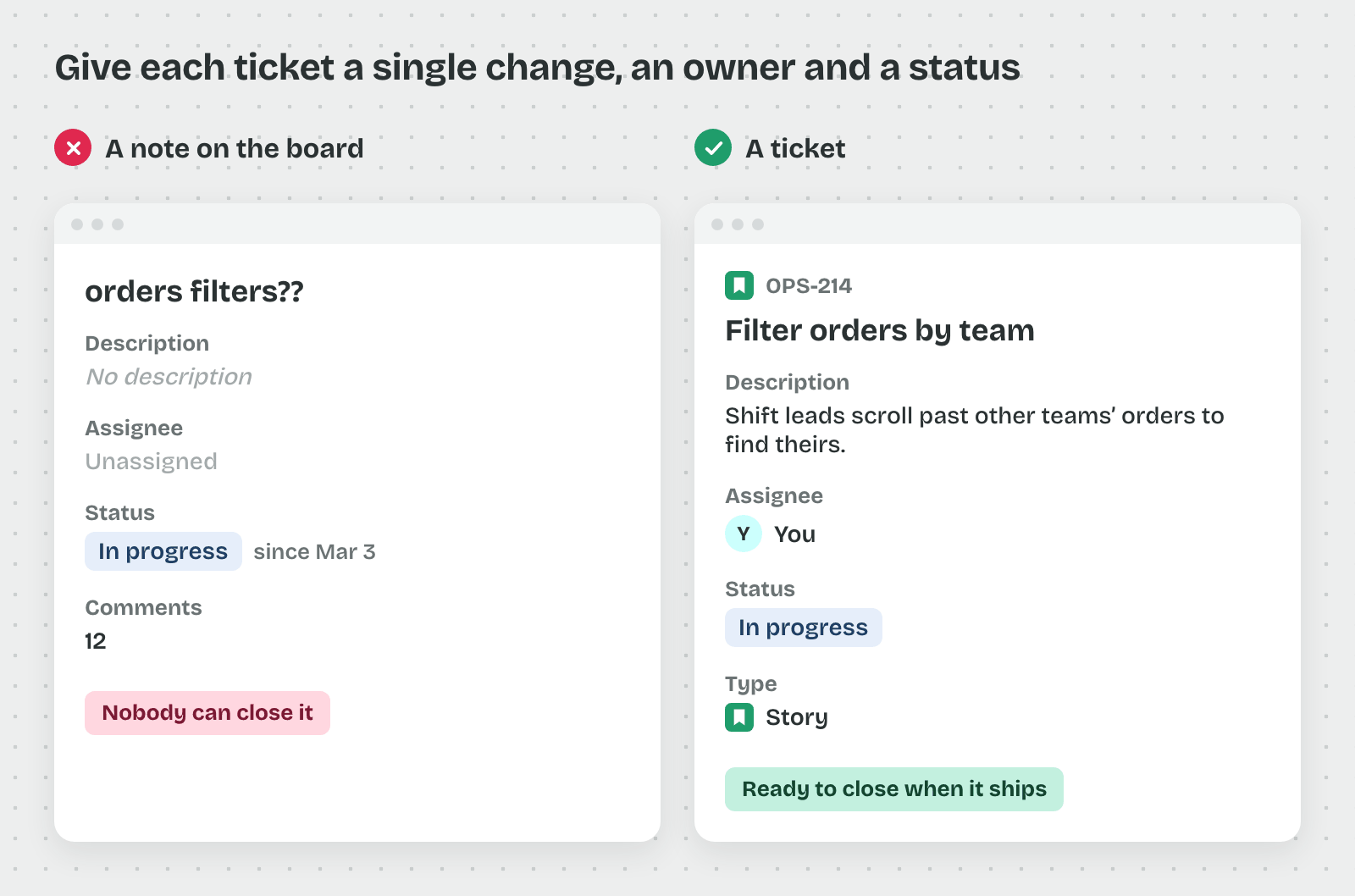
So the first skill is telling a ticket from a note. A ticket is the smallest unit of tracked work, with one change, one owner and one status at a time.
Where Tickets Come From
Most teams track tickets in Jira, which Atlassian released in 2002. Its developers had used Bugzilla and nicknamed it Gojira, the Japanese name for Godzilla. Atlassian's FAQ says the nickname stuck for their own tracker once the "Go" was dropped.
That bug-tracking past still shows in the default shape. A Jira software project starts with three standard types, Bug, Story and Task, according to Atlassian's documentation. So a design request often arrives in a form first built for defect reports.
The Fields of a Ticket
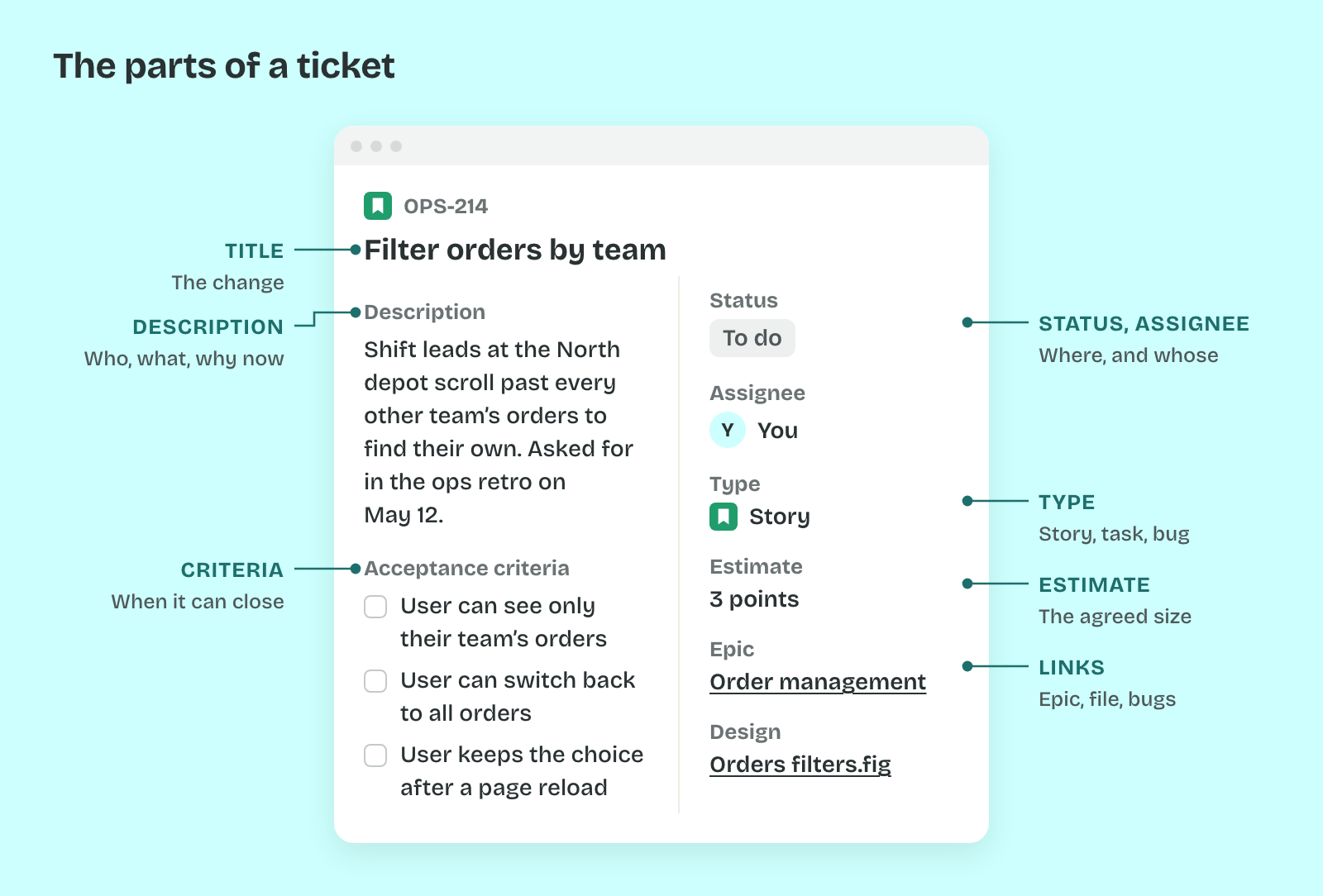
Every tracker uses roughly the same fields, whatever it calls them:
- Title: the change in one line somebody can scan in a list.
- Description: who has the problem, what they are trying to do, and why now.
- Acceptance criteria: what must be true before the ticket can close.
- Type: story, task, bug or spike.
- Estimate: the size the team agreed on, in points or days.
- Status and assignee: where the ticket is, and whose it is right now.
- Links: the parent epic, the design file and related bugs.
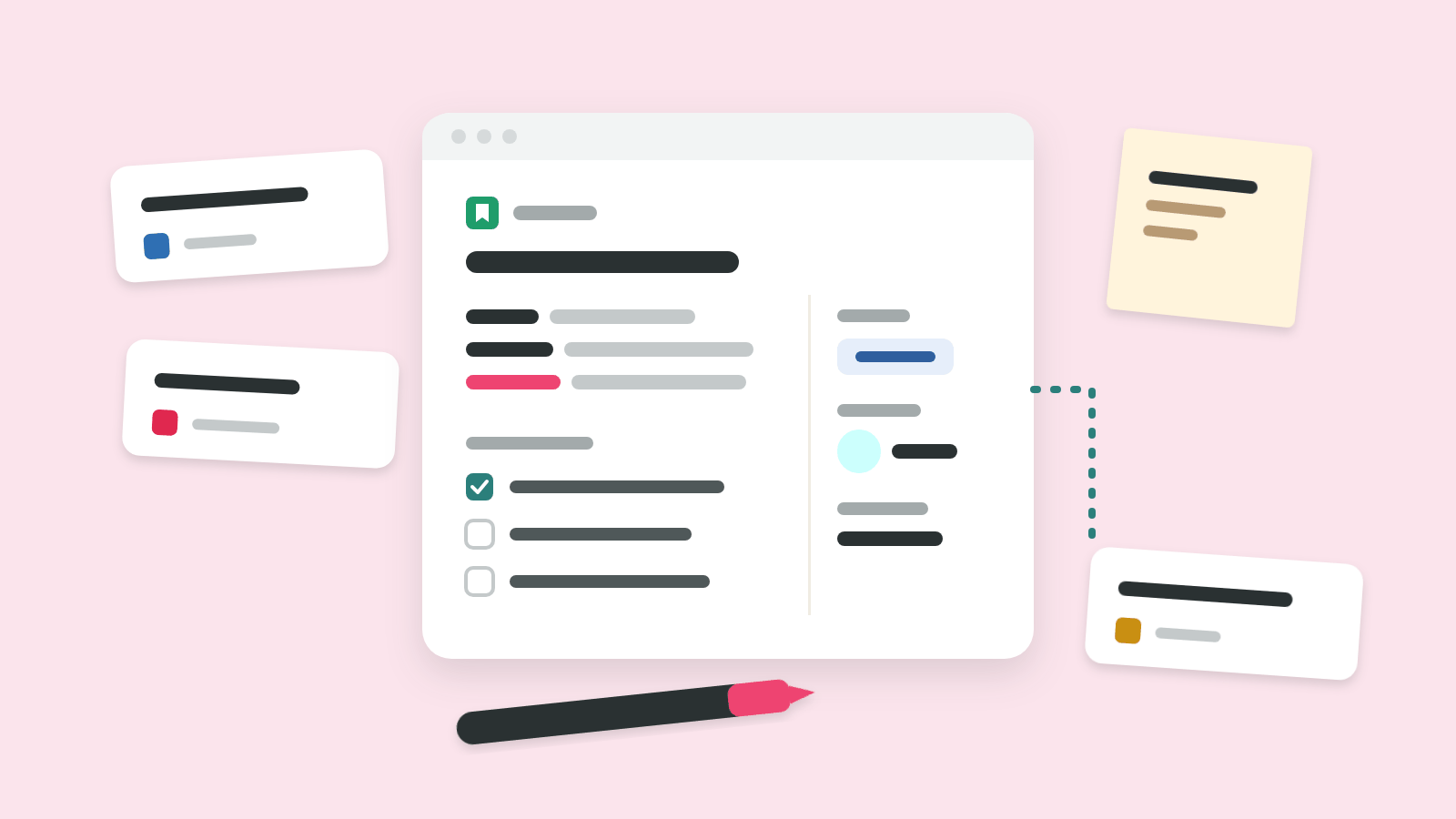
In practice, three of those decide whether you can design from the ticket: the description, the criteria and the type. The rest is tracking. Linear has no type field at all, so teams there mark a bug with a label. Here is a story ticket with each field labeled:
Types of Ticket
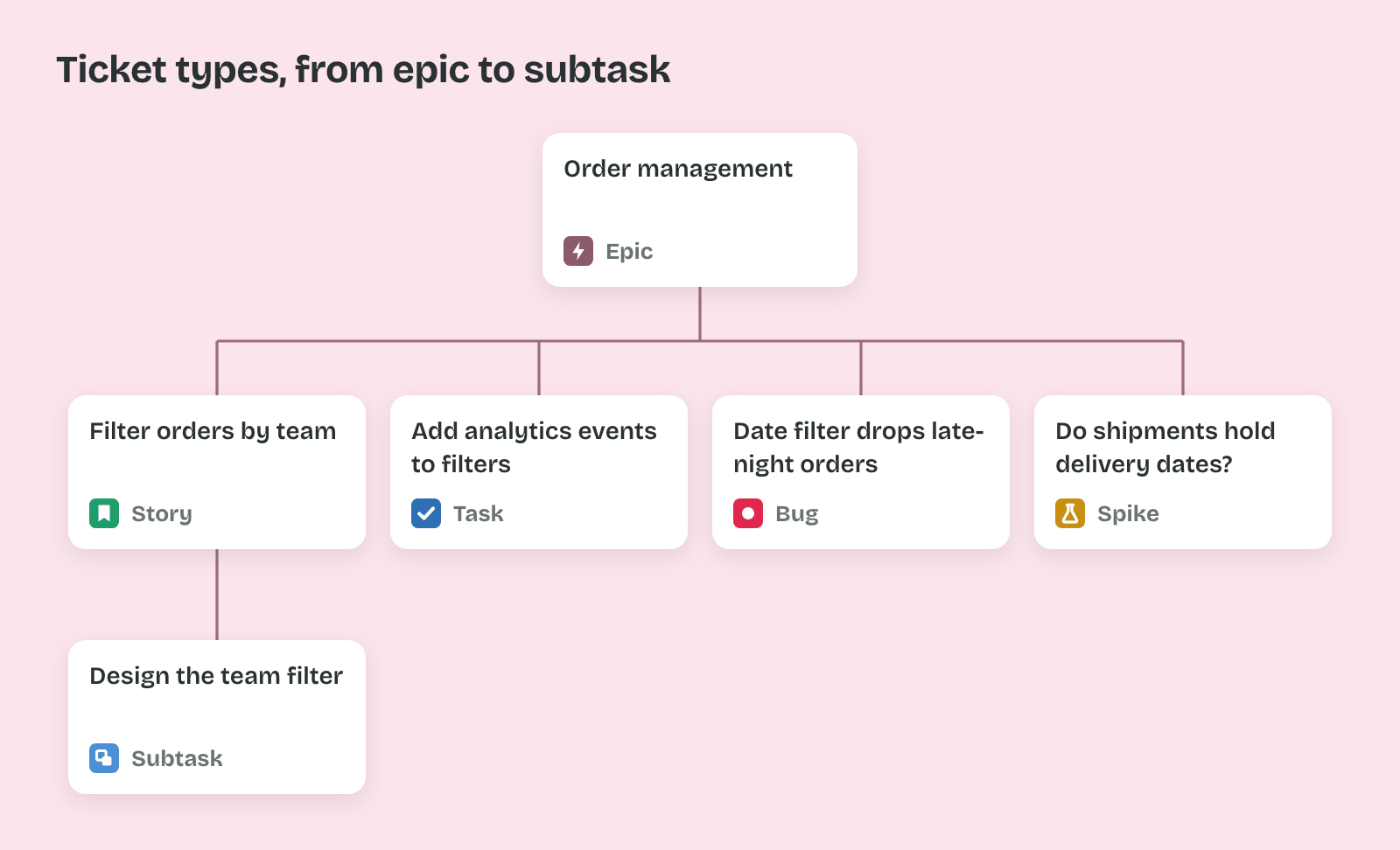
A story describes something a person can do once it ships, and most design work belongs there. A task is work with no change a user sees, such as moving a database table or adding analytics events. A bug records a gap between what happens and what was agreed. A spike is a timeboxed investigation that ends in an answer the team can act on.
Around those four sit two more levels. An epic groups several stories that add up to one capability, such as order management. A subtask splits one story between people, such as the design work and the front-end work. Here is how the types sit in an orders tool:
How a Ticket Reaches Your Name
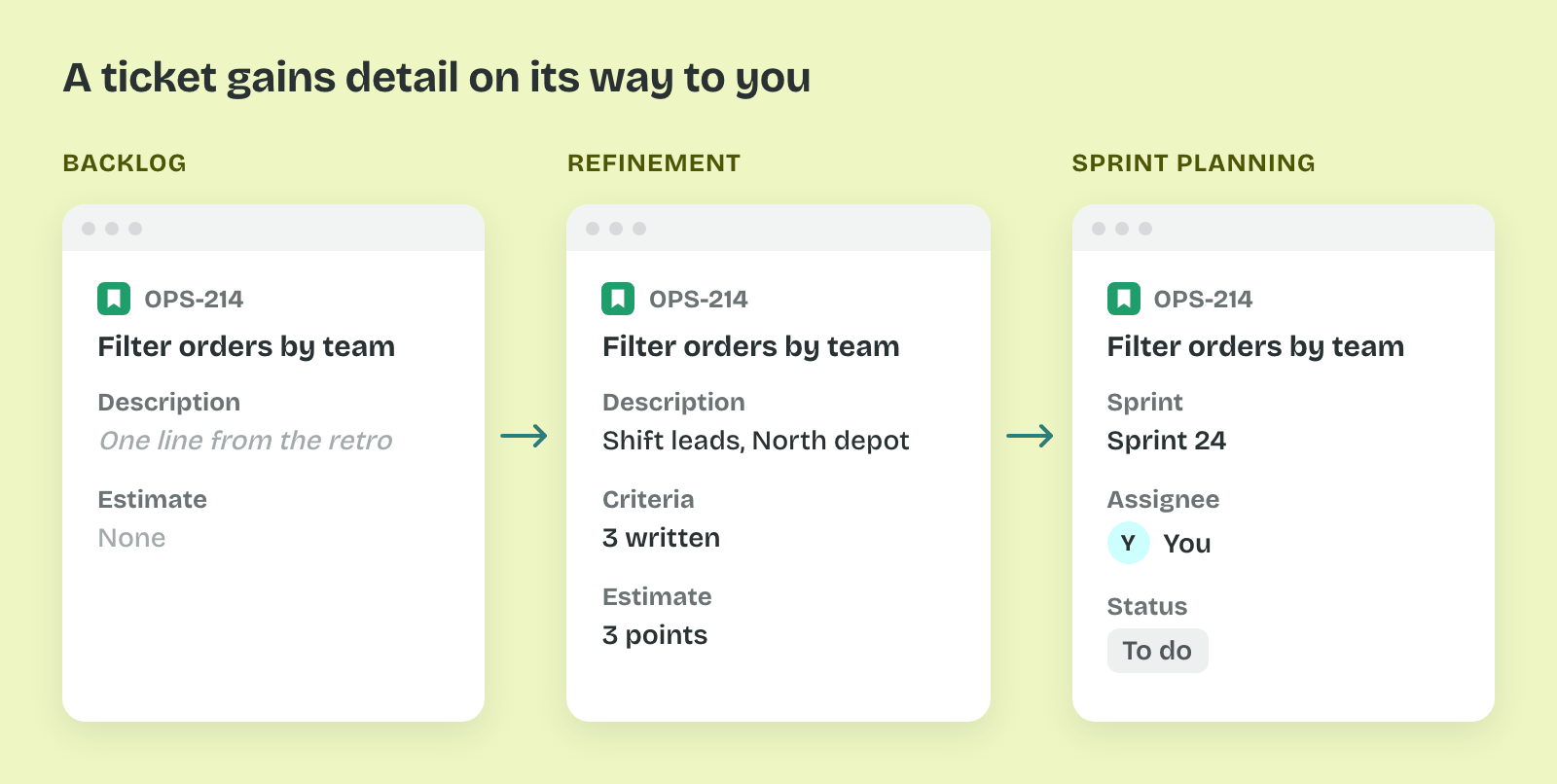
Anyone on the team can write a ticket and drop it into the backlog, the queue of everything requested. In refinement, the team picks items near the top, adds detail and sizes them. In sprint planning, a set of them becomes the next sprint's work.
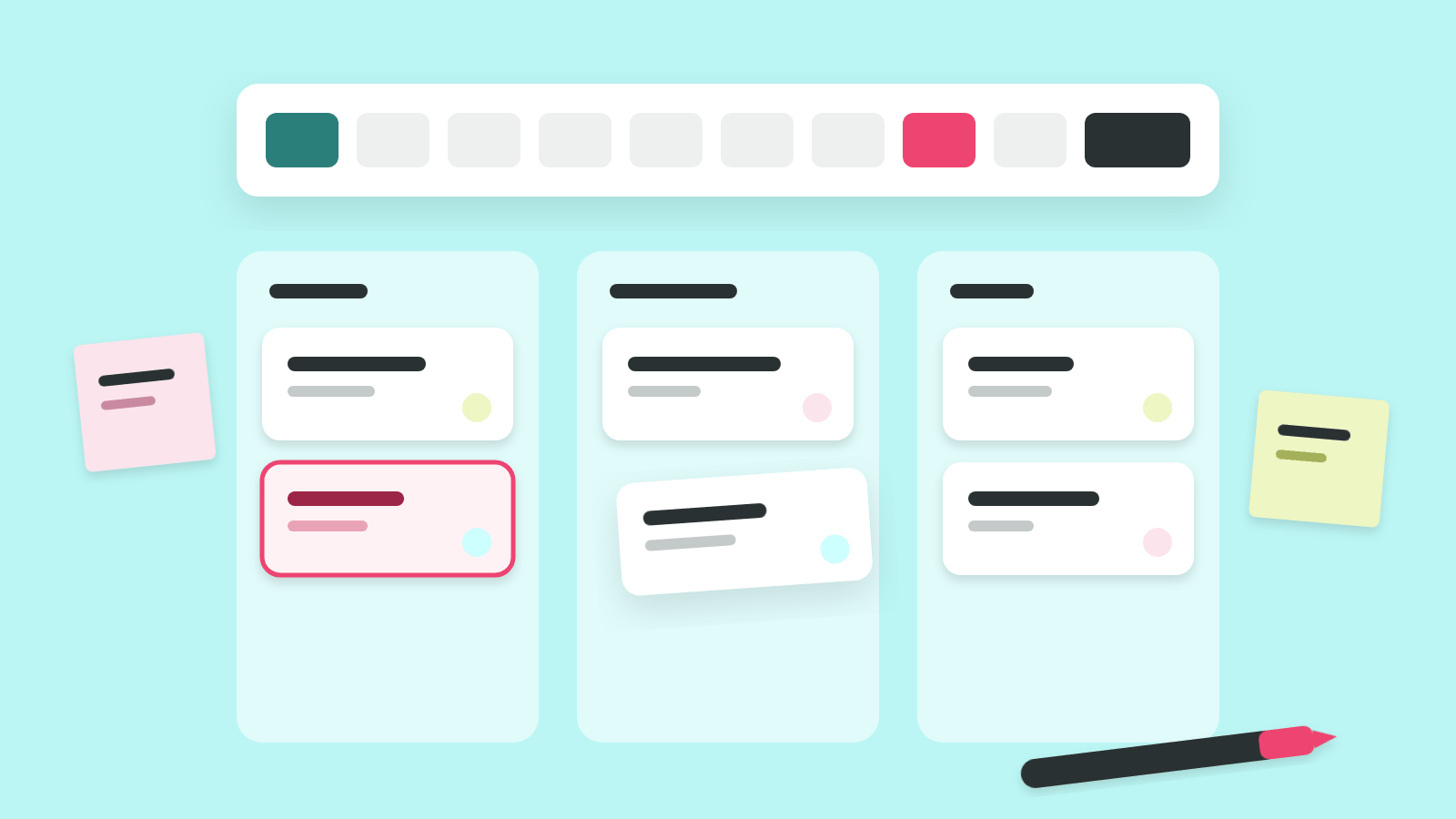
So a ticket with your name on it has passed through a queue and at least one conversation. Its stage tells you what can still change. Refinement is the last cheap moment to change the scope, and Refinement & Sprint Planning covers how to use it. Here is one ticket at each stage:
Pro tip: Read only the description and the criteria of a new ticket. If those two fields can't tell you who the change is for, ask before the sprint starts.