
UX Design Mentorship: An Outside Eye, When You Need It
UX design mentorship without the scheduling: send a piece of work with the one question you actually have. A mentor writes back within 48 hours, on the work itself.
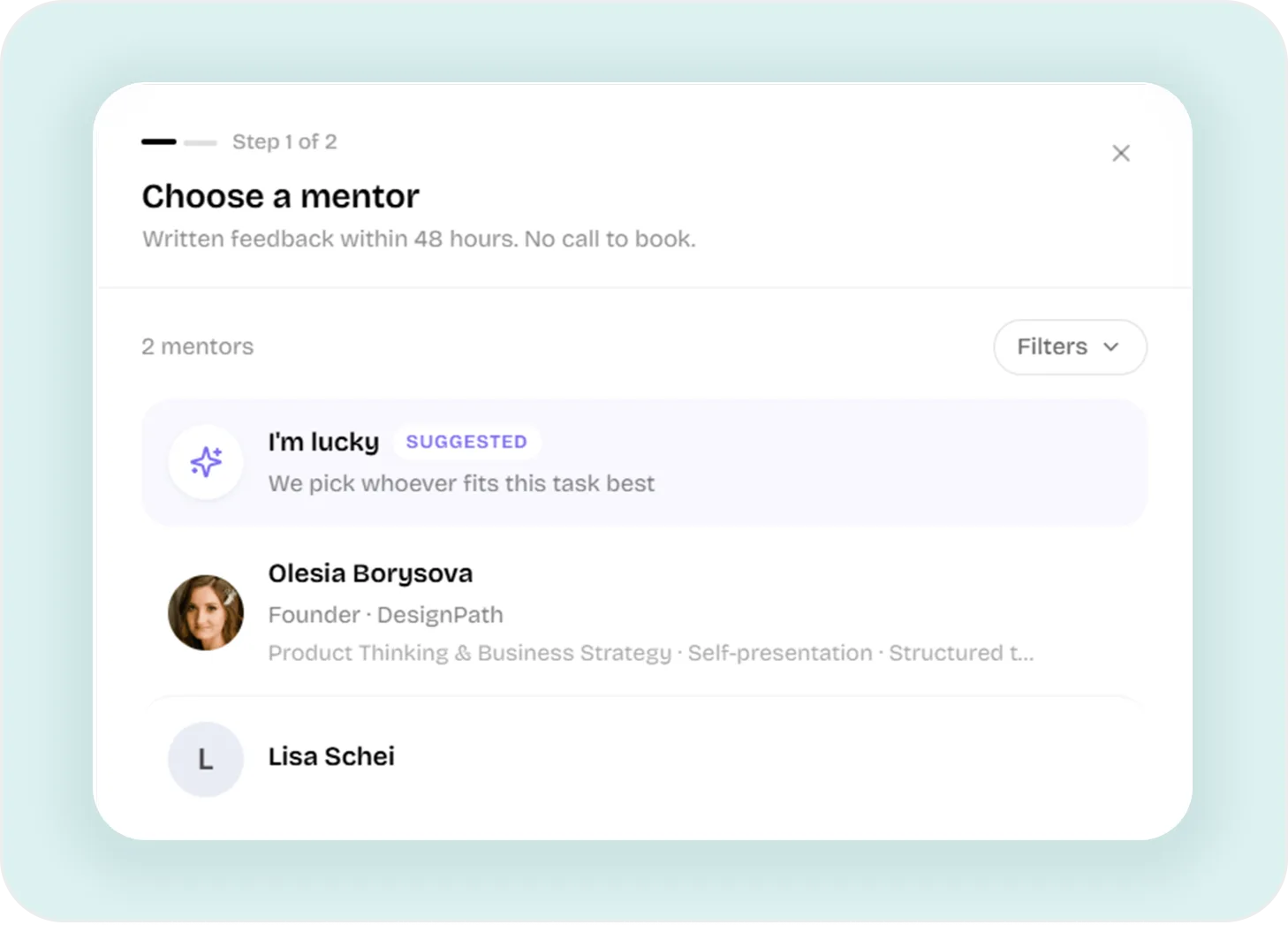
Four Questions, Then It Is Sent
The whole request is one short form. It asks the things a mentor needs in order to be useful, and nothing else, so sending work costs you a couple of minutes.
Pick a Mentor, or Skip It
Choose someone from the list, or take the suggested option and let DesignPath match your work to whoever fits it best.
Say What the Work Is
Something you are building, a practical task from your plan, or a case from your portfolio. The first one is the default.
Say How Finished It Is
Rough, in progress or nearly done. That one tap decides whether you get a note on direction or a note on the details.
Ask the Real Question
One box for what you actually want to know, and a link or a few screenshots. This is the field that decides how useful the answer is.
Say How Done It Is, and Get the Right Note Back
There is no point picking apart the typography of something you are still figuring out. So the form asks how finished the work is first, and the mentor critiques it at that level.
| Stage | What you are saying | What comes back |
|---|---|---|
| Rough | Early thinking. Tell me if the direction is wrong. | A verdict on the approach before you build on it. |
| In progress | Half-built. Push on structure and decisions. | Pressure on the choices underneath, while they can still move. |
| Nearly done | Close to final. Catch what I stopped seeing. | The details you have looked at so long they went invisible. |
What Comes Back
A mentor answers in writing, and sometimes with a recorded walkthrough that plays inline. Either way it lands on the request itself, next to the work and the question you asked, so nothing has to be pieced back together later.
Because of that, a review is the start of a conversation. There is a thread under every one, so you can say what you changed or ask what a point meant, and the mentor sees it.
- TurnaroundWritten feedback within 48 hours
- FormatWritten, or a video walkthrough that plays where you left it
- AfterwardsA reply thread on the review, for both sides
- Changed your mindWithdraw the request any time before it is answered
Who Reviews Your Work
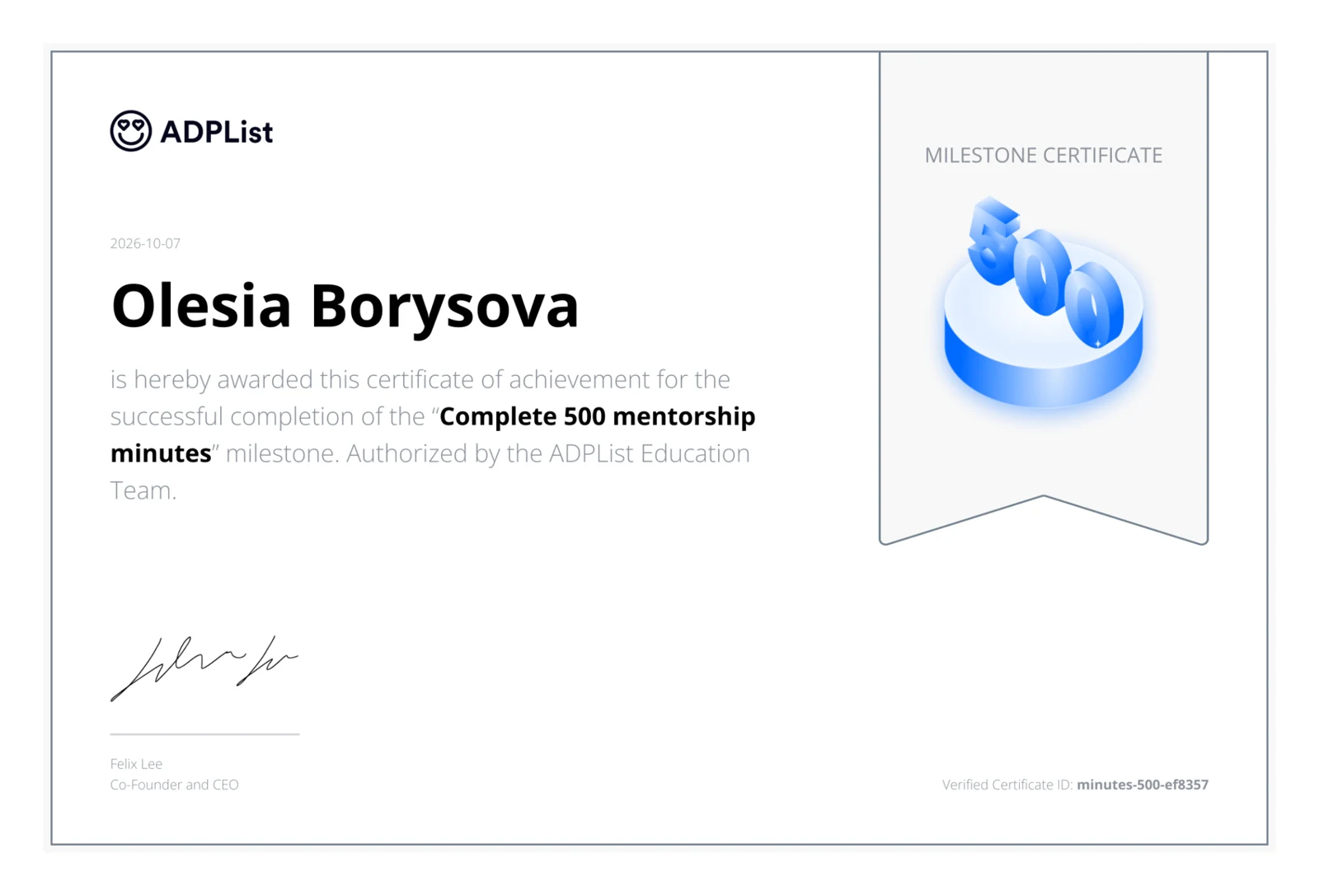
Our founder, Olesia Borysova, is a mentor on DesignPath. She has 8+ years in product design, three of them leading a design team, and 500 minutes of one-on-one mentoring on ADPList behind her.
ADPList confirmed that milestone with the certificate you see here, issued on 7 October 2026.
Pay for the Reviews You Use
A review is bought outright. It never expires, it works without a subscription, and the plan you are on does not decide whether you can send one.
Premium is separate. It carries the certificates, the unlimited AI mentor and the rest, and it does not include reviews. See the full comparison.
Stop Guessing Whether It Is Good
Send the work and the question. Get a real answer back in two days.
How UX Design Mentorship on DesignPath Compares
Live mentoring calls and written reviews of your work solve different problems. Here is how the two biggest mentorship platforms for designers compare with DesignPath, facts checked at the source.
Every option in one table: UX design learning platforms compared.
Questions People Ask
Is this a call?
No. You send the work and the question, and the answer comes back written, on your own schedule. Nothing to book and nothing to be on time for.
How long does it take?
Written feedback comes back within 48 hours. Until it arrives the request sits as awaiting, and you can withdraw it if you change your mind.
What can I send?
A practical task from your plan, a case from your portfolio, or anything you are building that lives nowhere in DesignPath yet. The last one is the common case and the one the form opens on.
What does a review cost?
Thirty dollars, or twenty-five each when you take three or more. They are bought outright, so a review you have paid for never expires, and you do not need a subscription to use it.
Can I ask a follow-up?
Yes. Every review has a thread under it, so you can say what you changed or ask what a point meant, and the mentor sees it.
How is this different from the AI mentor?
The AI mentor answers instantly and is unlimited on Premium, which makes it the right tool for a quick question. A person is who you send the work to when the question is whether it is actually good.