
Learn UX Design by Doing: Skills Grow in the Work
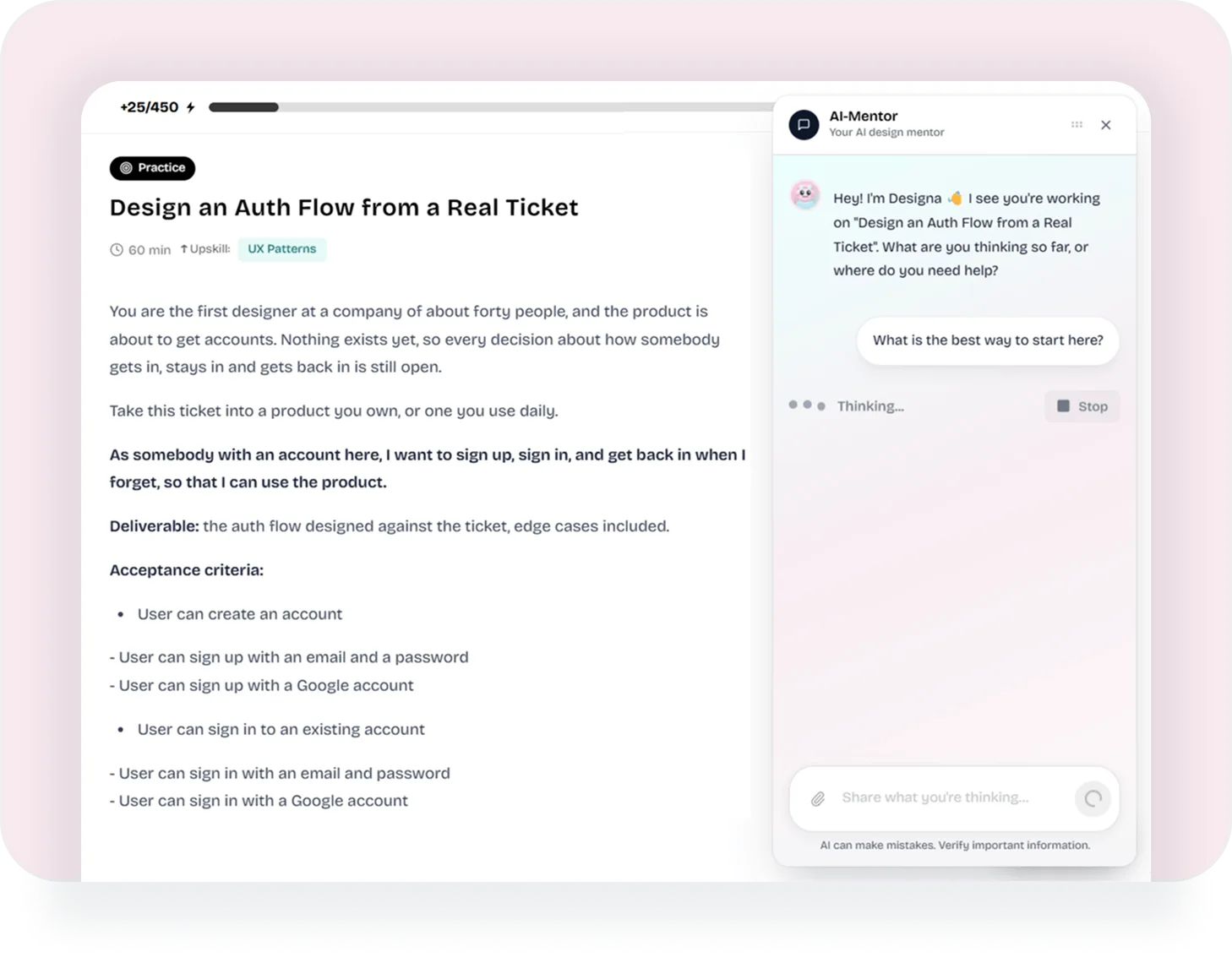
Learn UX design by doing: every module ends in a real brief, with a situation, a deliverable, and the criteria the work is measured against. Designa, the AI mentor, has read the same lesson you have and thinks the task through with you.
A Task, Not an Exercise
The brief above is one of them, and it reads the way work arrives on a real team: a company of about forty people, no accounts yet, and a ticket written in the user’s voice. Under it sit the deliverable and the acceptance criteria, so finishing is a question of fact rather than of taste.
A Brief, Written as a Ticket
The situation, the ask in the user’s own words, then the deliverable and the acceptance criteria the work is measured against.
The Skills It Moves
Each task is tagged with the skills it upskills, and those are the same skills your competence matrix scores.
An Estimate
A task says how long it should take before you open it, so you can pick one that fits the evening you actually have.
Somewhere to Put the Work
You describe your process and results and attach screens or a Figma link. The entry stays in your Experience section.
The Helper Has Read the Lesson
Designa opens as a panel beside your work, on a lesson, on a task, or on your growth plan. It is handed what you are looking at: the article’s own text, or the task’s title and brief. So the conversation starts inside your problem instead of at a blank prompt, and you can paste a screen into it and ask what is wrong with the spacing.
“Don’t give away answers - guide them to find their own solution.”
Because of that it answers with questions as often as with advice, and each task keeps its own thread, so coming back after two days picks up where you left it. The panel carries the caveat the app puts under every answer: AI can make mistakes, so anything important is worth checking.
Three Steps Under Every Brief
The task page is not a text box and a done button. Under the brief sit the three things that happen to real work: you share it, a person reads it, and it turns into something you can show.
Share Work
Write what you did and why, attach the screens or the prototype link, and it is saved as your submission for that task.
Mentor Review
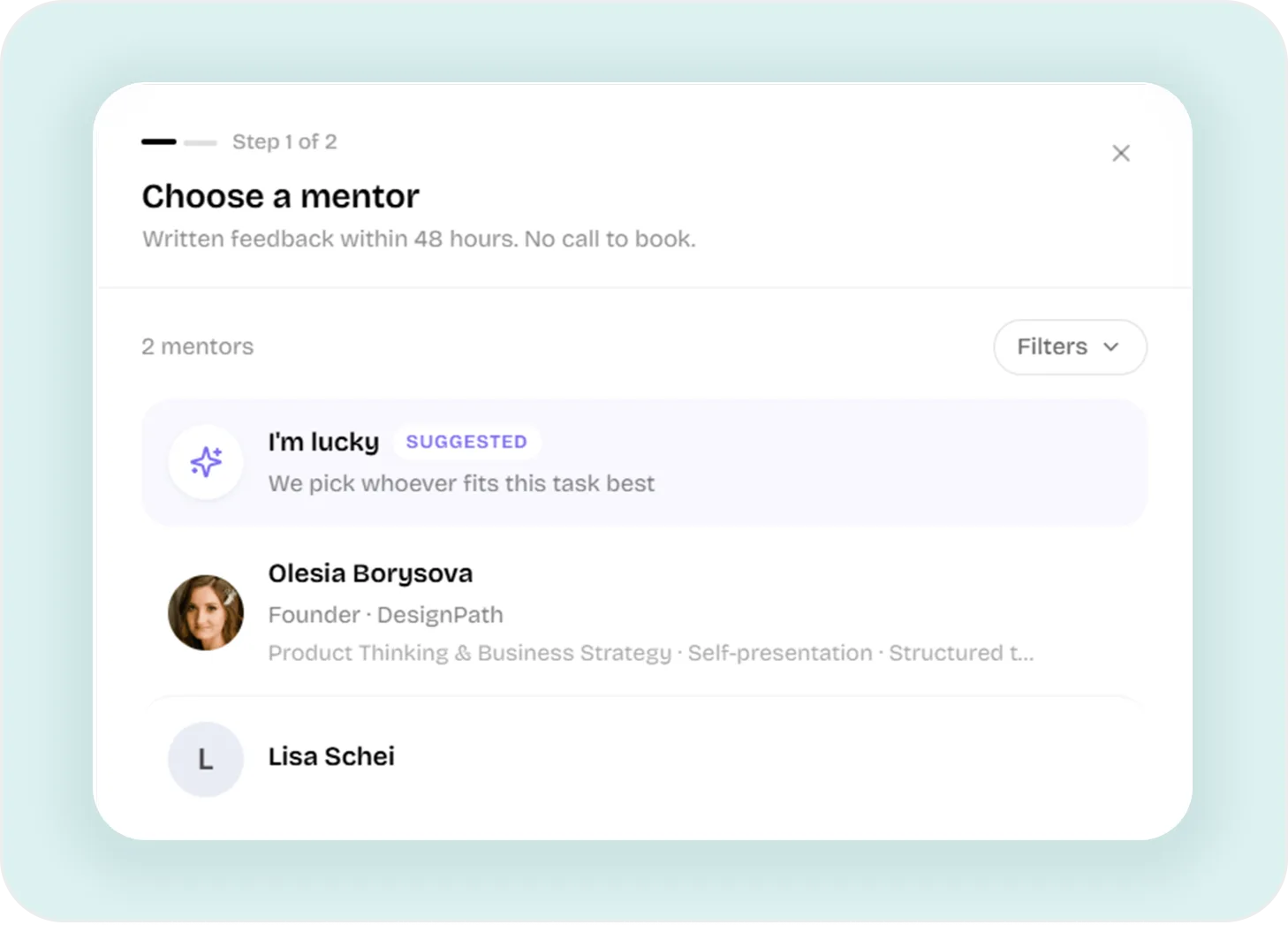
Pick a mentor or let DesignPath pick one, and written feedback comes back within 48 hours. Nothing to schedule, no call to sit through.
Portfolio Design Case
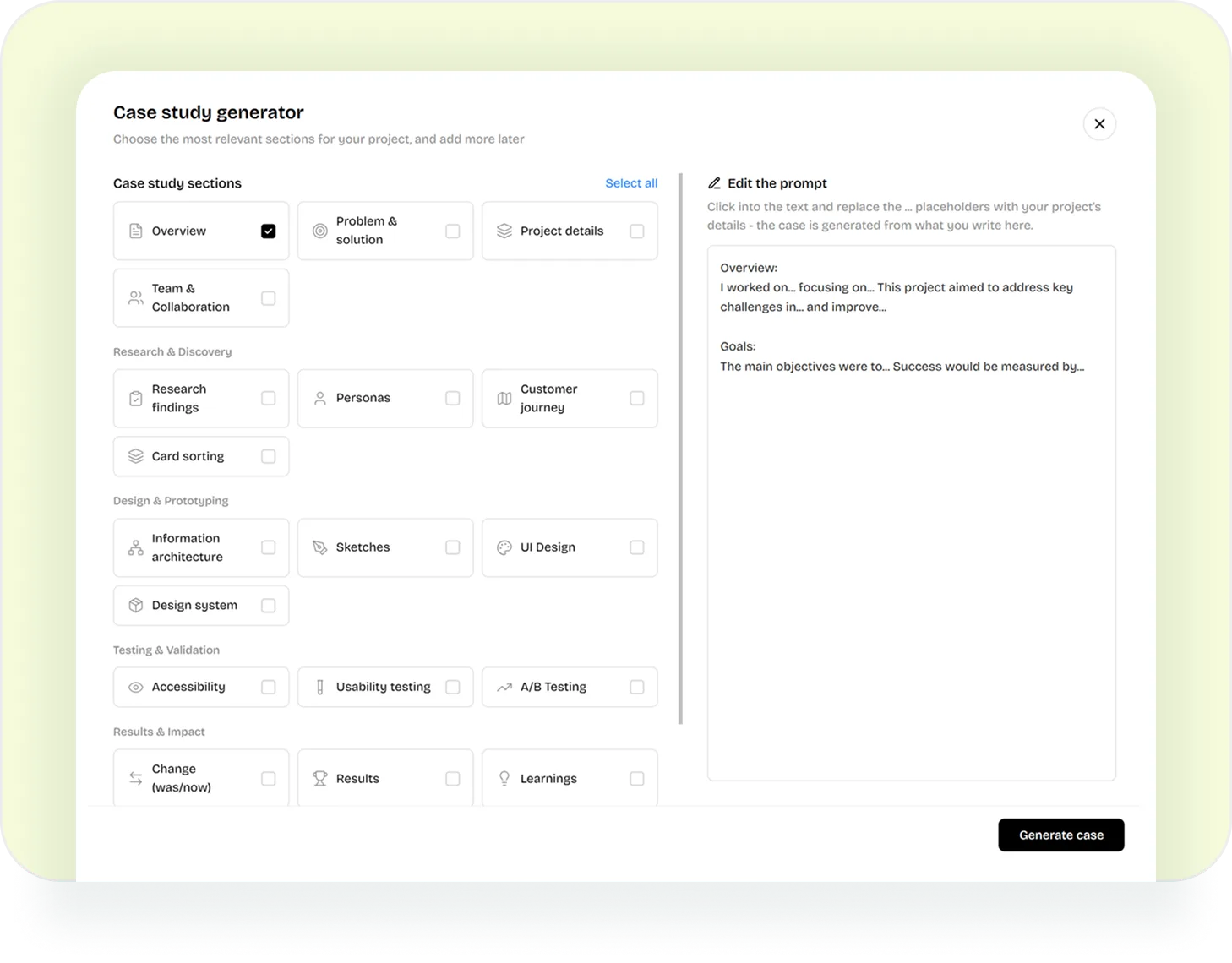
Choose the sections the project needs, from research findings to results, and the case is written from what you already wrote.
Practice Sits Inside the Plan
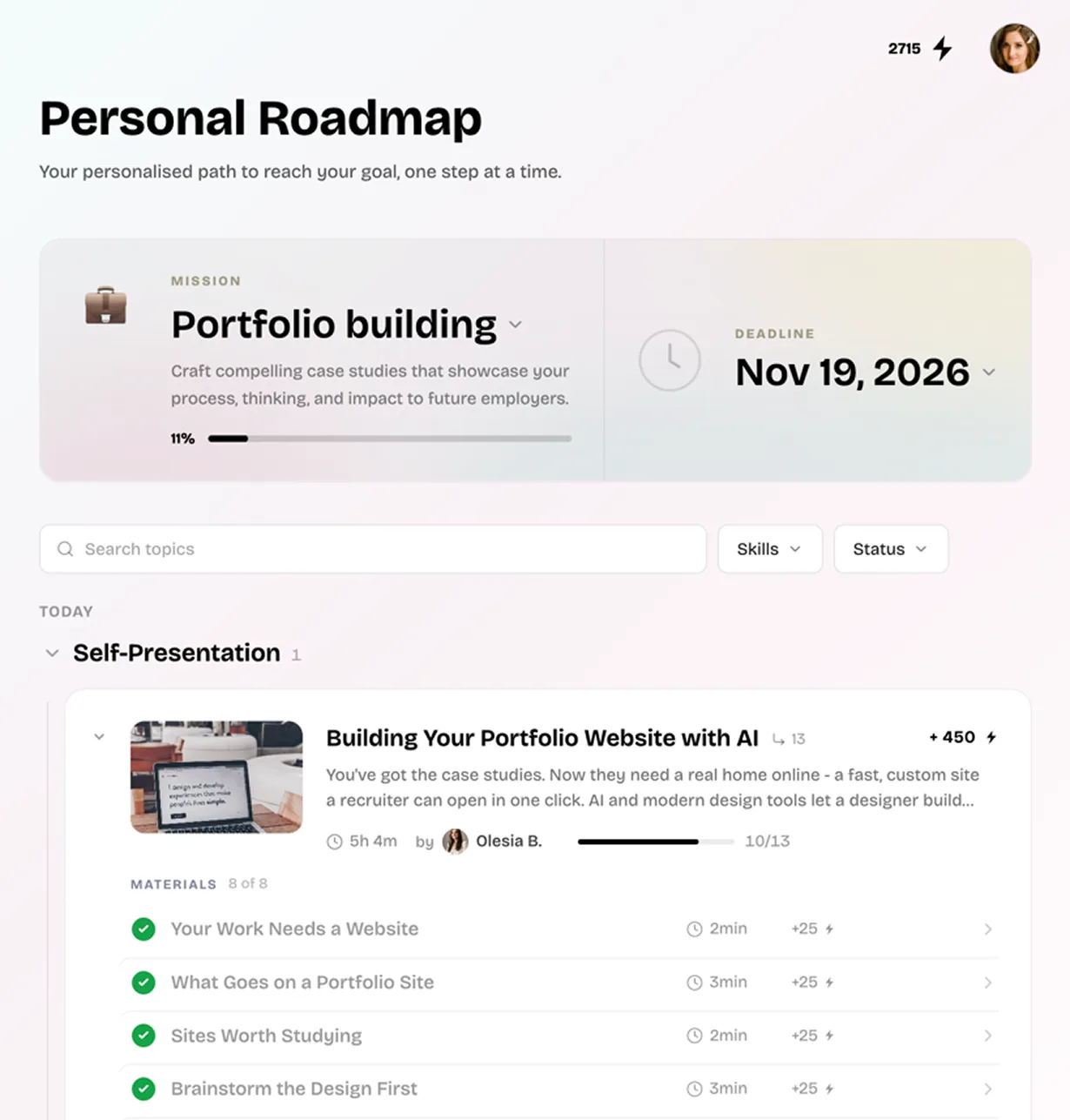
Tasks are not a second library you have to remember to visit. They sit in the roadmap next to the reading they belong to, carrying a practice mark, the time the task takes and the points it is worth, so the evening’s work is picked the same way the evening’s reading is.
And if you are already designing something, it does not have to stay outside. A personal project gets its own page: a description you write once, the files and screens you add over the days of designing, a mentor review of them, and the portfolio case at the end. That is the same review and case machinery a practice task runs on, so freelance work or a side project earns the same feedback and the same write-up.
Finishing a Task Moves the Chart
Every task is tagged with the skills it exercises, and those skills sit in the nine categories your competence matrix scores. So the work counts twice: once as something you made and can show, and once as a category that stops being your weakest.
Pick a Brief and Start
An evening’s work, a mentor who reads it, and a case at the end of it.
Questions People Ask
Do I need a job or a client to practice?
No. Each brief carries its own situation, and most of them tell you to take the ticket into a product you own or use every day. If you already have a project, you can set that up instead and run it through the same review and case steps.
Does the AI do the task for me?
It is instructed not to. The prompt it runs on says to guide you to your own solution rather than give away answers, so it asks what you are thinking and where you are stuck. It also carries the app’s own caveat: AI can make mistakes, so check anything important.
What does the helper actually know?
The lesson you have open, by title and by text, or the task you are on with its brief. That is why its first question is about your task rather than a generic prompt to start.
Is a mentor review required?
No. Sharing the work is the step that completes a task. A review is what you add when you want a person to read it, and the portfolio case can be built either way.
Does practice change my plan?
Yes. Tasks are tagged with skills, and finishing one feeds the category those skills sit in. Your competence matrix moves, and the plan built on it follows.