Find Your Next
Free UX Design Course

103+courses

Where Are You on the Path?

Free UX design courses in six steps: step 1 is the base, step 6 is product business. Find your step and see what comes next.

Our picks

Course of the month

The Offer & Negotiation

Step 3 · 1 h 42 min

Self-PresentationStep 3: Specialized UX

The offer email lands and your instinct is to reply 'yes!' in five minutes. That reflex is exactly what costs people thousands - an offer is the start of a conversation, not the end of one.

Lessons

  1. 1The Job Isn't Over When They Say Yes2 min
  2. 2What an Offer Contains Besides the Salary3 min
  3. 3Know Your Number2 min
  4. 4Negotiate Without Losing the Offer3 min
  5. 5Compare, Decide, and Close2 min

Practice

  1. 1Build Your Offer Evaluation Sheet45 min
  2. 2Draft and Rehearse Your Counter45 min

Certificate

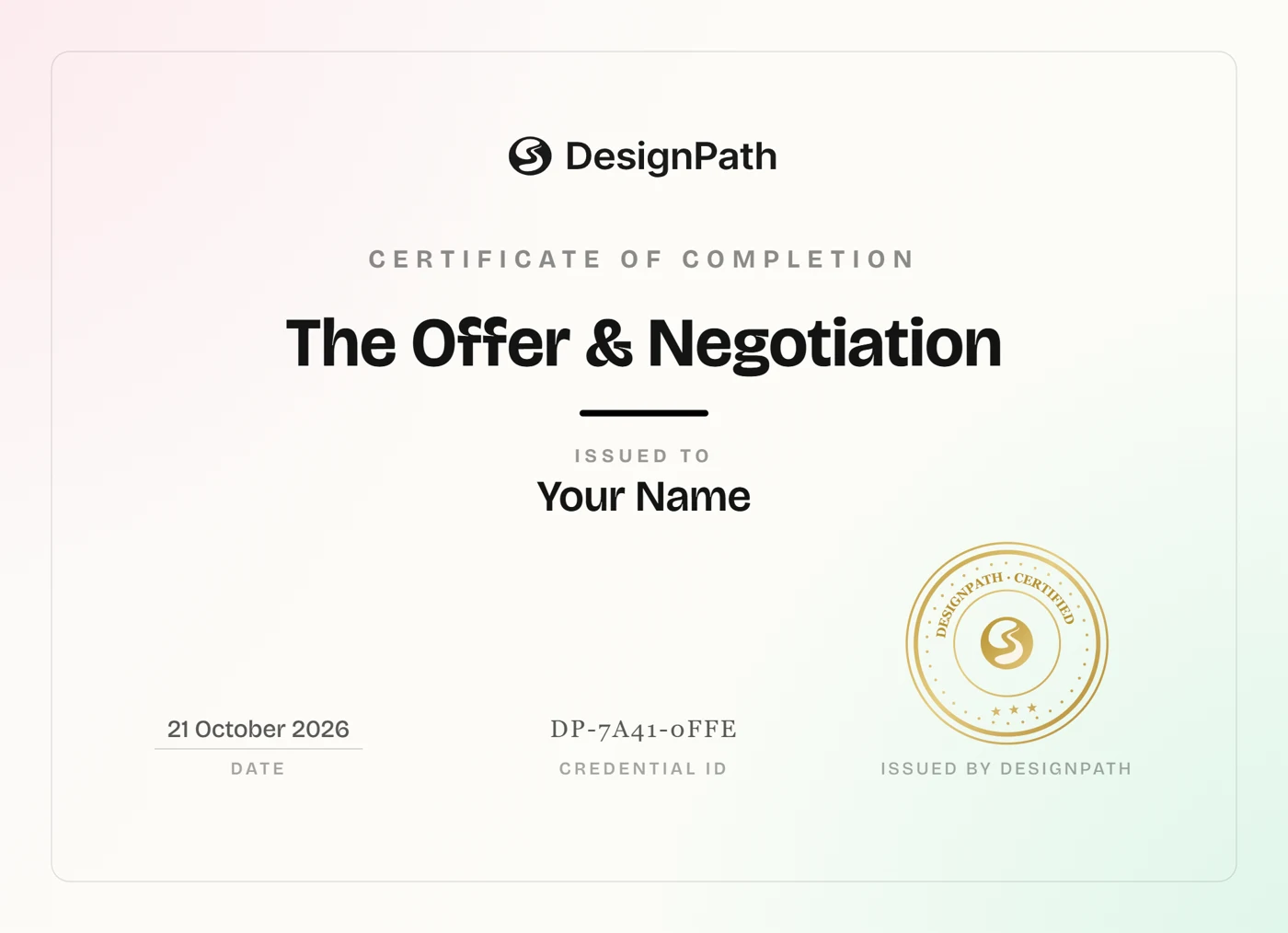
DesignPath certificate of completion for The Offer & Negotiation
Course of the year

Building Your Design Portfolio

Step 1 · 45 min

Self-PresentationStep 1: Foundations

A portfolio isn't a collection of pretty screens. It's a story about how you think. Understand what makes portfolios effective and how to communicate your design thinking.

Lessons

  1. 1Understanding What Makes a Strong Portfolio2 min
  2. 2Case Studies That Get Read3 min
  3. 3Building Your First Portfolio From Scratch3 min
  4. 4Learning From Great Portfolio Examples3 min
  5. 5Leveraging AI in Portfolio Creation4 min

Practice

  1. 1Create Your Moodboard30 min
  2. 2AI Discovery Questions & Case Study Draft1h
  3. 3Edit & Refine Your Case Study1h
  4. 4Add Visuals1h
  5. 5Polish & Get Feedback1h

Vision, Strategy & Bets

Step 6 · 43 min

Product ThinkingStep 6: Business & growth

Before any design work begins, the team has to agree on where the product is going and why. Vision defines the destination; strategy maps the route; the spec writes it down.

Lessons

  1. 1Vision and Strategy5 min
  2. 2Product Landscape vs Roadmap4 min
  3. 3From Strategy to Bets4 min

Practice

  1. 1Write a Product Vision30 min

Growth Loops

Step 6 · 51 min

Growth DesignStep 6: Business & growth

A funnel is a bucket with a hole: you pour users in the top and keep paying to refill what leaks out the bottom. A growth loop is different - each user you get helps bring the next one. This module is how to build the loop.

Lessons

  1. 1Growth Loops2 min
  2. 2Growth Loops vs Funnels3 min
  3. 3Acquisition & Activation3 min
  4. 4Referral & Virality3 min

Practice

  1. 1Map a Growth Loop40 min

Churn & Loyalty

Step 6 · 53 min

Retention StrategiesStep 6: Business & growth

Even a product people love leaks users - a finished project, a tighter budget, a failed payment. This module is the defensive side of retention: spotting the users slipping away, catching them in time, and winning back the ones who already left.

Lessons

  1. 1Churn & Loyalty2 min
  2. 2Reducing Churn4 min
  3. 3Gamification4 min
  4. 4Win-Back & Resurrection3 min

Practice

  1. 1Design a Churn Net40 min

Product Roadmapping

Step 6 · 51 min

Prioritization & RoadmappingStep 6: Business & growth

You've decided what to build - now you have to show the plan without promising dates you'll have to break. A roadmap is a communication tool, not a delivery contract.

Lessons

  1. 1Roadmapping2 min
  2. 2Types of Roadmaps3 min
  3. 3Now-Next-Later & Outcome Roadmaps3 min
  4. 4Communicating the Roadmap3 min

Practice

  1. 1Build a Now-Next-Later Roadmap40 min

Product Differentiation

Step 6 · 43 min

Market & PositioningStep 6: Business & growth

Two products with the same features, and one is the obvious choice. Differentiation is the reason - the point of difference users actually care about, and the trade-off behind it.

Lessons

  1. 1Differentiation: How You Win5 min
  2. 2Finding Your Niche4 min
  3. 3Positioning Maps4 min

Practice

  1. 1Plot Your Positioning Map30 min

Product Positioning

Step 6 · 49 min

Market & PositioningStep 6: Business & growth

If you can't say why you in one sentence, neither can your customer. The USP and the classic positioning-statement template that pin it down - filled from evidence, not wishes.

Lessons

  1. 1USP & the Positioning Statement5 min
  2. 2Building a Value Proposition5 min
  3. 3Messaging Foundations4 min

Practice

  1. 1Write Your Positioning Statement35 min

GTM Strategy

Step 6 · 51 min

Go-to-MarketStep 6: Business & growth

You can build the best product in the category and still watch launch day pass in silence. Go-to-market is the plan for how a product actually reaches the people it's for - and convinces them to care.

Lessons

  1. 1Go-to-Market2 min
  2. 2GTM Motions - PLG, Sales-led & Community3 min
  3. 3From Positioning to Messaging3 min
  4. 4Pricing & Packaging Basics3 min

Practice

  1. 1Draft a One-Page GTM Plan40 min

Launch & Release Marketing

Step 6 · 51 min

Go-to-MarketStep 6: Business & growth

A launch isn't the moment you deploy - it's the moment people notice. And after the big launch comes the quieter, steadier work of telling users what's new, release after release, so the product never feels stalled.

Lessons

  1. 1Launch & Release Marketing2 min
  2. 2Launch Types - Soft vs Hard3 min
  3. 3Release Marketing - Notes, Changelogs & Announcements3 min
  4. 4The Launch Checklist3 min

Practice

  1. 1Plan a Launch40 min

Marketing Channels

Step 6 · 51 min

Go-to-MarketStep 6: Business & growth

A channel is a path to reach the people you're for. There are dozens, they all cost time or money, and the fatal move is trying all of them at once. This module is about picking the few that matter.

Lessons

  1. 1Marketing Channels2 min
  2. 2Choosing Channels3 min
  3. 3Social Media Marketing3 min
  4. 4Email Marketing3 min

Practice

  1. 1Build a Channel Plan40 min

Product Thinking

Step 5 · 42 min

Product ThinkingStep 5: Product strategy

The habit of zooming out from the screen to the whole thing - the need it serves, the business behind it, the bet it represents. It's the jump from making products nice to helping decide what gets made.

Lessons

  1. 1Product Thinking2 min
  2. 2Designing the Whole Product, Not the Screen2 min
  3. 3Product vs Feature vs Platform4 min
  4. 4Testing an MVP in Weeks4 min

Practice

  1. 1Validate an Idea in Two Weeks30 min

Product Soul

Step 5 · 56 min

Product ThinkingStep 5: Product strategy

Meeting the requirements should be the floor, not the goal. Products that only work are easy to replace; products users feel something about are not. That feeling is the soul.

Lessons

  1. 1Working Isn't Enough2 min
  2. 2Useful vs Cared-About5 min
  3. 3Getting Soul Approved4 min

Practice

  1. 1Add a Fiddle Factor45 min

Opportunity Framing

Step 5 · 51 min

Product Interviews & ObservationStep 5: Product strategy

Discovery leaves you with a pile of notes, not a decision. This module is the disciplined path from raw signals to a clear, one-paragraph bet the whole team can get behind.

Lessons

  1. 1From Signals to a Bet2 min
  2. 2Analyzing Discovery Data3 min
  3. 3Framing the Opportunity3 min
  4. 4Pressure-Test & Write the Bet3 min

Practice

  1. 1Write the Opportunity Brief40 min

From Signals to a Bet

Step 5 · 55 min

Product Interviews & ObservationStep 5: Product strategy

Thirty pages of notes into clear patterns - the concrete four-step process: break notes into observations, cluster by affinity, count and weigh, then pull out jobs, pains, and gaps.

Lessons

  1. 1Analyzing Discovery Data5 min
  2. 2Framing the Opportunity5 min
  3. 3Pressure-Test & Write the Bet5 min

Practice

  1. 1Write the Opportunity Brief40 min

Goals & OKRs

Step 5 · 51 min

MetricsStep 5: Product strategy

You shipped the feature - but did it work? Metrics are how a team answers that with a number instead of a shrug, and this topic is how to pick numbers that mean something.

Lessons

  1. 1Goals & OKRs2 min
  2. 2Outcomes vs Outputs3 min
  3. 3Goal Setting with OKRs3 min
  4. 4The North-Star Metric3 min

Practice

  1. 1Set an OKR + North-Star40 min

Product & Business Metrics

Step 5 · 51 min

MetricsStep 5: Product strategy

Goals tell you where to aim - these are the numbers that tell you where you are. The core metrics every product runs on, how to spot the ones that lie, and the unit economics behind a bet.

Lessons

  1. 1Product & Business Metrics2 min
  2. 2The AARRR Metrics3 min
  3. 3Vanity vs Actionable Metrics3 min
  4. 4The Numbers Behind a Bet - LTV, CAC & ROI3 min

Practice

  1. 1Build a Metric Tree40 min

The Growth Mindset

Step 5 · 37 min

Growth DesignStep 5: Product strategy

You can spend months making a product more usable and ship nothing leadership can point to as a win. That's the UX trap. Growth design escapes it by tying design decisions to the metrics that decide whether a business survives - the AARRR funnel.

Lessons

  1. 1From UX to Growth Design3 min
  2. 2The Five Principles4 min

Practice

  1. 1Turn a Screen Into a Growth Experiment30 min

Experimentation

Step 5 · 51 min

Growth DesignStep 5: Product strategy

You've got a growth goal and five ideas for hitting it, and everyone's certain theirs is best. Experimentation is how you let reality settle the argument instead of the loudest person in the room.

Lessons

  1. 1Experimentation2 min
  2. 2Hypotheses - Turning Goals into Testable Bets3 min
  3. 3A-B Tests & Feature Flags3 min
  4. 4Reading an Experiment3 min

Practice

  1. 1Design an A/B Test40 min

Engagement & Habits

Step 5 · 39 min

Retention StrategiesStep 5: Product strategy

Acquisition fills the top of the bucket; retention is whether the bucket has a bottom. It's the cheapest growth there is - keeping a user costs a fraction of winning a new one - and the thing that decides whether a product compounds or leaks.

Lessons

  1. 1Retention Strategies2 min
  2. 2Habit Loops and Engagement4 min
  3. 3Onboarding for Retention3 min

Practice

  1. 1Design a Habit Loop30 min

Prioritization

Step 5 · 54 min

Prioritization & RoadmappingStep 5: Product strategy

A backlog of 200 items and everyone's pet feature - prioritization is how you decide with evidence instead of volume, and a roadmap is how you communicate the plan without promising dates you can't keep.

Lessons

  1. 1Prioritization & Roadmapping2 min
  2. 2Value vs Effort3 min
  3. 3RICE & Scoring Frameworks3 min
  4. 4MoSCoW & Kano3 min
  5. 5Saying No: Trade-offs & Stakeholders3 min

Practice

  1. 1Prioritize a Backlog with RICE40 min

Market Research

Step 5 · 41 min

Market & PositioningStep 5: Product strategy

You can know your users cold and still lose - because you never looked outward. This is the market side of strategy: reading the landscape, and claiming a spot in it that's yours.

Lessons

  1. 1Market & Positioning2 min
  2. 2Market Sizing: TAM, SAM & SOM5 min
  3. 3Timing: Why Now4 min

Practice

  1. 1Size the Market30 min

Competitor Analysis

Step 5 · 56 min

Market & PositioningStep 5: Product strategy

Work out who you really compete with - direct, indirect, and substitute - and read the choices behind each product instead of just its screens.

Lessons

  1. 1Mapping Your Competitors4 min
  2. 2Moats & Weak Spots4 min
  3. 3Market Growth: CAGR & Trends4 min
  4. 4Competitor Teardowns4 min

Practice

  1. 1Map the Competitive Landscape40 min

Running the Client Relationship

Step 4 · 58 min

Client & Stakeholder ManagementStep 4: Product & influence

Clients forget the pixels and remember the experience of working with you - whether you were reliable, clear, and easy to trust. This module is about the communication that runs through a live project and turns one client into a repeat one.

Lessons

  1. 1Client Relationships - Introduction2 min
  2. 2Anatomy of an Engagement3 min
  3. 3Onboarding & Kickoff2 min
  4. 4Status Updates3 min
  5. 5Closing & Asking for Reviews3 min

Practice

  1. 1Build Your Client-Comms Kit45 min

Proposals, Pricing & Contracts

Step 4 · 1 h 13 min

Client & Stakeholder ManagementStep 4: Product & influence

A client said yes to talking - now you have to turn that interest into a signed, well-scoped, fairly-priced deal. This module covers the paperwork that protects you: proposals, pricing, scope, and contracts.

Lessons

  1. 1Proposals & Pricing - Introduction2 min
  2. 2Write a Winning Proposal2 min
  3. 3Estimate & Price the Work3 min
  4. 4Negotiate the Price3 min
  5. 5Scope & Contracts3 min

Practice

  1. 1Write a Proposal, Estimate & Scope60 min

Communicating Across Teams & Org Types

Step 4 · 45 min

Client & Stakeholder ManagementStep 4: Product & influence

What works in a five-person startup will get you ignored at a 5,000-person enterprise, and vice versa. How you communicate has to flex to the size, stage, and shape of the place you're in. This module shows you how to read the room - at the scale of the whole company.

Lessons

  1. 1Communicating Across Teams - Introduction2 min
  2. 2Reading a Communication Culture3 min
  3. 3Startup, Scaleup & Enterprise4 min
  4. 4Managing Up3 min
  5. 5Remote & Distributed Teams3 min

Practice

  1. 1Map How Your Org Communicates30 min

Negotiation & Difficult Conversations

Step 4 · 1 h 30 min

Client & Stakeholder ManagementStep 4: Product & influence

The talks you dread - pushing back, delivering bad news, asking for more money - are the ones that shape your career most. This module makes them less scary by giving you a method instead of nerves.

Lessons

  1. 1Difficult Conversations - Introduction2 min
  2. 2Principled Negotiation3 min
  3. 3Disagreeing Without Damage4 min
  4. 4Delivering Bad News3 min
  5. 5Negotiating a Raise3 min

Practice

  1. 1Plan a Hard Conversation30 min
  2. 2Build Your Compensation Case45 min

Argumenting Design Decisions

Step 4 · 1 h 49 min

Client & Stakeholder ManagementStep 4: Product & influence

Being understood isn't the same as being agreed with. Clarity gets your idea across the table intact. Persuasion is what moves people who weigh your design in revenue, risk and roadmap space.

Lessons

  1. 1Arguing Design Decisions - Introduction2 min
  2. 2Anatomy of an Argument3 min
  3. 3Stakeholders & Their Metrics4 min
  4. 4Evidence for a Decision3 min
  5. 5The Four UX Laws4 min
  6. 6Storytelling & the Rhetorical Triangle4 min
  7. 7Handling Objections4 min

Practice

  1. 1Translate a Design Decision for Stakeholders45 min
  2. 2Build a Rhetorical-Triangle Pitch40 min

Product Discovery

Step 4 · 57 min

Product Interviews & ObservationStep 4: Product & influence

You know discovery matters - now the how. This is the toolkit: talk, watch, ask at scale, or read what's already known, and how to pick the right one for the question in front of you.

Lessons

  1. 1Discovery Methods2 min
  2. 2Choosing a Discovery Method3 min
  3. 3Product Discovery Interviews3 min
  4. 4Showing Prototypes to Learn3 min
  5. 5Discovery Surveys3 min
  6. 6Secondary & Desk Research3 min

Practice

  1. 1Run a Discovery Pass40 min

Discovery Mindset

Step 4 · 36 min

Product Interviews & ObservationStep 4: Product & influence

This is the PM's discovery toolkit - talking to and watching users to decide what's actually worth building. Understand it, and you stop designing what the spec guessed and start designing what people need.

Lessons

  1. 1Product Interviews & Observation2 min
  2. 2Assumptions & Product Risk3 min
  3. 3Dual-Track: Discovery Alongside Delivery3 min
  4. 4Continuous Discovery3 min

Practice

  1. 1Map Your Riskiest Assumptions25 min

Discovery Methods

Step 4 · 1 h 1 min

Product Interviews & ObservationStep 4: Product & influence

Interviews aren't the answer to every question. Match the method to what you're trying to learn - talk, watch, ask at scale, or read what's already known.

Lessons

  1. 1Choosing a Discovery Method4 min
  2. 2Product Discovery Interviews5 min
  3. 3Showing Prototypes to Learn4 min
  4. 4Discovery Surveys4 min
  5. 5Secondary & Desk Research4 min

Practice

  1. 1Run a Discovery Pass40 min

Design Metrics

Step 4 · 38 min

MetricsStep 4: Product & influence

When a stakeholder says 'I don't like how this looks,' opinion beats opinion and the loudest voice wins. Measuring design gives your work the same evidence-based language finance and marketing already speak.

Lessons

  1. 1Measuring Design2 min
  2. 2Design-Quality Metrics - Task Success & Top Tasks3 min
  3. 3UX Measurement Tools3 min

Practice

  1. 1Measure a Flow30 min

The Offer & Negotiation

Step 3 · 1 h 42 min

Self-PresentationStep 3: Specialized UX

The offer email lands and your instinct is to reply 'yes!' in five minutes. That reflex is exactly what costs people thousands - an offer is the start of a conversation, not the end of one.

Lessons

  1. 1The Job Isn't Over When They Say Yes2 min
  2. 2What an Offer Contains Besides the Salary3 min
  3. 3Know Your Number2 min
  4. 4Negotiate Without Losing the Offer3 min
  5. 5Compare, Decide, and Close2 min

Practice

  1. 1Build Your Offer Evaluation Sheet45 min
  2. 2Draft and Rehearse Your Counter45 min

Certificate

DesignPath certificate of completion for The Offer & Negotiation
B

Briefs

Step 3 · 45 min

Client & Stakeholder ManagementStep 3: Specialized UX

A client sends four paragraphs and a link to a competitor. Nobody writes anything down, and two weeks later you each remember a different agreement.

Lessons

  1. 1Briefs - Introduction2 min
  2. 2What a Brief Is3 min
  3. 3Parts of a Brief3 min
  4. 4Questions That Set the Price3 min
  5. 5Writing the Brief Back2 min
  6. 6When the Brief Changes2 min

Practice

  1. 1Audit a Brief You Were Given30 min

Finding & Bidding for Work

Step 3 · 56 min

Client & Stakeholder ManagementStep 3: Specialized UX

Freelancing lives or dies on a steady flow of work, and the designers who struggle are usually strong at design and unpracticed at finding clients. The search has to run while you are busy.

Lessons

  1. 1Finding Work - Introduction2 min
  2. 2Where the Work Comes From3 min
  3. 3Qualifying a Project3 min
  4. 4Writing a Bid3 min

Practice

  1. 1Qualify and Bid on Real Projects45 min

Presentations & Demos

Step 3 · 2 h

Client & Stakeholder ManagementStep 3: Specialized UX

Presenting is two skills wearing one name: the thing you build, and the way you deliver it live. A great deck delivered at speed loses, and a confident delivery of a muddled deck confuses.

Lessons

  1. 1Presentations & Demos - Introduction2 min
  2. 2Building the Deck3 min
  3. 3Speaking With Presence3 min
  4. 4Demoing to Stakeholders3 min
  5. 5The Investor Pitch4 min

Practice

  1. 1Build & Deliver a Stakeholder Deck45 min
  2. 2Design an Investor Pitch Deck60 min

Authentication UX

Step 3 · 2 h 16 min

UX PatternsStep 3: Specialized UX

Strong authentication wants complexity. The person at the screen wants to get in. Push complexity too far and users route around you with reused passwords and sticky notes, which leaves you less secure than when you started.

Lessons

  1. 1Authentication UX - Introduction2 min
  2. 2Anatomy of an Auth Flow2 min
  3. 3Sign-Up Form Length3 min
  4. 4Address Verification3 min
  5. 5Password Rules4 min
  6. 6Passwordless Sign-In4 min
  7. 7Social & Company Sign-In4 min
  8. 8Sign-Up & Sign-In Screens4 min
  9. 9Two-Factor Authentication3 min
  10. 10Sessions & Staying Signed In4 min
  11. 11Account Recovery4 min
  12. 12Auth Error Wording4 min
  13. 13Auth Accessibility3 min
  14. 14Authentication with AI2 min

Practice

  1. 1Design an Auth Flow from a Real Ticket60 min
  2. 2Audit a Sign-In and Recovery Flow30 min

Data Tables & Filtering

Step 3 · 56 min

UX PatternsStep 3: Specialized UX

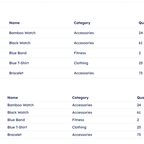
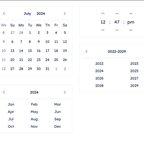
A table of ten thousand rows is useless as ten thousand rows. What makes it work is everything around the rows: what you cut, what you sort by, what you can act on, and what survives a phone.

Lessons

  1. 1Data Tables - Introduction1 min
  2. 2Anatomy of a Data Table2 min
  3. 3Reading a Table2 min
  4. 4Filtering & Sorting2 min
  5. 5Selecting & Acting on Rows2 min
  6. 6Tables on Small Screens2 min

Practice

  1. 1Redesign a Data Table45 min

Feature Comparison Tables

Step 3 · 1 h 2 min

UX PatternsStep 3: Specialized UX

A comparison table exists for the purchase somebody agonizes over, where too many similar options and a real cost of choosing wrong produce a freeze. It only works if the data underneath it is complete.

Lessons

  1. 1Feature Comparison Tables - Introduction1 min
  2. 2Anatomy of a Comparison1 min
  3. 3When a Table Belongs2 min
  4. 4The Data Underneath2 min
  5. 5Selecting and Comparing2 min
  6. 6Coming Back to a Comparison2 min
  7. 7Helping Somebody Decide2 min

Practice

  1. 1Design a Comparison Table for a Considered Purchase50 min

Mega Dropdowns

Step 3 · 58 min

UX PatternsStep 3: Specialized UX

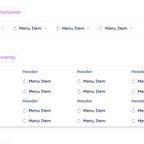
A mega menu shows a whole level of the site at once, hanging off one word in a header. It works when the structure underneath it is good, and nothing about the panel can rescue a structure that is not.

Lessons

  1. 1Mega Dropdowns - Introduction1 min
  2. 2Anatomy of a Mega Menu2 min
  3. 3When a Mega Menu Fits2 min
  4. 4Hover or Click2 min
  5. 5Inside the Panel2 min
  6. 6Menus Without a Mouse2 min
  7. 7Mega Menus on Mobile2 min

Practice

  1. 1Convert a Hover Mega Menu to Click45 min

Multi-Step Forms & Wizards

Step 3 · 1 h 8 min

UX PatternsStep 3: Specialized UX

A team splits its thirty-field application into five steps and the completion rate goes down. Nothing was removed, and the form now announces that the work is five screens long. Splitting a form is a real fix for a real problem, and it only works when the cuts and everything between the screens are designed.

Lessons

  1. 1Multi-Step Forms - Introduction1 min
  2. 2Anatomy of a Step Flow2 min
  3. 3When a Form Needs Steps2 min
  4. 4Where to Cut a Form3 min
  5. 5Progress Indicators3 min
  6. 6Saving & Resuming4 min
  7. 7Validation Across Steps3 min
  8. 8Step Flow Accessibility3 min
  9. 9Step Flows with AI2 min

Practice

  1. 1Turn a Long Form Into a Step Flow45 min

Onboarding & Activation

Step 3 · 1 h 3 min

UX PatternsStep 3: Specialized UX

Signups arrive in the numbers marketing promised and two thirds never come back. The gap sits between trying the product and understanding it well enough to return, which is where most products leak their growth.

Lessons

  1. 1Onboarding & Activation - Introduction1 min
  2. 2Anatomy of a First Session2 min
  3. 3Naming the Activation Moment2 min
  4. 4The Activation Gap2 min
  5. 5Incremental Commitment2 min
  6. 6Instead of a Tour2 min
  7. 7After the First Session2 min

Practice

  1. 1Design a Value-First Onboarding50 min

Pricing Pages

Step 3 · 58 min

UX PatternsStep 3: Specialized UX

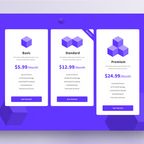
Nobody reads a pricing page. They compare it, in a sweep across rows with a periodic glance back at the headers, and the layout either supports that or gets abandoned.

Lessons

  1. 1Pricing Pages - Introduction1 min
  2. 2Anatomy of a Pricing Page2 min
  3. 3The Lawn-Mower Sweep2 min
  4. 4Showing the Price2 min
  5. 5Structuring the Plans2 min
  6. 6Plans the Grid Ignores2 min
  7. 7Trust on a Pricing Page2 min

Practice

  1. 1Redesign a Pricing Page45 min

Search UX

Step 3 · 58 min

UX PatternsStep 3: Specialized UX

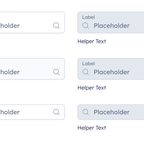
Somebody who searches has already told you exactly what they want, in their own words. Baymard's 2026 benchmark still finds 56% of sites with mediocre or worse search, which makes it the clearest signal most products throw away.

Lessons

  1. 1Search UX - Introduction1 min
  2. 2Anatomy of a Search2 min
  3. 3The Search Box2 min
  4. 4Autocomplete & Suggestions2 min
  5. 5Results Pages2 min
  6. 6Zero Results2 min
  7. 7Search Queries with AI2 min

Practice

  1. 1Audit and Fix a Search Experience45 min

Expressive Typography: Branding, Posters

Step 3 · 33 min

TypographyStep 3: Specialized UX

Four modules of typography were about serving the reader: making content clear, legible, and easy to navigate. Expressive typography is a different project — one where the form of the type becomes part of what's being said.

Lessons

  1. 1What Is Expressive Typography4 min
  2. 2Expression Through Typeface Variables4 min
  3. 3Compositional Gesture4 min
  4. 4Type as Visual Material5 min
  5. 5Typographic Posters in Practice6 min

Practice

  1. 1A Poster From Nothing10 min

Color Systems: Scales, Tokens & Dark Mode

Step 3 · 1 h 33 min

Color TheoryStep 3: Specialized UX

Theory lands differently when you're staring at 47 components, a dark mode requirement, a data viz problem, and a stakeholder who hates the primary color. This module is about working with color in actual product conditions.

Lessons

  1. 1Color Systems - Introduction2 min
  2. 2Color Scales & Tokens6 min
  3. 3Dark Mode6 min
  4. 4Color in UI States6 min
  5. 5Color for Data Visualization6 min
  6. 6Managing a Color System7 min

Practice

  1. 1Color System End to End60 min

UX Copy Research and Testing

Step 3 · 42 min

MicrocopyStep 3: Specialized UX

Copy is usually settled by opinion — but words measurably change behavior. Treating microcopy as a decision you can research and test is what separates reliable copy from lucky copy.

Lessons

  1. 1Stop Guessing at Words2 min
  2. 2User Research for Copy5 min
  3. 3Experimenting with Copy5 min

Practice

  1. 1Mine Support for Copy Problems30 min

Localization

Step 3 · 40 min

MicrocopyStep 3: Specialized UX

Most products eventually serve other languages and regions, and copy written for one quietly breaks when it travels. Mismatched copy signals the product wasn't built for them.

Lessons

  1. 1When One Language Isn't Enough2 min
  2. 2Localizing Microcopy4 min
  3. 3Writing Translation-Ready Copy4 min

Practice

  1. 1The Localization Pass30 min

B2C UX

Step 3 · 56 min

Designing for DomainsStep 3: Specialized UX

A consumer product is used by people who found it a minute ago, owe you nothing, and will leave the instant it asks too much. No training, no procurement, no patience, and a competitor one tap away.

Lessons

  1. 1B2C UX - Introduction1 min
  2. 2Anatomy of a First Session3 min
  3. 3Time to First Value3 min
  4. 4The Whole Population3 min
  5. 5Asking for Money3 min
  6. 6Rare Problems at Scale3 min

Practice

  1. 1Audit a B2C Flow40 min

E-Commerce UX

Step 3 · 52 min

Designing for DomainsStep 3: Specialized UX

About 70% of baskets are abandoned, and the biggest fixable reason is a cost that appears at the last step. This domain runs on somebody spending their own money, which changes what every screen owes them.

Lessons

  1. 1E-commerce UX - Introduction1 min
  2. 2Anatomy of a Storefront3 min
  3. 3The Product Page2 min
  4. 4Cart & Checkout2 min
  5. 5Costs & Trust2 min
  6. 6Abandonment & Recovery2 min

Practice

  1. 1Fix a Checkout Flow40 min

Dashboards & Data-Heavy UX

Step 3 · 1 h

Designing for DomainsStep 3: Specialized UX

A dashboard exists so somebody can decide something in the time they have. Most of them display numbers instead, and the difference shows up as twelve charts nobody acts on.

Lessons

  1. 1Dashboards - Introduction2 min
  2. 2Anatomy of a Dashboard3 min
  3. 3The Default View2 min
  4. 4Hierarchy Under Density2 min
  5. 5Comparison & Context2 min
  6. 6Drilling Down2 min
  7. 7Dashboards That Get Used2 min

Practice

  1. 1Redesign a Dashboard45 min

Fintech & Trust-Critical UX

Step 3 · 1 h

Designing for DomainsStep 3: Specialized UX

Most of the money lost to payment fraud is sent by the account holder, on purpose, through an interface that worked exactly as designed. That is the problem this domain hands you.

Lessons

  1. 1Fintech - Introduction2 min
  2. 2Anatomy of a Payment3 min
  3. 3Money on the Screen3 min
  4. 4Designing Out the Error3 min
  5. 5Confirming the Irreversible3 min
  6. 6Compliance Without Cruelty3 min
  7. 7After Something Goes Wrong3 min

Practice

  1. 1Audit a High-Stakes Flow40 min

HealthTech UX

Step 3 · 59 min

Designing for DomainsStep 3: Specialized UX

In most products a confused user abandons a purchase. In a health product they take a wrong dose, miss an appointment they needed, or share a record they meant to keep private.

Lessons

  1. 1HealthTech - Introduction2 min
  2. 2Anatomy of a Health Account2 min
  3. 3Stress & Cognitive Load3 min
  4. 4Plain Language3 min
  5. 5Informed Consent3 min
  6. 6Advice & Uncertainty3 min
  7. 7Patients & Caregivers3 min

Practice

  1. 1Audit a Health Flow40 min

EdTech UX

Step 3 · 58 min

Designing for DomainsStep 3: Specialized UX

Most products are used by somebody who already knows what they want. A learning product is used by somebody trying to become different, which changes what a wrong answer means and what progress has to look like.

Lessons

  1. 1EdTech UX - Introduction2 min
  2. 2Anatomy of a Lesson3 min
  3. 3Getting It Wrong Safely2 min
  4. 4Difficulty & Pacing2 min
  5. 5Progress & Feedback2 min
  6. 6Coming Back2 min

Practice

  1. 1Design a Learning Flow45 min

AI-Product UX

Step 3 · 1 h 4 min

Designing for DomainsStep 3: Specialized UX

Every other product in this course does what it is told. An AI feature produces a confident answer that is sometimes wrong, and the interface is what decides whether that costs somebody a moment or a mistake.

Lessons

  1. 1AI-Product UX - Introduction2 min
  2. 2Anatomy of an AI Feature3 min
  3. 3The Autonomy Ladder3 min
  4. 4Explaining the Output3 min
  5. 5The Blank Box2 min
  6. 6Waiting for an Answer3 min
  7. 7Wrong Answers & Refusals3 min

Practice

  1. 1Design an AI Feature's UX45 min

B2B UX

Step 3 · 1 h 3 min

Domain UXStep 3: Specialized UX

The person who signs is rarely the person who uses it, and months pass between them. Almost everything this domain changes comes from those two facts.

Lessons

  1. 1B2B UX - Introduction2 min
  2. 2Anatomy of a Buying Group3 min
  3. 3Mapping the Whole Journey2 min
  4. 4Timing the Ask2 min
  5. 5Gaps Between Teams2 min
  6. 6The Human Layer2 min

Practice

  1. 1Map a B2B Journey and Find the Gaps50 min

Flight Search UX

Step 3 · 1 h 8 min

Domain UXStep 3: Specialized UX

One route can offer 8,777 combinations, and the form asks you to describe the flight you want before you have seen a single price. This module is the method from the other eight domains applied end to end.

Lessons

  1. 1Flight Search - Introduction2 min
  2. 2Anatomy of an Itinerary3 min
  3. 3The Form's Assumption2 min
  4. 4The Constraints Nobody Sees3 min
  5. 5The Balancing Act3 min
  6. 6Trading Accuracy for Speed2 min
  7. 7Questioning the Convention3 min

Practice

  1. 1Redesign a Domain-Constrained Flow50 min

Design for Gen Z

Step 3 · 5 min

More coursesStep 3: Specialized UX

Gen Z—born between 1997 and 2012—grew up online. Smartphones, memes, and social feeds are second nature to them. They’re not just tech-savvy—they’re tech-native. And when it comes to digital products, their expectations are high. This guide is here to help you design experiences Gen Z will enjoy, trust, and return to.

Lessons

  1. 1Design for Gen Z5 min

Practice

  1. 1Introduce a Playful Element for Gen Z3h
  2. 2Add Micro-Interactions for Feedback3h
  3. 3Prototype a TikTok-Style Tutorial8h

Building Your Portfolio Website with AI

Step 2 · 1 h 4 min

Self-PresentationStep 2: Interface craft

You've got the case studies. Now they need a real home online - a fast, custom site a recruiter can open in one click. AI and modern design tools let a designer build one in days, not months.

Lessons

  1. 1Your Work Needs a Website2 min
  2. 2What Goes on a Portfolio Site3 min
  3. 3Sites Worth Studying2 min
  4. 4Brainstorm the Design First3 min
  5. 5Pick Your Build Path2 min
  6. 6Build a Custom Site with Claude Code3 min
  7. 7Motion That Earns Its Place2 min
  8. 8Launch and Keep It Fast2 min

Practice

  1. 1Plan Your Portfolio Structure1h
  2. 2Brainstorm Your Design With AI1h
  3. 3Build Your One-Page Site1h
  4. 4Add a Signature Interaction with AI45 min
  5. 5Launch and Make It Fast1h

Job Search

Step 2 · 1 h 8 min

Self-PresentationStep 2: Interface craft

A job search isn't one big ask - it's a funnel. You find many roles, apply to a focused set, and convert a few into conversations. Treat it like a pipeline, not a lottery.

Lessons

  1. 1Finding Work Is a Funnel2 min
  2. 2Where Designers Find Jobs2 min
  3. 3Applying Without Burning Out2 min
  4. 4Networking and Referrals2 min

Practice

  1. 1Set Up Your Job-Search System30 min
  2. 2Reach Out for a Referral30 min

Interview Preparation

Step 2 · 1 h 40 min

Self-PresentationStep 2: Interface craft

The interview isn't a test you cram for the night before - it's a performance you've already rehearsed. Most of what decides the outcome happens before you say a word.

Lessons

  1. 1The Interview Starts Before You Speak2 min
  2. 2Design Challenges2 min
  3. 3Presenting Your Portfolio2 min
  4. 4Behavioral Interviews2 min
  5. 5Interview Day2 min

Practice

  1. 1Run a Test Task End-to-End1h
  2. 2Rehearse Your Walkthrough45 min
  3. 3Build Your Story Bank45 min

Communicating as an Introvert

Step 2 · 38 min

Client & Stakeholder ManagementStep 2: Interface craft

Most communication advice quietly assumes the extrovert ideal - speak up faster, network harder, think out loud. If that's never felt like you, this module is the reframe: your temperament is an asset, and here's how to use it.

Lessons

  1. 1Communicating as an Introvert - Introduction2 min
  2. 2The Introvert's Advantage3 min
  3. 3Strategies for Introverts3 min

Practice

  1. 1Build Your Meeting-Prep Kit30 min
F

File Upload

Step 2 · 51 min

UX PatternsStep 2: Interface craft

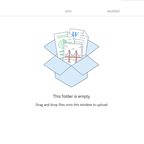
Somebody waits three minutes for a file to arrive and gets one line saying the upload did not work. The rules that would have stopped it were on the page all along, underneath the button, in gray.

Lessons

  1. 1File Upload - Introduction1 min
  2. 2Anatomy of an Upload2 min
  3. 3Choosing and Dropping2 min
  4. 4Saying the Rules First2 min
  5. 5While It Travels2 min
  6. 6Refusing a File2 min

Practice

  1. 1Rebuild an Upload40 min
S

Settings & Preferences

Step 2 · 56 min

UX PatternsStep 2: Interface craft

Jared Spool collected several hundred Word settings files and found fewer than 5% of people had changed any of the 150 settings. The defaults are the product, and the settings screen is where a team hides the decisions it could not make.

Lessons

  1. 1Settings & Preferences - Introduction1 min
  2. 2Anatomy of a Settings Screen2 min
  3. 3Organizing the Screen2 min
  4. 4Writing a Setting2 min
  5. 5Saving and Defaults2 min
  6. 6The Dangerous End2 min

Practice

  1. 1Reorganize a Settings Screen45 min
U

Undo

Step 2 · 51 min

UX PatternsStep 2: Interface craft

Nielsen's third heuristic asks for a clearly marked emergency exit. Most products answer it with a confirmation dialog, which asks somebody to be certain in advance instead of letting them be wrong for ten seconds.

Lessons

  1. 1Undo - Introduction1 min
  2. 2Anatomy of an Undo2 min
  3. 3Confirm or Undo2 min
  4. 4The Undo Window2 min
  5. 5Soft Delete and the Trash2 min
  6. 6What Cannot Be Undone2 min

Practice

  1. 1Replace Confirmations With Recovery40 min
A

Accordions & Disclosure

Step 2 · 51 min

UX PatternsStep 2: Interface craft

Collapsing content makes a page look shorter without making it smaller. Everything hidden is content somebody has to choose to reveal, and most of them will not.

Lessons

  1. 1Accordions & Disclosure - Introduction1 min
  2. 2Anatomy of a Disclosure2 min
  3. 3What Deserves Collapsing2 min
  4. 4The Trigger Row2 min
  5. 5Open, Closed and Findable2 min
  6. 6Disclosure Without a Mouse2 min

Practice

  1. 1Audit a Collapsed Page40 min

Back Button

Step 2 · 53 min

UX PatternsStep 2: Interface craft

Back was 41% of all navigation actions in 1994 and 14.3% a decade later. The drop tracks the web becoming applications, where a press of back is an undo for whatever just happened rather than a request for the previous document.

Lessons

  1. 1Back Button - Introduction1 min
  2. 2Anatomy of Going Back2 min
  3. 3Pages and Layers2 min
  4. 4Back or Up2 min
  5. 5Designing the Back Control2 min
  6. 6What Back Restores2 min
  7. 7Back After a Submit2 min

Practice

  1. 1Fix Back Behavior in a Flow40 min

Birthday Picker

Step 2 · 59 min

UX PatternsStep 2: Interface craft

Asking for a birthday looks like the easiest field on the form, so designers reach for a calendar or three dropdowns to prevent mistakes. Both create more friction than they prevent, and a field people struggle with returns worse data, not better.

Lessons

  1. 1Birthday Picker - Introduction2 min
  2. 2Anatomy of a Date Field2 min
  3. 3Problems with the Obvious Inputs3 min
  4. 4Nine Criteria for Form Components3 min
  5. 5The Three-Field Pattern3 min
  6. 6When a Calendar Belongs3 min
  7. 7Whether to Ask at All3 min

Practice

  1. 1Redesign a Date-of-Birth Field40 min

Breadcrumbs

Step 2 · 53 min

UX PatternsStep 2: Interface craft

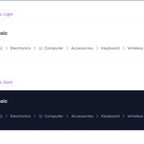
A trail makes three promises at once. Every ancestor is somewhere you can go, the separator says the left contains the right, and the last item says you are here. Every problem with the pattern is one of the three being broken.

Lessons

  1. 1Breadcrumbs - Introduction1 min
  2. 2Anatomy of a Breadcrumb2 min
  3. 3When to Use Breadcrumbs2 min
  4. 4Placement & Styling2 min
  5. 5Items With Many Parents2 min
  6. 6Breadcrumbs on Mobile2 min
  7. 7Sideways Breadcrumbs2 min

Practice

  1. 1Add Breadcrumbs to a Deep Site40 min

Carousels

Step 2 · 53 min

UX PatternsStep 2: Interface craft

Erik Runyon measured a university home page carousel at barely 1% click-through, with 84% of those clicks landing on the first slide. Four teams had content in it and three of them were talking to nobody.

Lessons

  1. 1Carousels - Introduction1 min
  2. 2Anatomy of a Carousel2 min
  3. 3When a Carousel Fits2 min
  4. 4Moving Through It2 min
  5. 5Autoplay2 min
  6. 6Carousels Without a Mouse2 min
  7. 7What to Build Instead2 min

Practice

  1. 1Audit a Carousel or Replace It40 min

Closed Captions & Subtitles

Step 2 · 58 min

UX PatternsStep 2: Interface craft

Ofcom found 7.5 million people in the UK using subtitles, 18% of the population, of whom only 1.5 million were deaf or hard of hearing. Four out of five caption users can hear the audio perfectly well.

Lessons

  1. 1Captions & Subtitles - Introduction1 min
  2. 2Anatomy of a Caption Track2 min
  3. 3Captions, Subtitles & SDH2 min
  4. 4Formatting a Cue2 min
  5. 5Where the Captions Sit2 min
  6. 6Features Around the Track2 min
  7. 7Captions With AI2 min

Practice

  1. 1Design an Accessible Caption Experience45 min

Empty States

Step 2 · 41 min

UX PatternsStep 2: Interface craft

The blank screen a new person meets before they have added anything is often their first real look at the product. It is also the one screen that only appears when the designer is not looking, so it ships saying No data.

Lessons

  1. 1Empty States - Introduction1 min
  2. 2Types of Empty States3 min
  3. 3Blank, Loading & Broken2 min
  4. 4Anatomy of an Empty State3 min
  5. 5Empty States with AI2 min

Practice

  1. 1Redesign an Empty State30 min

Error Messages

Step 2 · 1 h 8 min

UX PatternsStep 2: Interface craft

Error messages get written last, read at the worst possible moment, and blamed first. The distance between a dead end and a recovery is almost entirely design: which kind of error it is, where the message sits, what it says, and whether anyone can perceive it.

Lessons

  1. 1Error Messages - Introduction1 min
  2. 2Anatomy of an Error Message2 min
  3. 3Slips & Mistakes3 min
  4. 4Message Placement3 min
  5. 5Error Wording3 min
  6. 6Error Accessibility3 min
  7. 7Page-Level Errors3 min
  8. 8Measuring Error Recovery3 min
  9. 9Error Messages with AI2 min

Practice

  1. 1Rewrite and Reposition a Form's Errors45 min

Hidden vs Disabled

Step 2 · 53 min

UX PatternsStep 2: Interface craft

A greyed-out button is the reflex answer, and it is often the wrong one. Whether a control should be hidden, disabled, read-only or left alone comes down to one question, and the rest of this module is what to do once you have answered it.

Lessons

  1. 1Hidden vs Disabled - Introduction1 min
  2. 2Control States3 min
  3. 3Hide or Disable3 min
  4. 4Disabled States3 min
  5. 5Alternatives to Disabling3 min

Practice

  1. 1Audit Your Conditional Elements40 min

Infinite Scroll

Step 2 · 53 min

UX PatternsStep 2: Interface craft

A list that loads forever is smooth in a demo and expensive in production. It trades orientation and return for continuous browsing, which is the right trade for a feed and the wrong one for almost everything else.

Lessons

  1. 1Infinite Scroll - Introduction1 min
  2. 2Anatomy of a Long List2 min
  3. 3What Continuous Loading Costs2 min
  4. 4Choosing the Loading Pattern2 min
  5. 5Making Infinite Scroll Work2 min
  6. 6When the List Moves2 min
  7. 7Announcing What Loaded2 min

Practice

  1. 1Choose and Fix a List's Loading Pattern40 min

Input Types & Pickers

Step 2 · 49 min

UX PatternsStep 2: Interface craft

A text box and a dropdown are the two defaults, and both are wrong more often than they are right. The control decides how many taps the answer costs, which keyboard opens on a phone, and whether the format can be wrong at all.

Lessons

  1. 1Input Types - Introduction1 min
  2. 2Anatomy of a Form Field2 min
  3. 3Matching Control to Answer3 min
  4. 4Controls for Long Lists4 min
  5. 5Date, Time & Number Pickers3 min
  6. 6Labels & Placeholders3 min
  7. 7Native Mobile Controls3 min

Practice

  1. 1Match Controls to a Form's Fields30 min

Language Selector

Step 2 · 51 min

UX PatternsStep 2: Interface craft

A Dutch traveler opens the site from a hotel in Tokyo and lands in Japanese. Location was read as language, which is the assumption underneath almost every problem with this component.

Lessons

  1. 1Language Selector - Introduction1 min
  2. 2Anatomy of a Language Selector2 min
  3. 3Suggesting a Language2 min
  4. 4Flags, Labels & Lists2 min
  5. 5Where the Selector Lives2 min
  6. 6After the Switch2 min

Practice

  1. 1Audit a Language Selector40 min

Live Validation

Step 2 · 59 min

UX PatternsStep 2: Interface craft

Flagging errors as people type ships as a default best practice and usually backfires. It interrupts unfinished work, misfires on real names and real phone numbers, and promises a green tick the server later refuses. Late validation wins almost every time.

Lessons

  1. 1Live Validation - Introduction2 min
  2. 2Anatomy of a Validation Rule2 min
  3. 3Problems with Live Validation3 min
  4. 4Validation Timing3 min
  5. 5Accepting Real Input3 min
  6. 6When Live Validation Works3 min
  7. 7Async Checks & Pending States3 min

Practice

  1. 1Fix a Form's Validation Timing40 min

Loading & Skeletons

Step 2 · 39 min

UX PatternsStep 2: Interface craft

Every product waits on something, and the wait is designed whether anybody decided to or not. Two products with identical response times can feel a second apart, and the difference is entirely in what the screen does while nothing has arrived.

Lessons

  1. 1Loading & Skeletons - Introduction1 min
  2. 2Response-Time Thresholds3 min
  3. 3Types of Loading Indicator3 min
  4. 4Perceived Performance2 min

Practice

  1. 1Improve a Loading Experience30 min

Modals, Dialogs & Sheets

Step 2 · 43 min

UX PatternsStep 2: Interface craft

A modal stops everything and demands an answer, which makes it the most expensive component in any product. Four teams adding one each to the same screen is how a product ends up interrupting people on the way to what they came for.

Lessons

  1. 1Modals & Sheets - Introduction1 min
  2. 2Anatomy of a Modal2 min
  3. 3When a Modal Is Right2 min
  4. 4Inside the Modal2 min
  5. 5Sheets on Mobile2 min
  6. 6Modal Accessibility2 min
  7. 7Destructive Confirmations2 min

Practice

  1. 1Audit and Fix a Modal30 min

Navigation Queries

Step 2 · 51 min

UX PatternsStep 2: Interface craft

Somebody arrives knowing exactly what they want to do and has to reverse-engineer an organization chart to find it. A navigation query asks for the intent instead, and routes from there.

Lessons

  1. 1Navigation Queries - Introduction1 min
  2. 2Anatomy of a Query Constructor2 min
  3. 3Finding the Top Tasks2 min
  4. 4The Intent Dropdown2 min
  5. 5The A-Z Index2 min
  6. 6Tap-Ahead Search2 min

Practice

  1. 1Add a Navigation Query to a Deep Site40 min

Notifications & Toasts

Step 2 · 53 min

UX PatternsStep 2: Interface craft

Every event in a product produces the same small box in the corner, so people stop reading them, and the one that mattered goes past unread. Feedback is a ladder from barely there to stop everything, and most teams only use one rung.

Lessons

  1. 1Notifications & Toasts - Introduction1 min
  2. 2Types of Notification2 min
  3. 3Timing & Placement3 min
  4. 4Reaching Everyone2 min
  5. 5Notification Volume3 min
  6. 6Notifications with AI2 min

Practice

  1. 1Design a Feedback System for a Flow40 min

Reviews & Testimonials

Step 2 · 53 min

UX PatternsStep 2: Interface craft

A shop has forty reviews and every one is five stars, because only happy customers were ever asked. Purchase likelihood peaks somewhere near 4.5 and falls as it approaches a perfect score.

Lessons

  1. 1Reviews & Testimonials - Introduction1 min
  2. 2Anatomy of a Review2 min
  3. 3What the Research Says2 min
  4. 4Asking for a Review2 min
  5. 5Showing the Score2 min
  6. 6Inside a Single Review2 min
  7. 7Keeping It Honest2 min

Practice

  1. 1Design a Review Collection and Display System40 min

Sticky Menus

Step 2 · 51 min

UX PatternsStep 2: Interface craft

Pinning a bar to the top of the screen is a default in most design systems. It costs the same pixels on every screen of every session, and the pixels are charged against the thing people came for.

Lessons

  1. 1Sticky Menus - Introduction1 min
  2. 2Anatomy of a Sticky Layer2 min
  3. 3The Screen Budget2 min
  4. 4When Sticky Menus Help2 min
  5. 5Sticky Without Blocking2 min
  6. 6Alternatives to Sticky Menus2 min

Practice

  1. 1Decide a Page's Sticky Navigation40 min

Tabs & Segmented Controls

Step 2 · 41 min

UX PatternsStep 2: Interface craft

Tabs promise that everything behind them is an alternative to everything else. Most of the trouble with the pattern comes from putting something behind a tab that was never an alternative at all.

Lessons

  1. 1Tabs & Segmented Controls - Introduction1 min
  2. 2Anatomy of a Tab Set2 min
  3. 3Tabs or Something Else2 min
  4. 4Designing the Tab Strip2 min
  5. 5Tabs Without a Mouse2 min
  6. 6Common Tab Mistakes2 min

Practice

  1. 1Fix a Tabbed Interface30 min

Toggle Buttons

Step 2 · 53 min

UX PatternsStep 2: Interface craft

In one study of 27 toggle designs, the most common treatment in the wild, red for off and green for on, produced a 32.5% error rate. A control this small has one job, and half of getting it right is deciding whether it should be a switch at all.

Lessons

  1. 1Toggle Buttons - Introduction1 min
  2. 2Anatomy of a Switch2 min
  3. 3Switch or Checkbox3 min
  4. 4Styling a Switch3 min
  5. 5Switch Labels3 min
  6. 6Switch Accessibility3 min
  7. 7After the Flip3 min

Practice

  1. 1Fix a Toggle's Design and Semantics35 min

Underlined Text

Step 2 · 43 min

UX PatternsStep 2: Interface craft

Taking the underline off a link looks like a small styling decision. It is a decision about who can find the link at all, and it is made most often by people who can see the color perfectly well.

Lessons

  1. 1Underlined Text - Introduction1 min
  2. 2Anatomy of a Link2 min
  3. 3The Underline Convention2 min
  4. 4Writing the Anchor2 min
  5. 5One Link Style Everywhere2 min
  6. 6Saying Where It Goes2 min
  7. 7Links People Can Reach2 min

Practice

  1. 1Audit Your Links30 min

Communicate with Typefaces: History, Mood & Connotation

Step 2 · 28 min

TypographyStep 2: Interface craft

Typography's vocabulary — body, leading, upper case, lower case, font, point — all comes from a single room in 15th-century Europe. Knowing the origin explains why the tools work the way they do.

Lessons

  1. 1The Story of Type5 min
  2. 2Humanism vs. Rationalism6 min
  3. 3Typeface Connotation7 min

Practice

  1. 1The Connotation Audit10 min

Typography Scale, Hierarchy & Readability

Step 2 · 1 h 30 min

TypographyStep 2: Interface craft

Four principles underlie every typographic decision: hierarchy, contrast, proximity, and rhythm. Get them right and the layout works almost automatically. Ignore them and no amount of typeface shopping fixes it.

Lessons

  1. 1Typographic Principles4 min
  2. 2Paragraphs4 min
  3. 3Headings4 min
  4. 4Punctuation & Special Characters5 min
  5. 5Type Scale4 min
  6. 6Type for Data and Tables4 min

Practice

  1. 1Set a Type Scale30 min
  2. 2Make a Screen Readable35 min

Communicating with Color: Psychology, Culture & Brand

Step 2 · 54 min

Color TheoryStep 2: Interface craft

Color communicates before a single word is read. The question is whether you're using that communication on purpose -- or just hoping for the best.

Lessons

  1. 1Color Meaning & Connotation - Introduction2 min
  2. 2The Psychology of Color6 min
  3. 3Color & Culture5 min
  4. 4Color in Branding6 min
  5. 5Color & Context5 min

Practice

  1. 1Practical Activity 1: Color Brief30 min

Color Accessibility & Semantic Systems

Step 2 · 1 h 7 min

Color TheoryStep 2: Interface craft

Most color mistakes in products aren't taste problems — they're system problems. Colors without roles, palettes that work on one screen and fall apart on the next, dark mode added at 11pm before launch. This module is how you avoid all of that.

Lessons

  1. 1Color Rules - Introduction2 min
  2. 2Contrast & Legibility5 min
  3. 3Color Blindness & Redundancy5 min
  4. 4Semantic Color5 min

Practice

  1. 1Build a Semantic Color System30 min
  2. 2Accessibility Audit20 min

Information Structure

Step 2 · 36 min

MicrocopyStep 2: Interface craft

Users scan, they don't read — so microcopy that competes with itself loses. The first job of information structure is restraint: surface only what the current action needs, and let the rest of the flow carry the rest.

Lessons

  1. 1One Idea at a Time2 min
  2. 2Front-Load What Matters3 min
  3. 3Specific Over Generic3 min
  4. 4Explain the Why, Keep the Critical Visible3 min

Practice

  1. 1Restructure a Screen's Microcopy25 min

Error Messages

Step 2 · 36 min

MicrocopyStep 2: Interface craft

Failure is an emotional low point, and people judge an experience by how they recover from it. Error copy decides whether a stuck user pushes through or leaves.

Lessons

  1. 1The Moment It Breaks2 min
  2. 2Error Recovery5 min
  3. 3Error Prevention4 min

Practice

  1. 1Hunt the Dead-Ends25 min

System States

Step 2 · 36 min

MicrocopyStep 2: Interface craft

Empty screens, spinners, and confirmations are usually an afterthought — yet users hit them constantly. They shape first impressions, perceived speed, and closure.

Lessons

  1. 1The Screens Nobody Designs2 min
  2. 2Empty States4 min
  3. 3Loading and Success States5 min

Practice

  1. 1The Boring Three25 min

Mobile Design

Step 2 · 2 h 4 min

UX DesignStep 2: Interface craft

You design on a big screen with a precise cursor and hover to spare. Your user has one thumb, a 5-inch screen, and no hover at all. Mobile design is mostly the discipline of un-learning the desktop assumptions baked into your tools.

Lessons

  1. 1The Phone Rewrites Your Assumptions2 min
  2. 2The Four Navigation Principles4 min
  3. 3Touch Targets and Thumb Zones5 min
  4. 4Gestures, Hover, and Scroll5 min
  5. 5Bottom Navigation Rules4 min
  6. 6Mobile Navigation Patterns4 min
  7. 7iOS vs Android Conventions5 min

Practice

  1. 1Design Mobile Navigation45 min
  2. 2Make a Screen Thumb-Friendly and Native50 min

Building Your Design Portfolio

Step 1 · 45 min

Self-PresentationStep 1: Foundations

A portfolio isn't a collection of pretty screens. It's a story about how you think. Understand what makes portfolios effective and how to communicate your design thinking.

Lessons

  1. 1Understanding What Makes a Strong Portfolio2 min
  2. 2Case Studies That Get Read3 min
  3. 3Building Your First Portfolio From Scratch3 min
  4. 4Learning From Great Portfolio Examples3 min
  5. 5Leveraging AI in Portfolio Creation4 min

Practice

  1. 1Create Your Moodboard30 min
  2. 2AI Discovery Questions & Case Study Draft1h
  3. 3Edit & Refine Your Case Study1h
  4. 4Add Visuals1h
  5. 5Polish & Get Feedback1h

CV Preparation

Step 1 · 42 min

Self-PresentationStep 1: Foundations

Your CV is the first thing a company sees and the only thing between you and a real conversation - and a machine often reads it before any human does.

Lessons

  1. 1Your CV Is the First Filter2 min
  2. 2Winning CV structure4 min
  3. 3Getting Past the Screen4 min
  4. 4Learning From Good CV Examples2 min

Practice

  1. 1Tailor Your CV to a Job30 min

Writing Clearly

Step 1 · 48 min

Client & Stakeholder ManagementStep 1: Foundations

You became a designer to design, and most of your working day is writing: Slack messages, tickets, docs, feedback. Your work travels to other people as words long before it travels as screens.

Lessons

  1. 1Writing Clearly - Introduction2 min
  2. 2Structuring a Document3 min
  3. 3Leading With the Point3 min
  4. 4Organizing the Body3 min
  5. 5Words That Weaken4 min
  6. 6Revising Your Own Draft3 min

Practice

  1. 1Run the Self-Edit Pass30 min

Foundations of Clear Communication

Step 1 · 45 min

Client & Stakeholder ManagementStep 1: Foundations

Designers want the work to speak for itself. It rarely does. A good idea argued badly usually loses to a weaker idea argued well, so communication is what decides whether your design survives the room.

Lessons

  1. 1Clear Communication - Introduction2 min
  2. 2Anatomy of a Work Message3 min
  3. 3The Windowpane Test4 min
  4. 4Communication Styles3 min
  5. 5Active Listening3 min

Practice

  1. 1Audit a Message That Missed30 min

Using a Pattern Library

Step 1 · 41 min

UX PatternsStep 1: Foundations

Every common interaction has been designed thousands of times, tested against millions of people, and settled into a shape that works. A pattern is that settled shape, and reaching for one is how you save the invention for where it counts.

Lessons

  1. 1Using a Pattern Library - Introduction1 min
  2. 2Anatomy of a Pattern2 min
  3. 3Where Patterns Came From2 min
  4. 4Patterns, Guidelines & Components2 min
  5. 5When to Break a Pattern2 min
  6. 6When a Pattern Goes Stale2 min

Practice

  1. 1Audit a Screen Against Known Patterns30 min

Choosing & Pairing Fonts

Step 1 · 50 min

TypographyStep 1: Foundations

A font is software, not a picture — and that changes everything about how you can use it. Here's where fonts come from, how licensing actually works, and how to keep your library under control.

Lessons

  1. 1Sourcing & Licensing Fonts5 min
  2. 2What Makes a Good Typeface5 min
  3. 3Type Across Industries5 min
  4. 4Font Pairing5 min
  5. 5Selecting a Typeface6 min
  6. 6Building Your Typeface Eye4 min

Practice

  1. 1The Typeface Case20 min

Type Foundations

Step 1 · 48 min

TypographyStep 1: Foundations

More than 90% of online information is text — which means typography isn't decoration, it's most of the interface. This article explains what typography is and why it's one of the highest-leverage skills a designer can develop.

Lessons

  1. 1Introduction to Typography3 min
  2. 2Typefaces & Fonts5 min
  3. 3Strokes & Proportion4 min
  4. 4Anatomy of Type7 min
  5. 5Type Style & Classification5 min
  6. 6Measuring Type4 min

Practice

  1. 1Where a Typeface Breaks20 min

Palettes That Work: Harmonies, Mood & Structure

Step 1 · 51 min

Color TheoryStep 1: Foundations

Picking a color in isolation is the fastest way to get one that doesn't work. Color only exists in relation to what surrounds it — which means working with color is really about working with relationships.

Lessons

  1. 1Working with Color - Introduction2 min
  2. 2The Color Wheel4 min
  3. 3Color Harmonies5 min
  4. 4How Color Combinations Create Mood5 min
  5. 5Structuring a Palette5 min

Practice

  1. 1Three Palettes, One Brief30 min

How Color Works: Light, Perception & Color Models

Step 1 · 42 min

Color TheoryStep 1: Foundations

Color lands before text does. Before a user reads a word, they've already registered the mood, the brand, and which button matters. This article explains what color does and why understanding it changes how you design.

Lessons

  1. 1Introduction to Color2 min
  2. 2How We See Color4 min
  3. 3Color Models: RGB, CMYK, HSB & HEX5 min
  4. 4Hue, Value & Chroma4 min
  5. 5Tint, Shade & Tone3 min
  6. 6Warm, Cool & Neutral4 min

Practice

  1. 1Map a Palette to Numbers20 min

Clarity and Language

Step 1 · 37 min

MicrocopyStep 1: Foundations

The best microcopy is the kind no one notices. When words are clear and consistent, the interface seems to disappear and the user simply moves.

Lessons

  1. 1Words That Get Out of the Way2 min
  2. 2Clear and Scannable Writing5 min
  3. 3Consistent Terminology5 min

Practice

  1. 1The Word Audit25 min

Button Labels and CTAs

Step 1 · 40 min

MicrocopyStep 1: Foundations

A button is the smallest piece of copy in your product and the one that carries the most weight — the exact point where intent becomes action, or hesitation.


Lessons

  1. 1Where the Click Happens2 min
  2. 2Labels as the User's Voice4 min

  3. 3Safety Nets and Reassurance4 min

Practice

  1. 1The Button Audit30 min

No course matches this word yet. Try another one.