Releasing
A change released to every user at once leaves no room to catch a problem early. Imagine a checkout redesign switched on for every customer on a Friday afternoon. By Saturday morning orders are down, support is full of tickets, and the only way back is a new deploy that needs an engineer who is offline.
Learn on the move: press play and turn your commute, walk or drive into time that grows your design career.

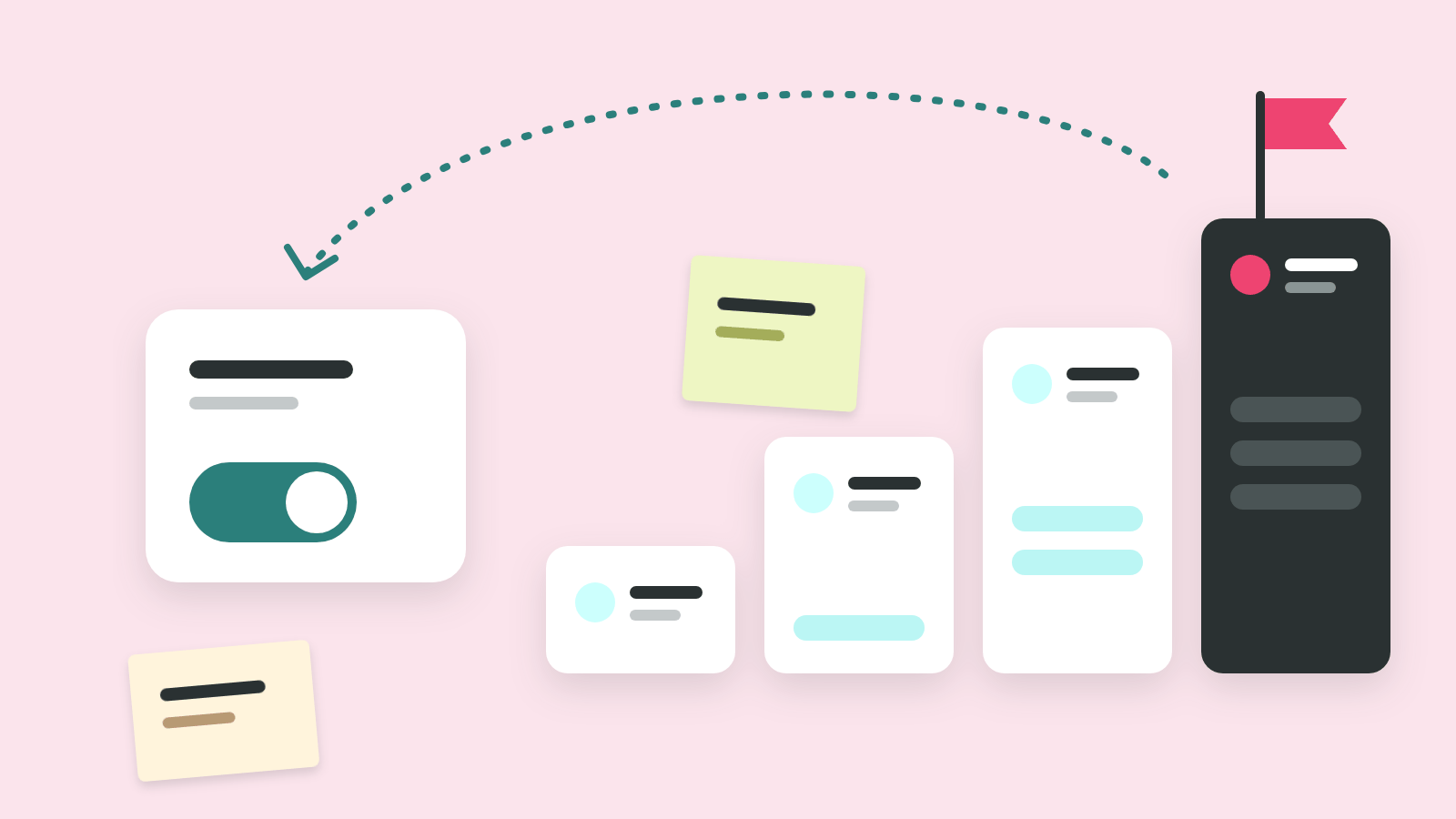
So releasing is a design decision as much as an engineering one. A change can reach 1% of users first, sit behind a switch that turns it off in seconds, and widen only while the numbers hold. Releasing is the craft of shipping a change in steps the team can watch and undo.
Why the Release Step Matters to a Designer
Most trouble in a live product arrives with a change. Google's Site Reliability Engineering book (2016) reports that roughly 70% of outages come from changes to a live system. Its answer is three habits: roll out gradually, spot problems fast, and roll back safely.
Each of those habits needs a design decision, so a designer belongs in the release plan. The engineer knows whether the code runs, and the designer knows what people should be able to do on the new screen. So the designer helps pick who goes first, names the signals worth watching, and decides what users see if the change goes away again.
Anatomy of a Release
A release often goes wrong at a part nobody named. The Friday checkout passed every check on staging, and it still reached everyone with no switch to turn it off. Here is that release next to one with every part in place:
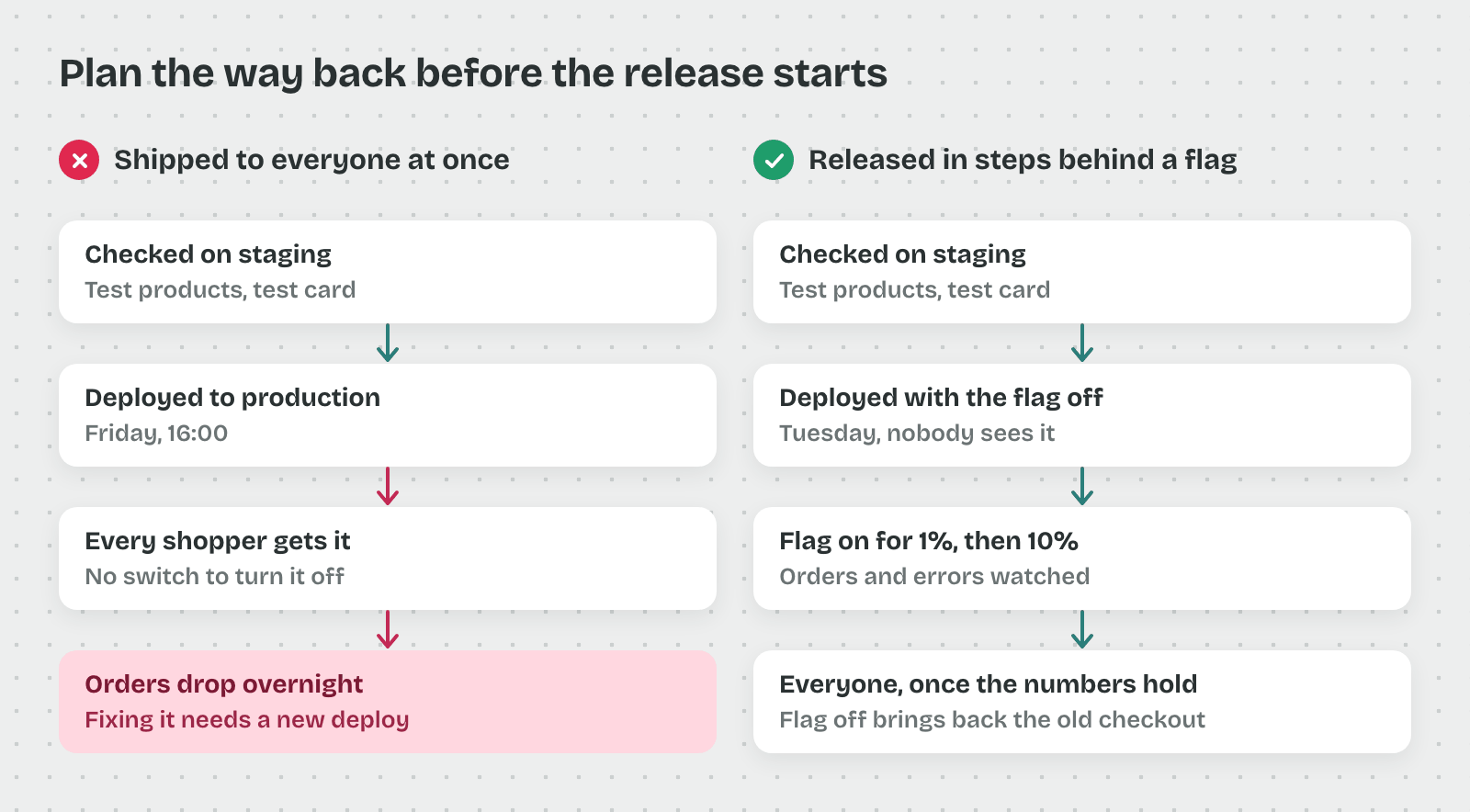
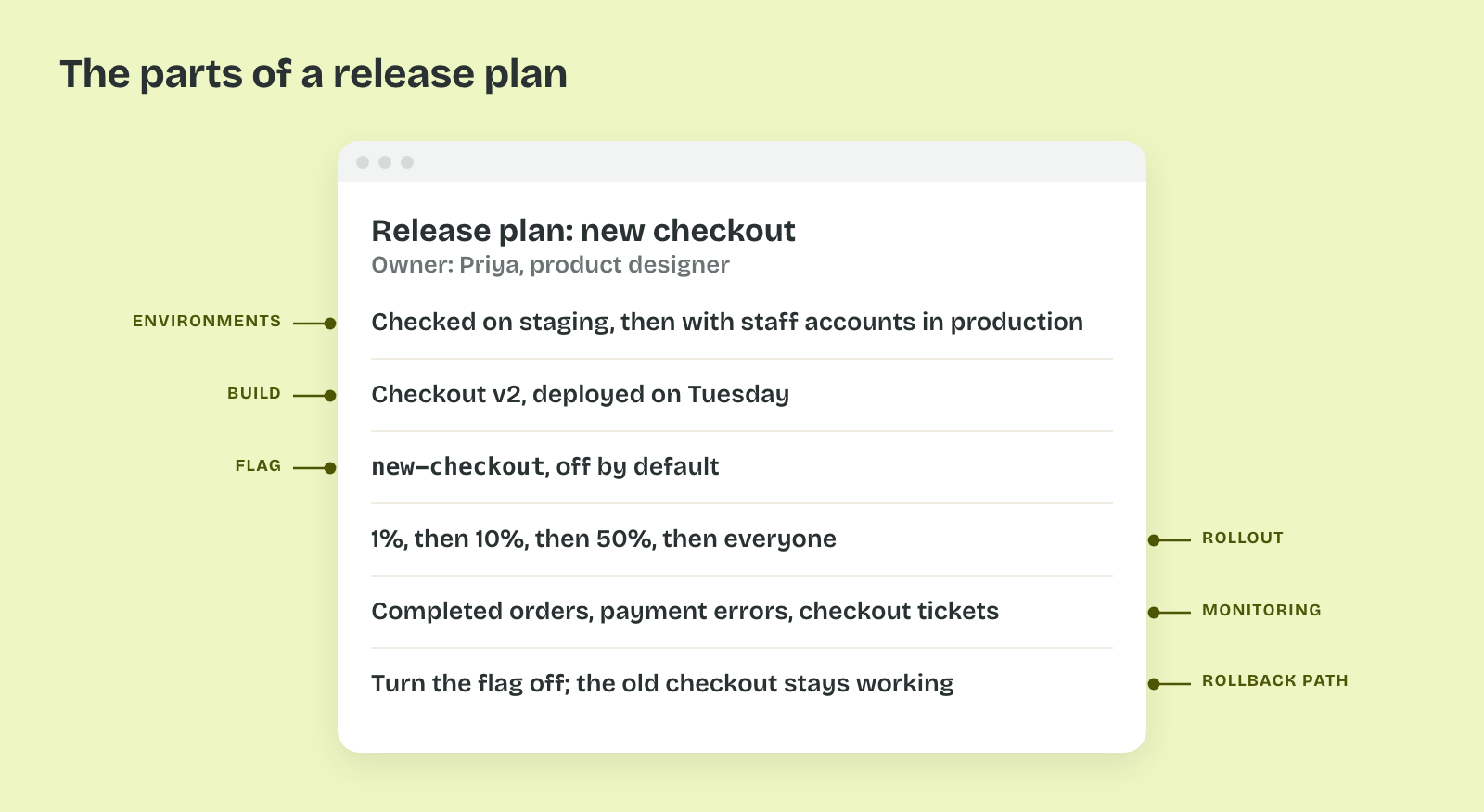
So it helps to know the parts by name. A release has six: the environments, the build, the flag, the rollout, the monitoring and the rollback path. Each one answers a different question about the same change.
Where the Code Lives Before Users See It
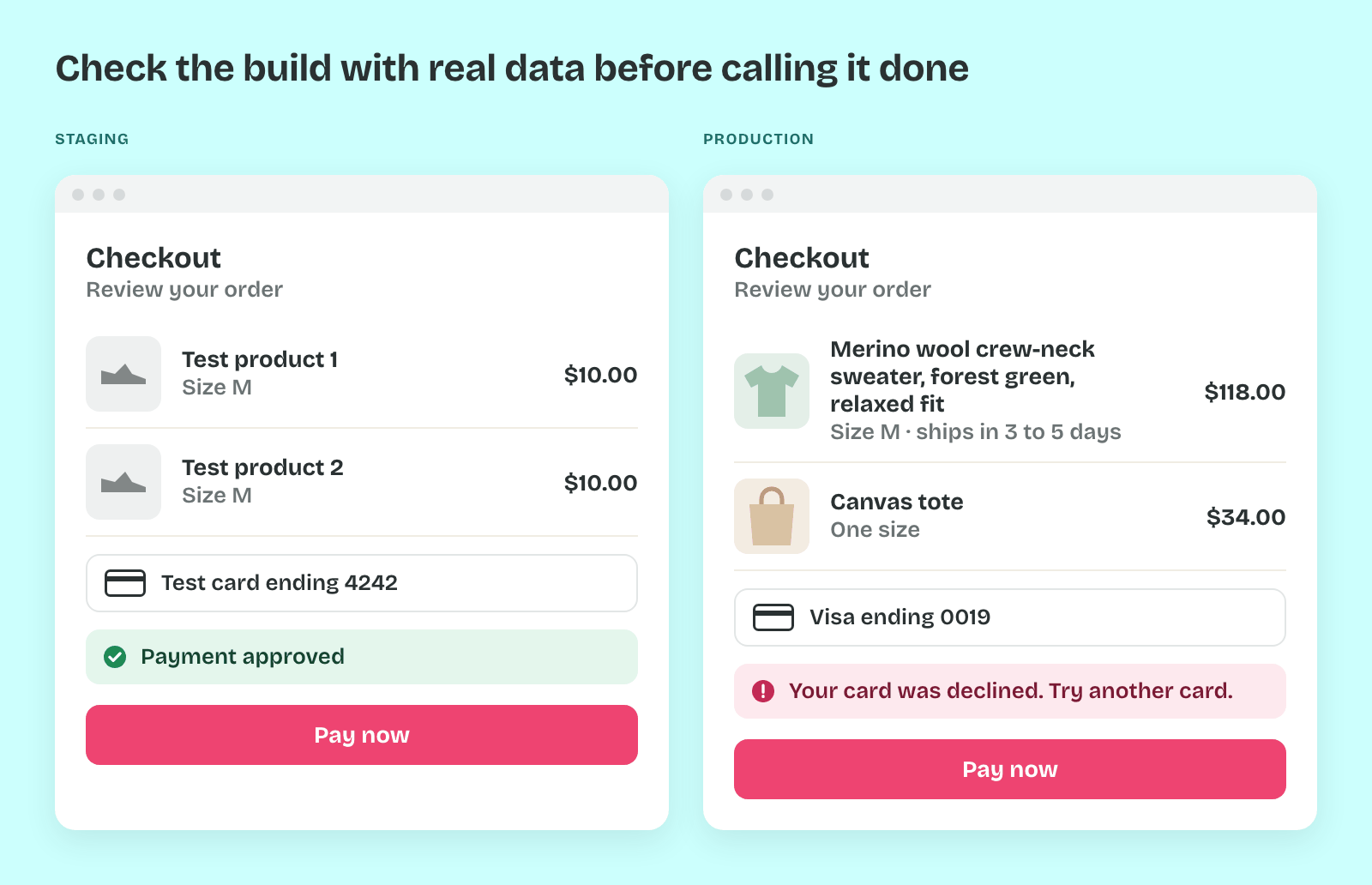
An environment is a copy of the product running for a specific audience. Most teams have at least three. Development is where engineers build, staging is a copy of production for checks, and production is what real users touch.
That difference matters for design review, because staging often looks real and holds fake data. A checkout on staging may show three test products and a test card that always goes through. Long product names, declined cards and slow networks often turn up first in production. Here is the same checkout in staging and in production:
Deploying and Releasing Are Separate Steps
The build is the packaged version of the code, and deploying it puts that code on the production servers. Releasing is the moment users can reach the change. Pete Hodgson's "Feature Toggles" article on martinfowler.com (2017) shows how a flag keeps the two apart.
In practice the flag is the switch between them. A team can deploy the new checkout on Tuesday with its flag off, so nobody sees it. On Thursday the team turns the flag on for 5% of shoppers, and that is the release. Here is the same change deployed and then released:
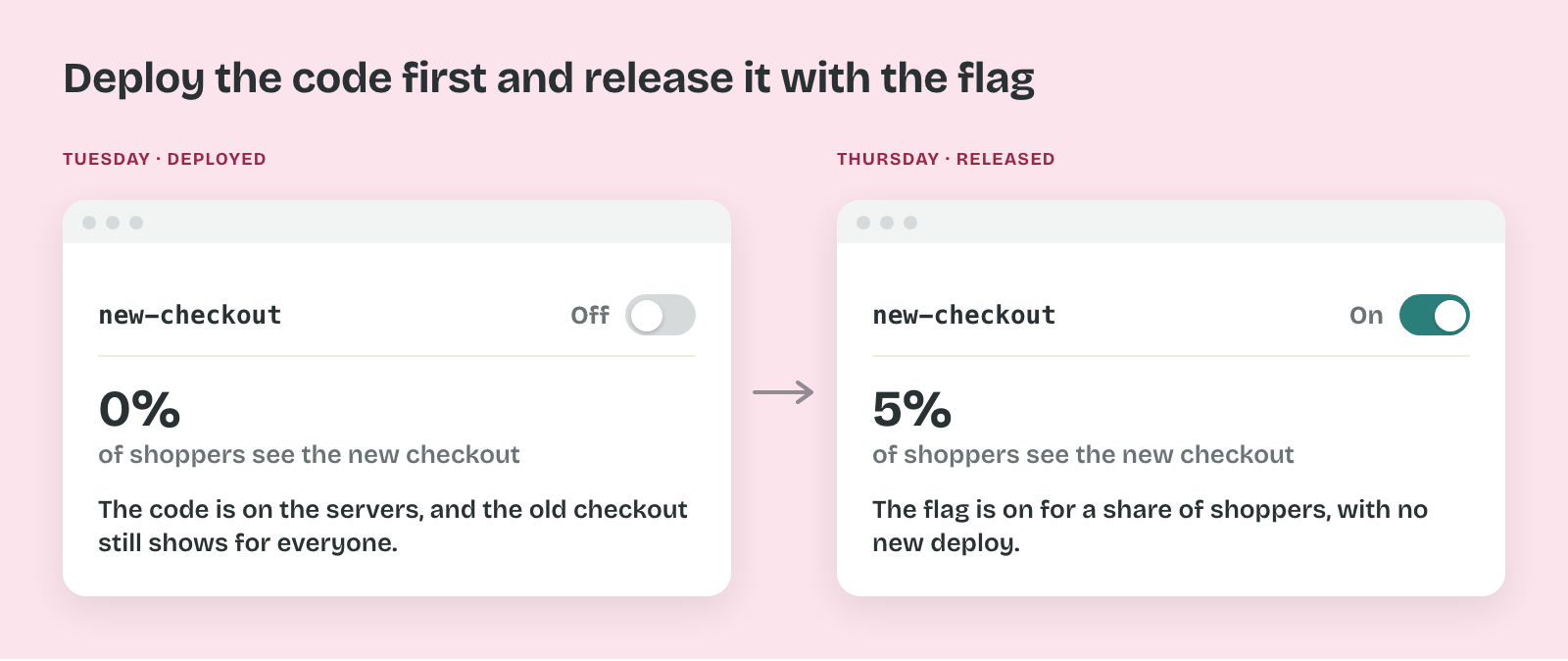
That split is what makes a staged rollout possible. Once the code is live and hidden, the audience can grow in steps and shrink again without a new deploy.
Watching the Change and the Way Back
The rollout is the plan for who gets the change and when, such as 1%, then 10%, then everyone. Monitoring is the set of numbers the team watches at each step: errors, crashes and the product metric the change should move. For a checkout, that metric is usually completed orders.
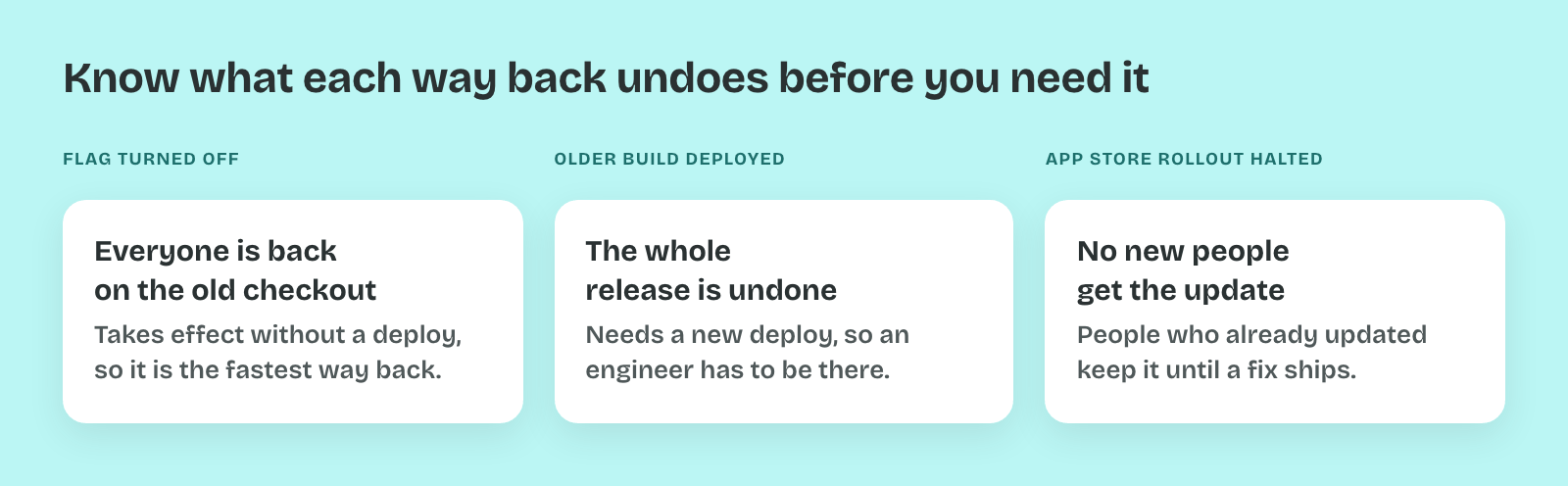
That's why a release also needs a rollback path, the way back to the old version, written down before the release starts. It can be a flag turned off, an older build deployed again, or a halted app store rollout. Here is what each of those ways back undoes:
What the Designer Owns in a Release
A designer rarely touches the servers, though three parts of a release depend on design decisions. The first is the audience for each step, because some users should get a change later than others. The second is the signals, since the designer knows which step of the new flow is most likely to confuse people.
Finally, the third part is the old version itself. If the flag turns off, shoppers who saw the new checkout land back in the old one, so both versions have to keep working. Announcing the change is a separate job, covered in Launch & Release Marketing. Here is a release plan for the checkout with each part filled in:
Pro tip: Ask in the planning meeting how the change gets turned off. If the answer is "we'd deploy again", the release has no fast way back, and that is worth fixing before launch day.