Beta Testing
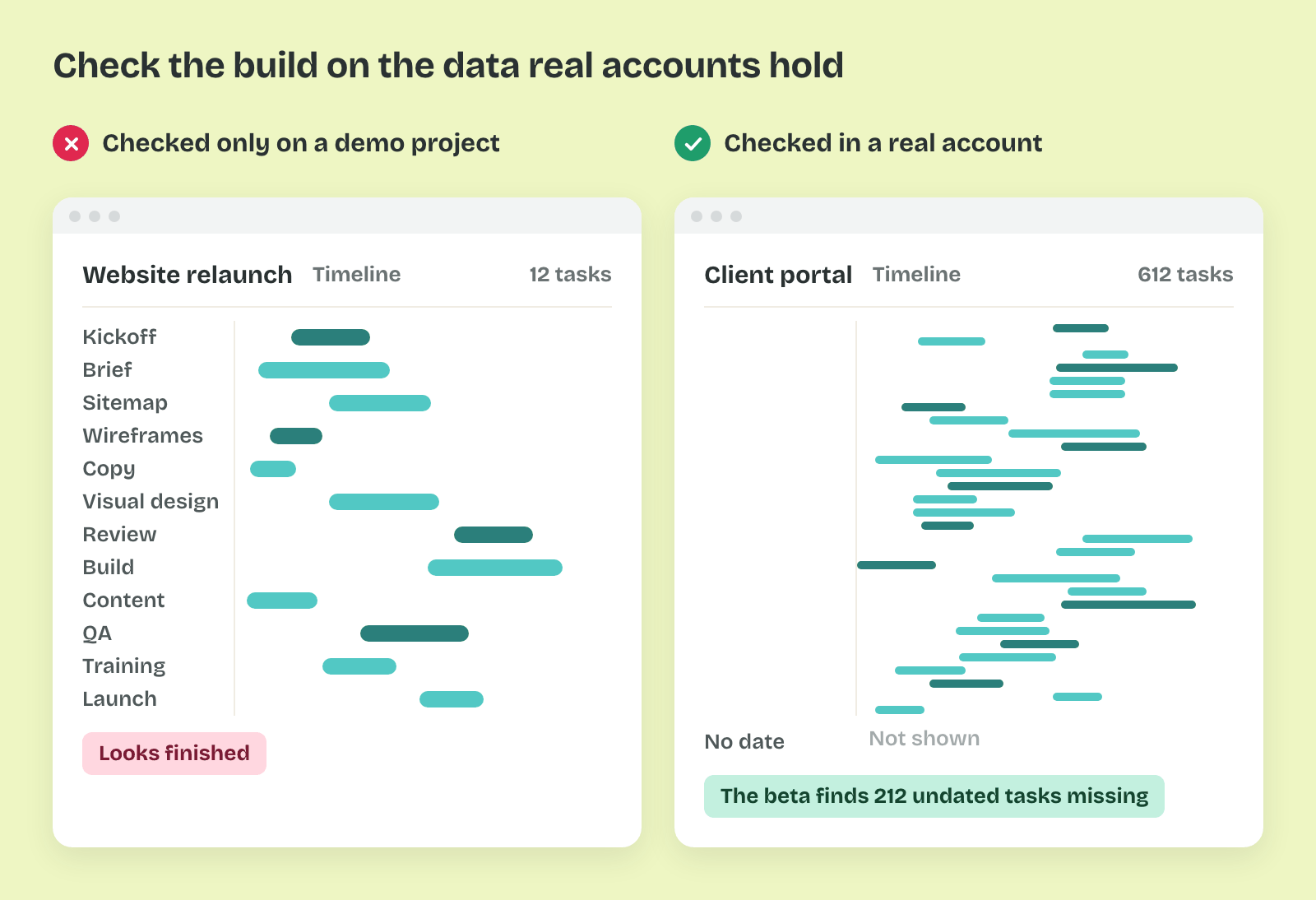
A usability test checks a design with a few people and tidy sample data. So it rarely meets the mess inside real accounts. Imagine a timeline view that passed every session with a 12-task demo project. In its first week live, it freezes for teams with 600 tasks and drops every task that has no due date.
Learn on the move: press play and turn your commute, walk or drive into time that grows your design career.

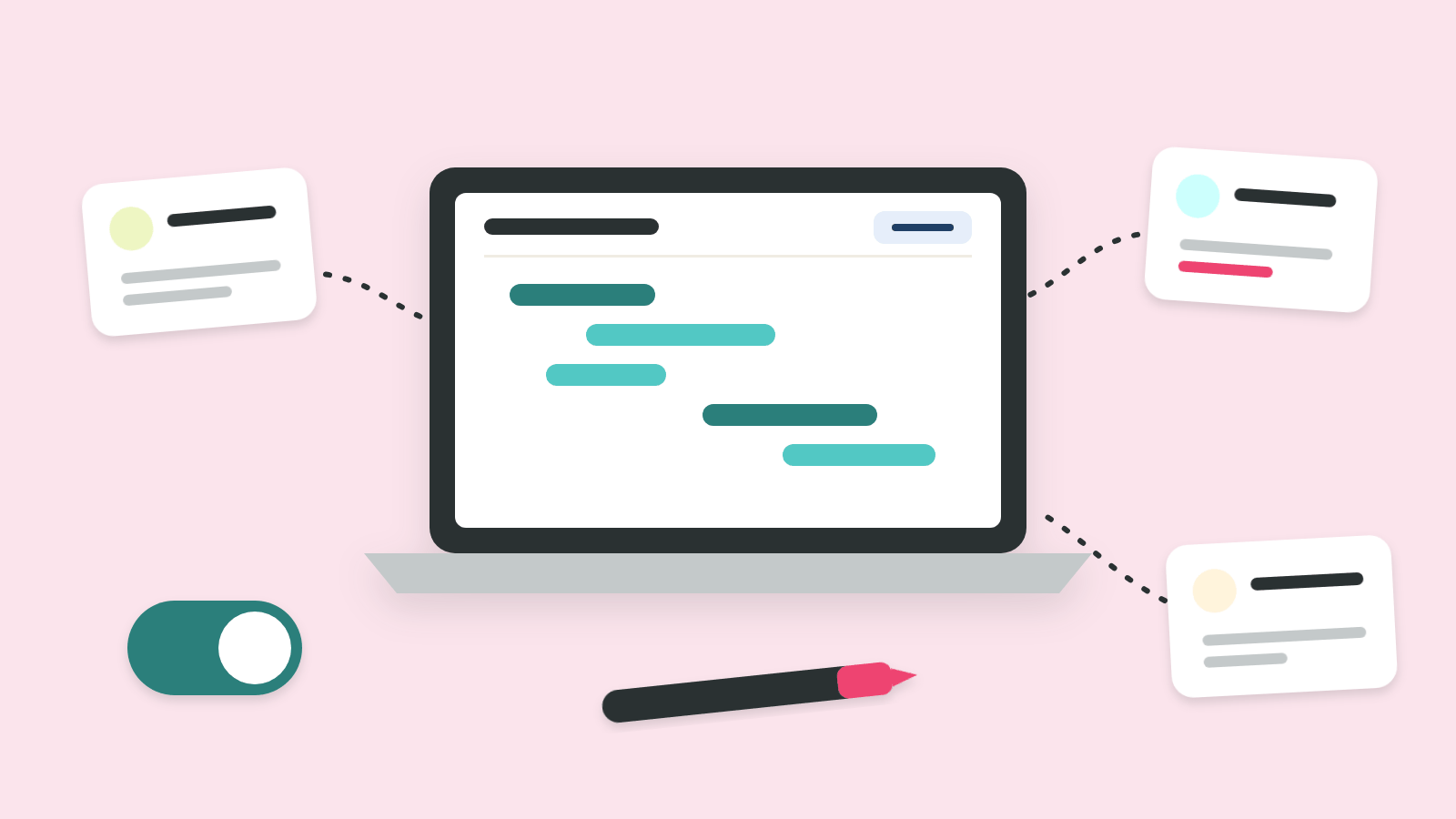
So a beta puts the built feature in front of real users, on their own data, before everyone gets it. It shows whether the product holds up in real accounts, on real devices and over real weeks.
Where a Beta Sits
A beta runs between the build and the release. Before it, Testing the Bet checks an idea with cheap experiments, and Usability Testing checks the design with prototypes. After it, the feature reaches everyone in stages, which Releasing covers.
That step is common enough that app stores build betas into their tools. Apple's TestFlight lets a team invite up to 10,000 external testers to a build. Google Play offers internal, closed and open testing tracks for the same job.
Even so, a beta has a clear limit. Its testers choose to join, and they are rarely typical of all users. So a beta can't prove that a change moves a metric. That proof needs an experiment, as in A/B Testing and Experimentation.
Anatomy of a Beta
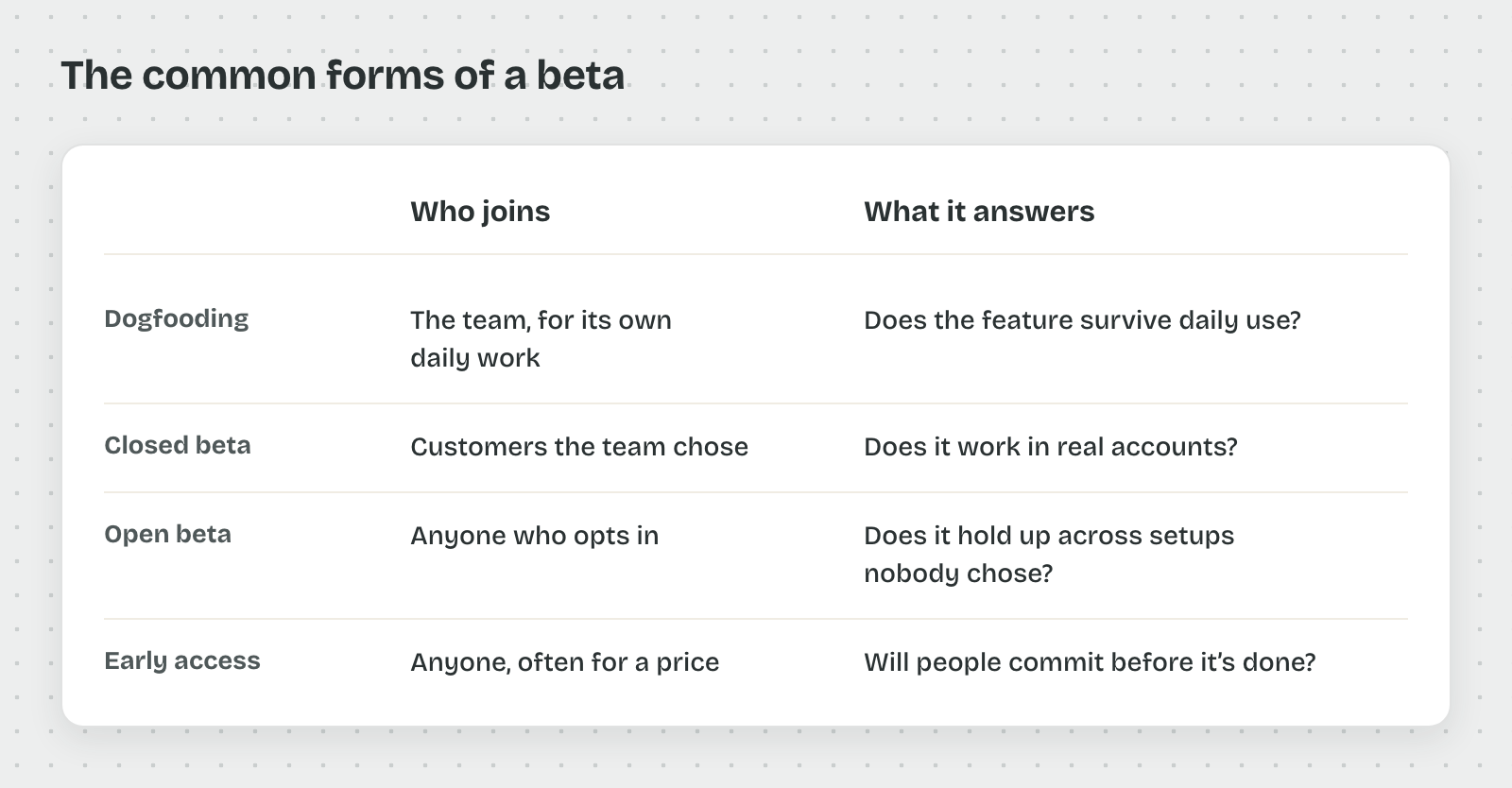
Teams say "beta" about anything that ships before the release. So people often disagree about who is in it and what it should prove. Four common forms of beta exist, and each answers a different question. They differ in who joins, how many people take part and how long the beta runs. Here is each form with its testers and its question:
Dogfooding
Dogfooding means the team uses its own product for real work before customers get it. The name comes from Microsoft. In 1988, Paul Maritz sent an email titled "Eating our own Dogfood". It pushed the LAN Manager team to use its own product inside the company.
So dogfooding answers the cheapest question first: does the feature survive daily use? Colleagues report a bug in the team chat within minutes, and a fix can ship the same day. Yet they already know how the feature is meant to work. They skip past a confusing step that a customer would get stuck on.
Closed Beta
A closed beta invites a chosen group of real customers for a set period, often a few weeks. The team picks every tester, so it can choose accounts with the data, devices and habits the feature has to handle. Apple's TestFlight allows up to 100 internal testers from the team and up to 10,000 external ones. Each build expires 90 days after upload.
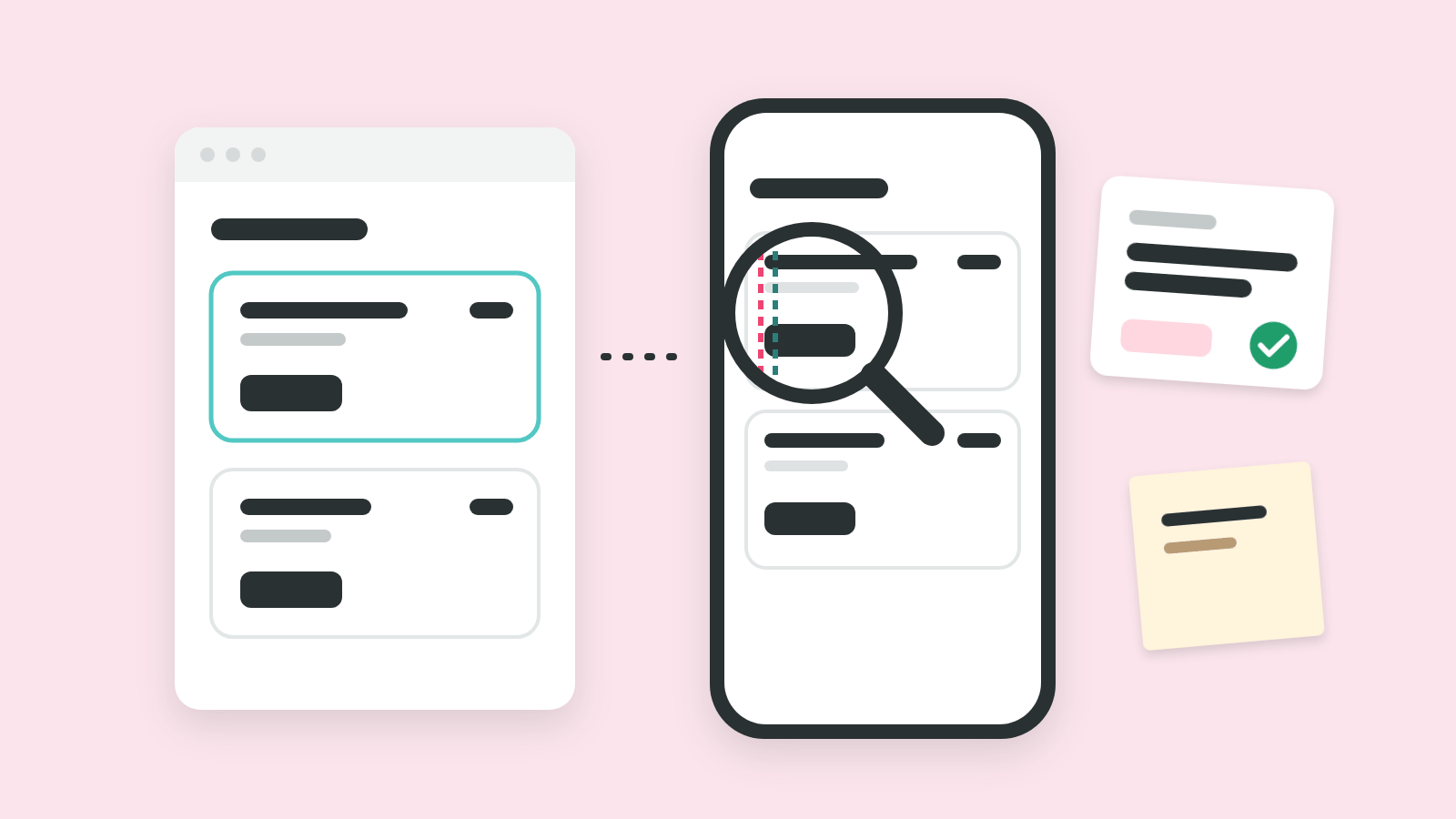
That's why a closed beta answers the question a prototype can't: does the feature work in real accounts? A timeline view tested on a 12-task demo project meets projects with 600 tasks here. The team still knows each tester by name, so it can call the one whose chart froze. Here is the same timeline on a demo project and in a real account:
Open Beta
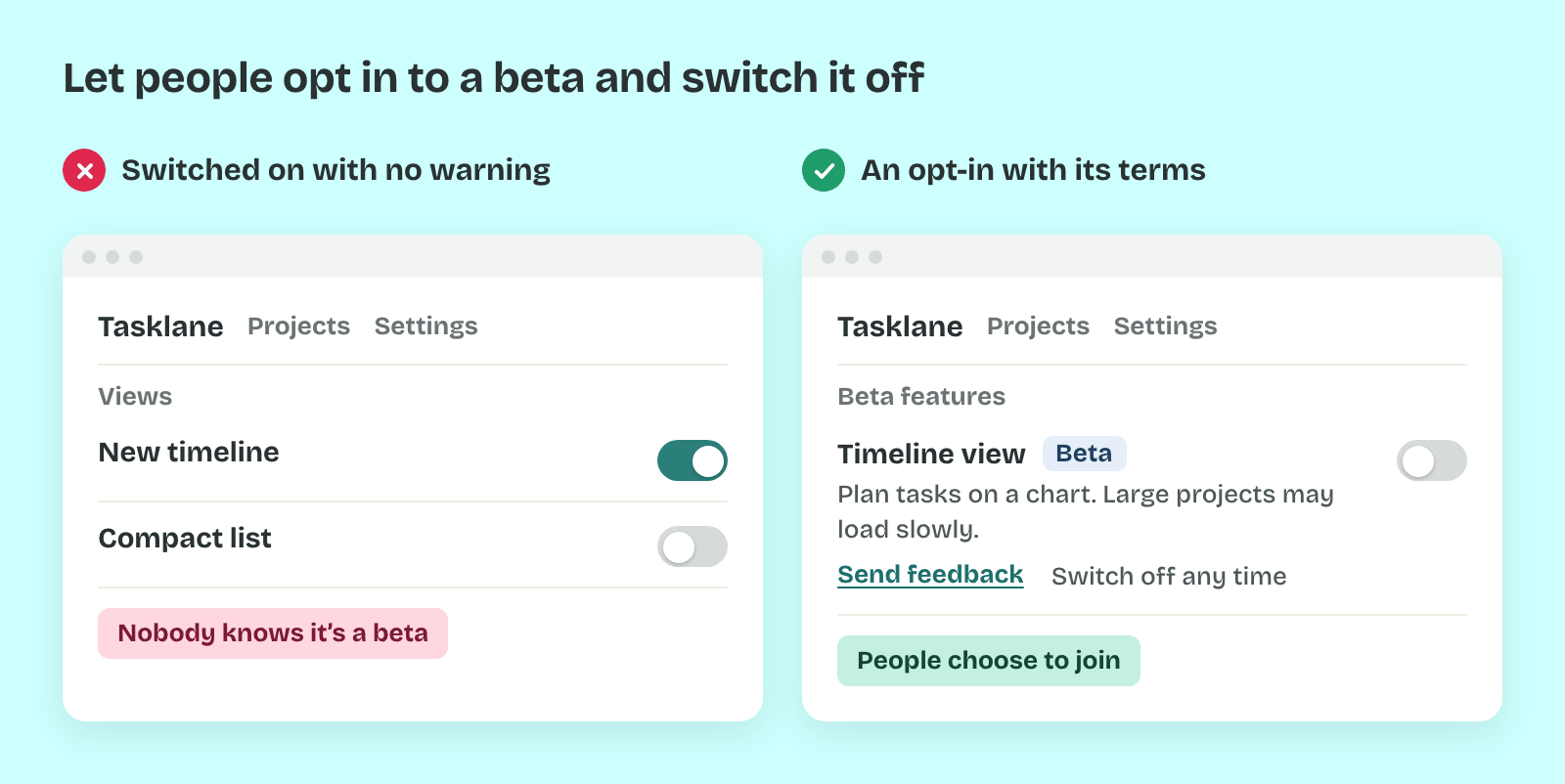
An open beta lets anyone join, usually through a switch in settings or a public link. Google Play's open testing track has no tester limit unless the team sets one, and that limit can't go below 1,000. Apple opened public betas of OS X Yosemite in July 2014, and iOS 9 followed in July 2015.
So an open beta answers a question of scale: does the feature hold up across setups nobody chose? The team gives up control in return. Testers select themselves, so they lean toward enthusiasts, and a switch nobody can find draws few of them. Here is an open beta switch in a task app's settings, done two ways:
Early Access
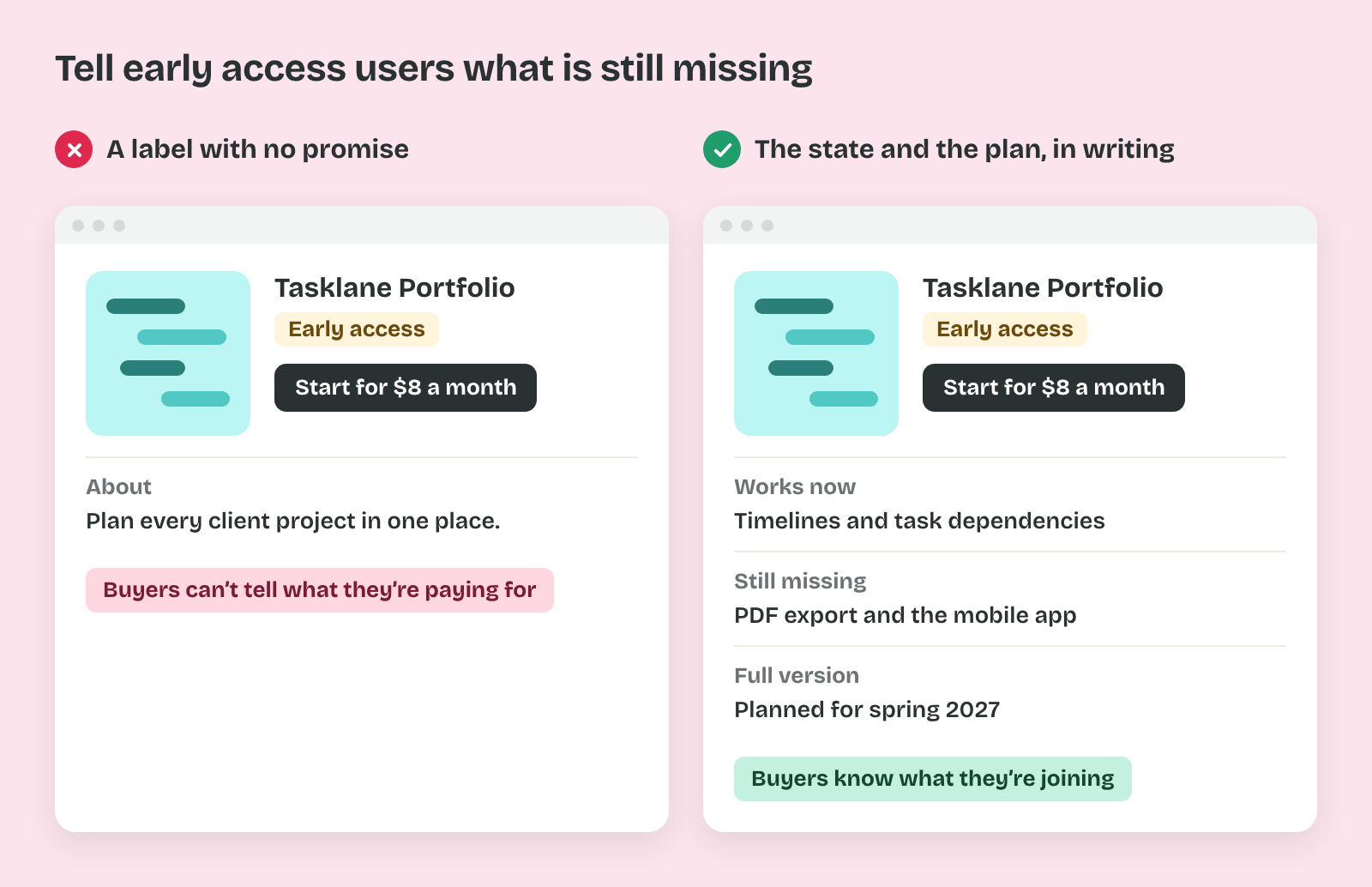
Early access opens an unfinished product to anyone willing to use it, often for a price, while the team keeps building. Valve launched Steam Early Access on March 20, 2013, with 12 games. Kerbal Space Program, one of them, left early access for its full release in April 2015.
In practice, early access answers a business question as well as a product one: will people commit before the product is done? It also makes a public promise. Steam's guidance asks each developer to say how the full version will differ from the early access one. Here is an early access page with and without that promise:
Pro tip: Write the question your beta answers at the top of the plan, such as "Does the timeline load for projects with 500 tasks?" Then pick the form of beta that reaches people who can answer it.