Usability Testing
A team usually can't see the problems in its own flow, because everyone on it already knows how the flow works. So the problems often surface after launch, as support tickets. People can't find where to enter an invite code, or they type a phone number into the email field.
Learn on the move: press play and turn your commute, walk or drive into time that grows your design career.

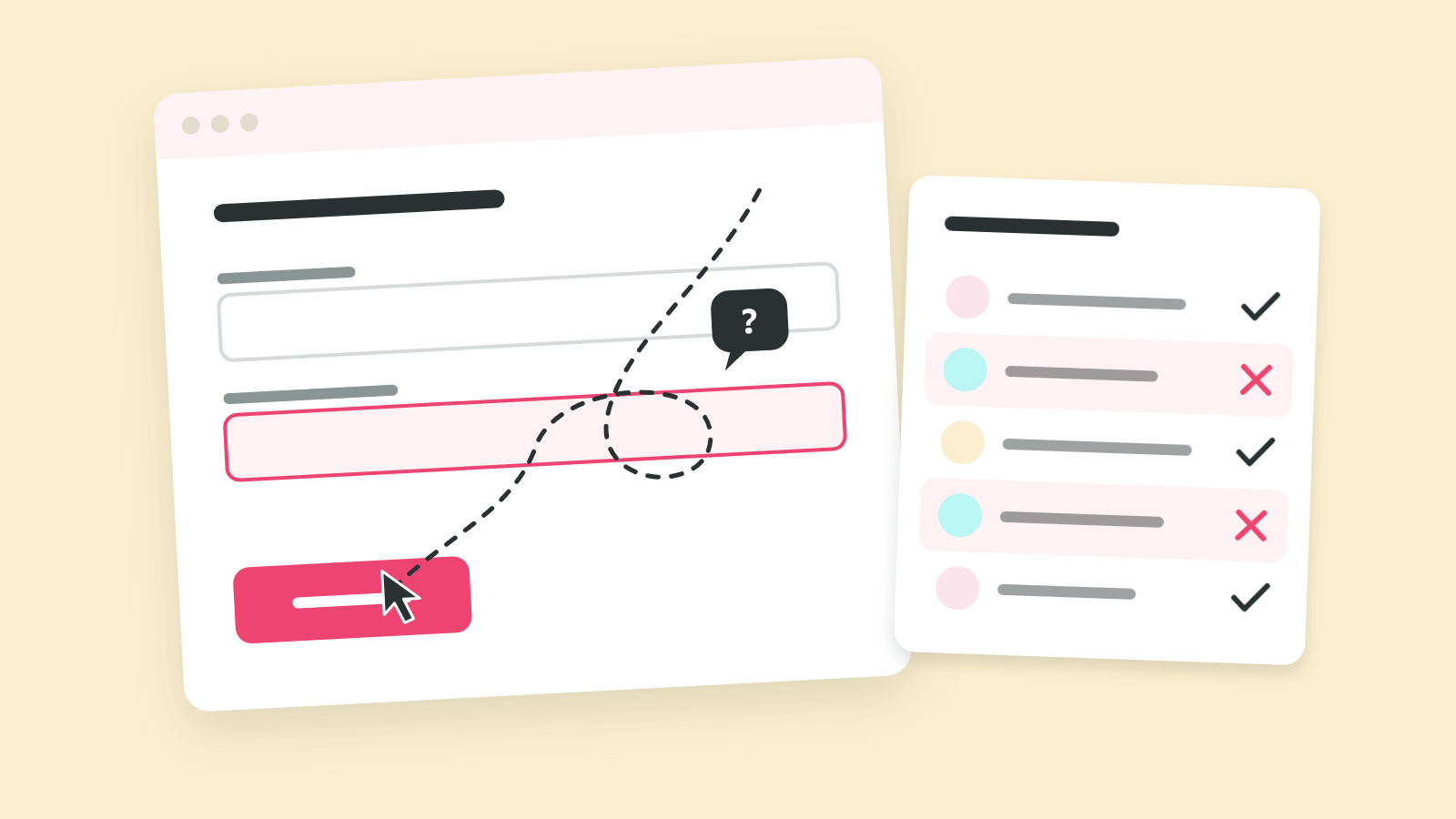
That's why a usability test puts the flow in front of people who don't know it. You give a few real people a realistic task, then watch where they get stuck, without helping.
Why Five People Are Enough
Small tests find most problems because the serious problems show up again and again. Jakob Nielsen and Tom Landauer published a model in 1993 in which each test user revealed, on average, about 31% of the problems in a design. So five users together found roughly 85%.
That's why Nielsen's advice from 2000 follows from that curve: instead of one study with 15 people, run three rounds of five and fix the design between them.
That 85% is an average, and averages hide spread. Laura Faulkner ran simulations in 2003 and found that groups of five found anywhere from 55% to nearly all of the problems. Groups of ten never dropped below 82%. In practice that means five people are enough for one round on one flow, and repeat rounds make up the difference.
Anatomy of a Usability Test
Imagine a usability report that misled its team. The tasks named the button to press, nobody wrote down what "done" meant, and the participants were sales colleagues who already knew the product.
Each of those mistakes lives in a different part of the test. A usability test has four groups of named parts: the question and the tasks, the people, the measures and the format.
The Question and the Tasks
The first group decides what the test is able to find. Every part in it is written before anybody is recruited.
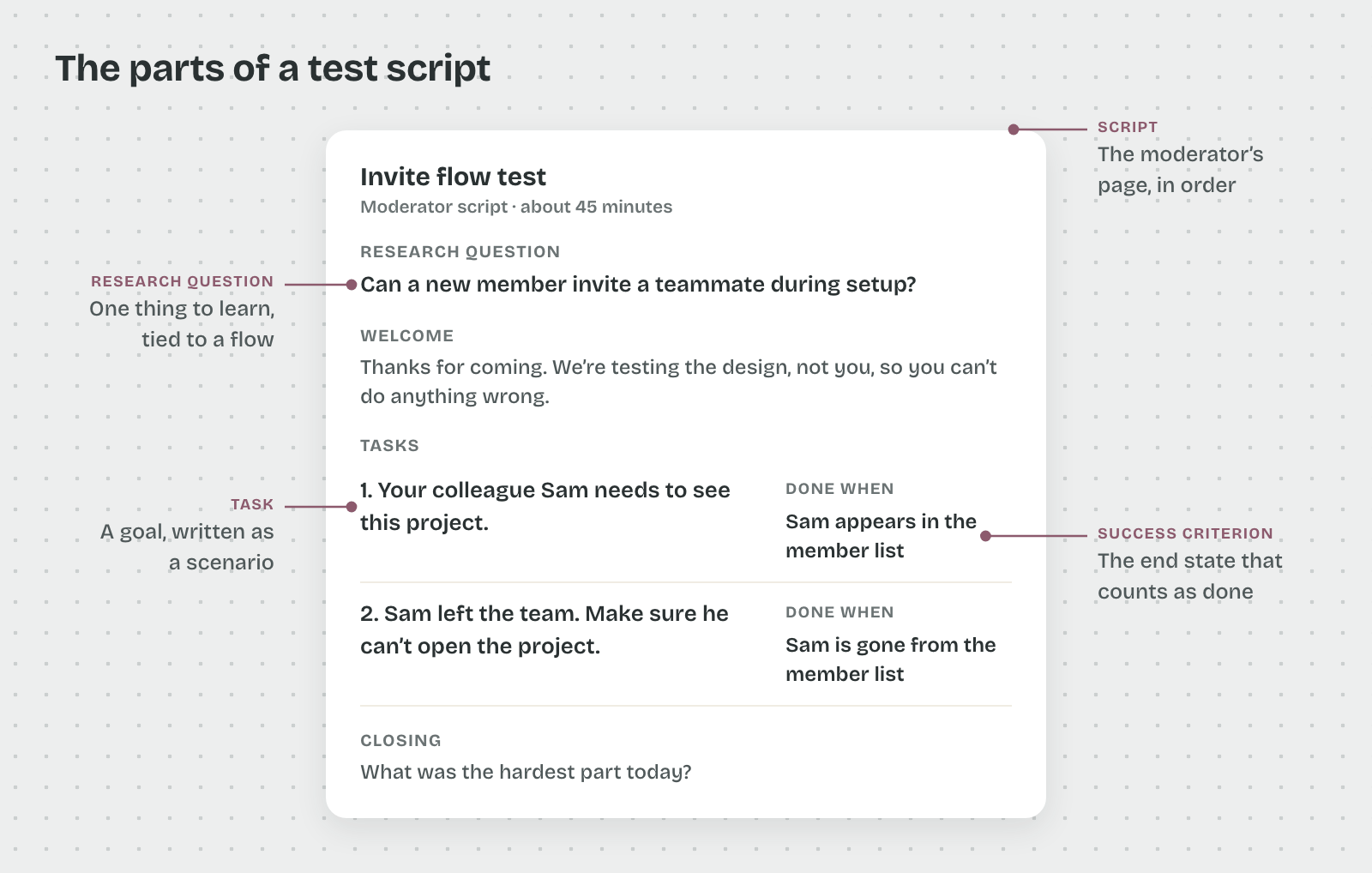
- Research question: the one thing the team needs to learn, tied to a flow. "Can a new member invite a teammate during setup?" is a research question. "Is the app easy to use?" has no flow and no answer.
- Task: a goal the participant reaches in the product, written as a short scenario. "Your colleague Sam needs to see this project" gives a reason to act without naming a screen.
- Success criterion: the end state that counts as done, such as "Sam appears in the member list". Writing it first stops observers from arguing about it afterwards.
- Script: the moderator's page, with the welcome, the tasks in order and the closing questions.
The People
That's because a test has a small cast, and each role does one job. Steve Krug describes sessions of about an hour each in Rocket Surgery Made Easy, with one participant at a time.
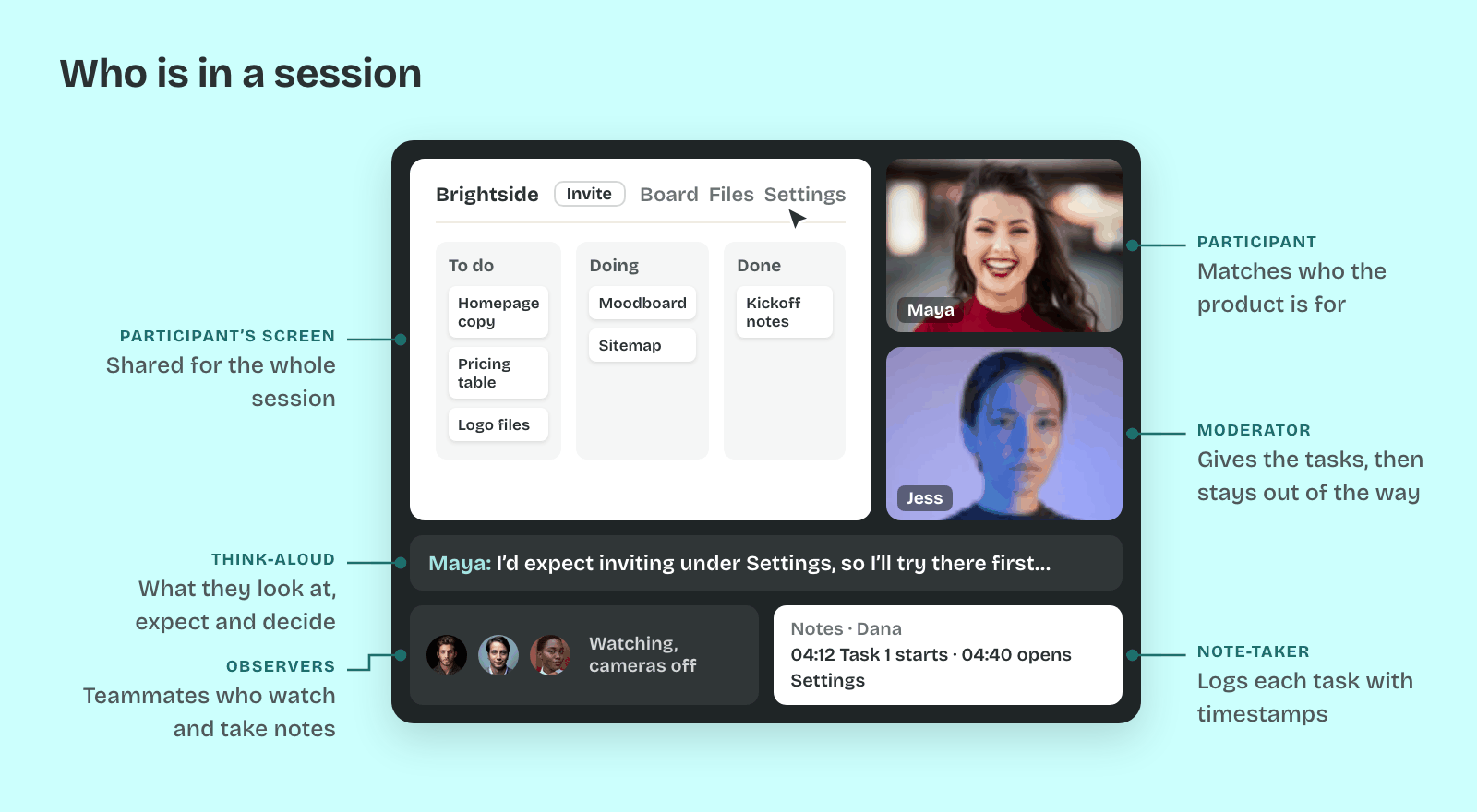
- Participant: a person who matches who the product is for, found with a screener. A screener is a short questionnaire that filters by behavior ("booked a trip online in the last three months") rather than by job title.
- Moderator: the person who gives the tasks, keeps the participant talking and stays out of the way.
- Observers: teammates who watch live, from another room or on a call, and write down what they see.
- Note-taker: one observer who logs each task with timestamps, so clips can be found later.
The participant works in think-aloud, saying what they look at, expect and decide as they go. Clayton Lewis brought the method into interface work at IBM in 1982. Jakob Nielsen called it the single most valuable usability method in 2012, because you hear the reasoning behind each click.
The Measures
So the notes carry two kinds of data. Most of a five-person test is qualitative: what people did, where they paused and what they said. A few numbers sit beside it to show size.
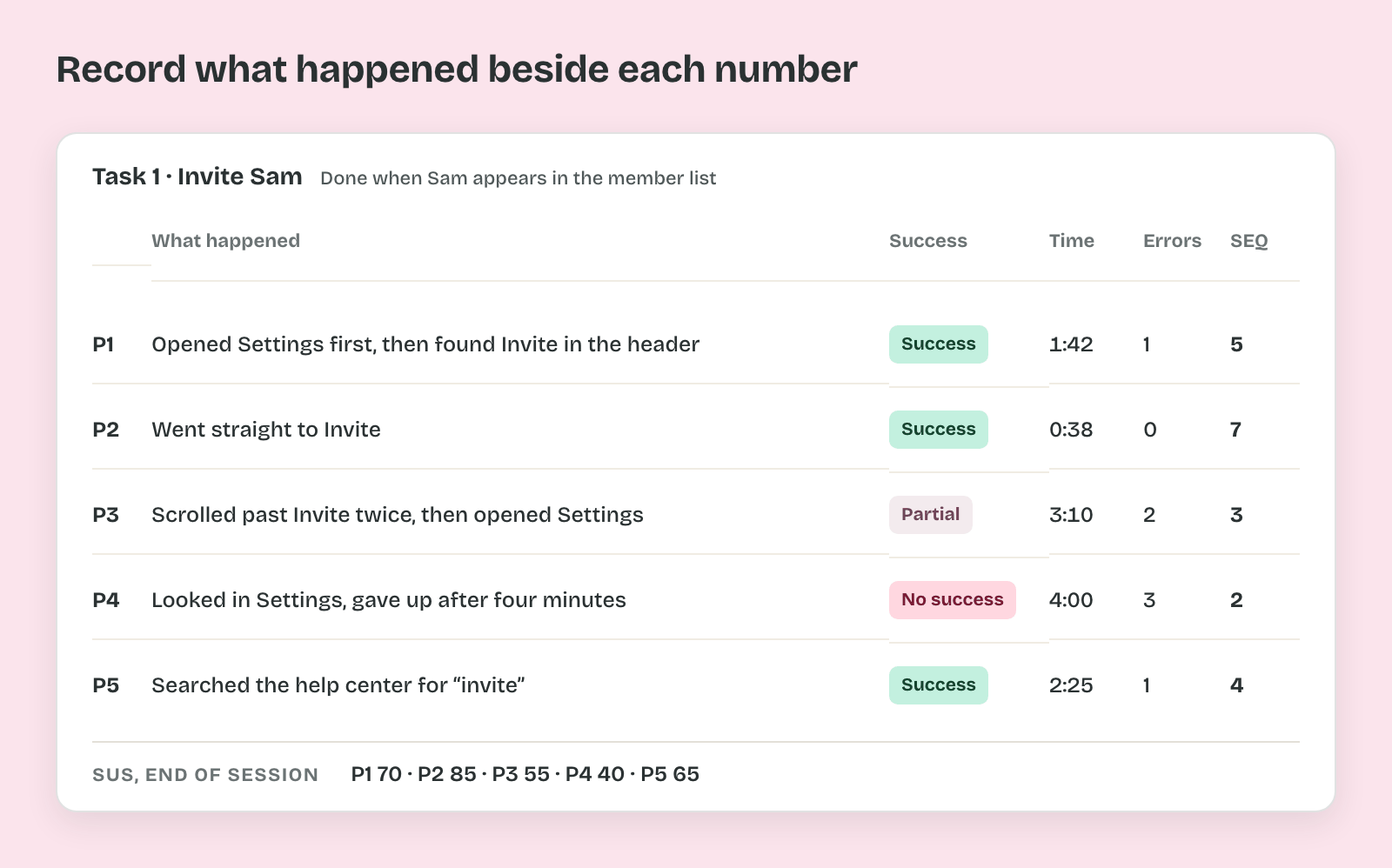
- Task success: whether the participant reached the success criterion without help, often scored as success, partial or no success.
- Time on task: the minutes from reading the task to reaching the end state.
- Errors: wrong paths taken before recovering, such as opening the wrong menu.
- SEQ (Single Ease Question): one rating after each task, from 1 (very difficult) to 7 (very easy). MeasuringU reports an average of about 5.3 to 5.6 across more than 400 tasks.
- SUS (System Usability Scale): ten statements at the end of the session, scored from 0 to 100. John Brooke created it in 1986, and the commonly cited average is 68.
With five people, these numbers only show a direction. Nielsen recommended about 20 users in 2006 for studies where the numbers themselves are the goal.
The Format
Thus the last choice is how the session runs, and it combines two decisions.
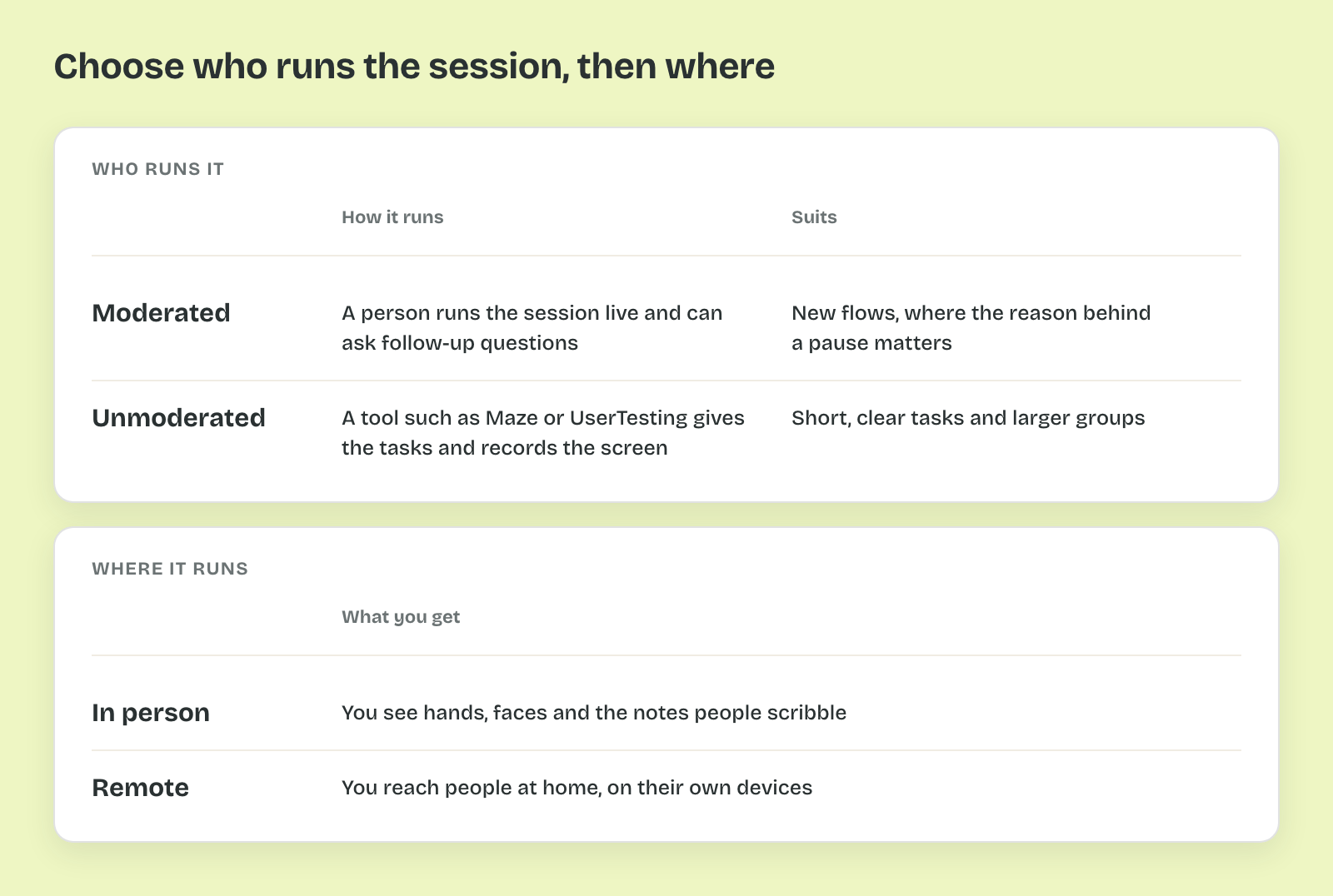
- Moderated or unmoderated: in a moderated test, a person runs the session live and can ask follow-up questions. In an unmoderated test, a tool such as Maze or UserTesting gives the tasks and records the screen, with nobody there to ask why.
- In person or remote: in person, you see hands, faces and the notes people scribble. Remote sessions reach people at home, on their own devices.
Unmoderated tests suit short, clear tasks and larger groups. Moderated tests suit new flows, where the reason behind a pause matters more than the count.
Pro tip: Write the success criterion on the same line as each task in the script. The moderator and every observer then score the session against the same end state.