Self-Learning
Saving a tutorial feels like progress, and it rarely changes the work. Imagine forty saved tutorials, two unfinished courses and a portfolio that looks the same as it did six months ago.
Learn on the move: press play and turn your commute, walk or drive into time that grows your design career.

That's because a skill grows from what you do with the material, and saving or watching comes before any of that. Nobody else schedules your learning for you, so the method is yours to run.
How Self-Learning Works
Self-learning has five parts, each backed by learning research, and each answers a question you'd otherwise guess at:
- Skill stages: where a skill sits, from following steps to doing it without thinking.
- Active study: how to remember what you read, by testing yourself and spacing the sessions.
- Deliberate practice: how to get better at doing, with a goal, feedback and a stretch.
- A habit: how to keep going after the first busy week.
- Measurement: how to see your real level, apart from how it feels.
That order matters, because each part leans on the one before. Spaced study does little if you never practice, and practice drifts without a measure of where you are.
Stages of Skill Learning
A tutorial can make a skill look easy, and then a blank file shows it isn't yours yet. Following a 20-minute video on Figma auto layout often feels smooth, and building a card alone right after often stalls at the first decision.
That's because watching and doing sit at different stages of learning. Psychologists Paul Fitts and Michael Posner described three stages in their 1967 book Human Performance, and each stage needs different work from you.
The Stages of Skill Learning
Fitts and Posner studied physical skills such as typing and sport. Their stages also make a useful map for learning a design tool or method:
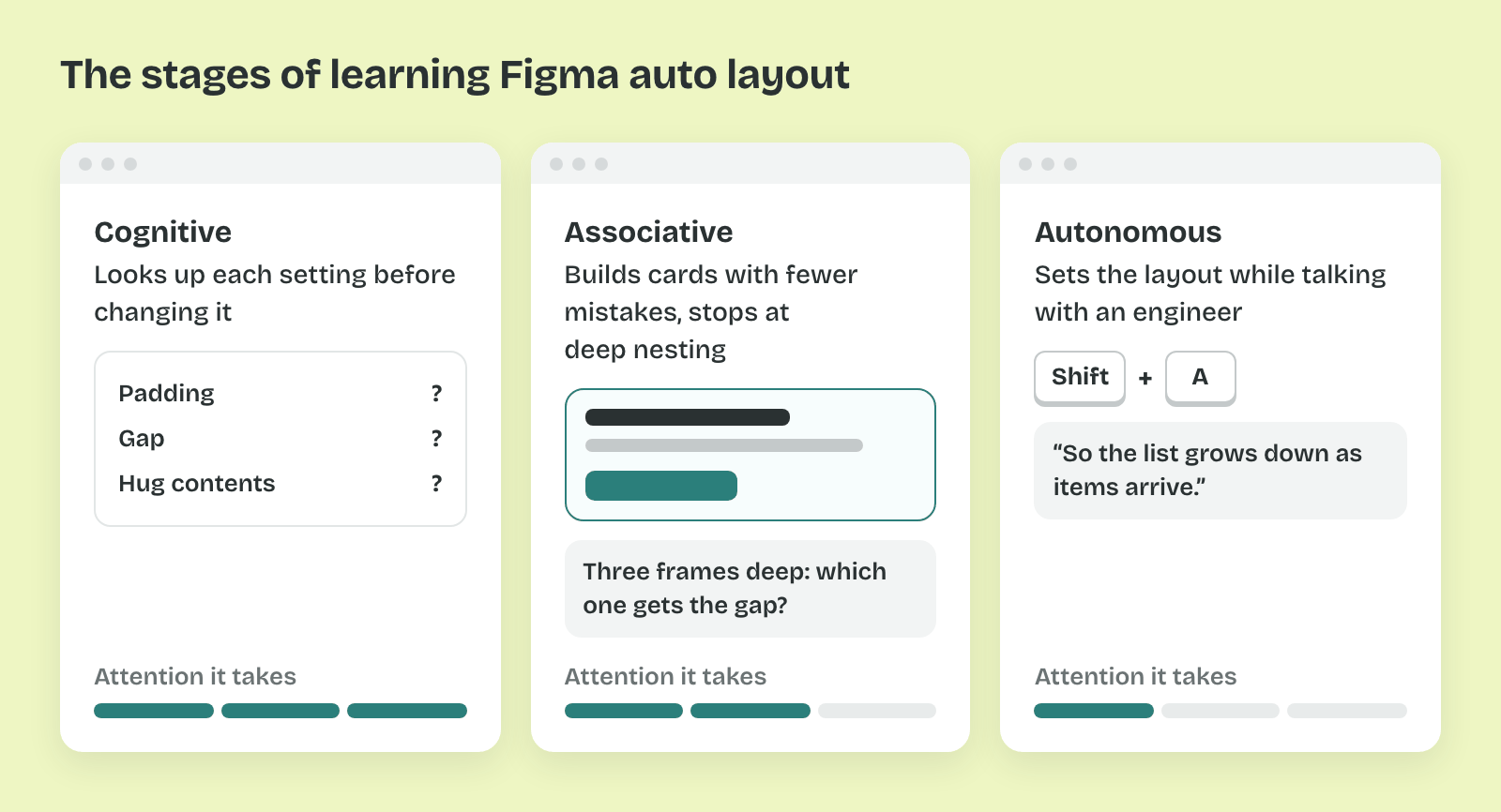
- Cognitive stage: you work out what the task needs and follow each step on purpose. With auto layout, you look up what padding and gap mean, and you check the panel before every change.
- Associative stage: you know the steps and you're refining them. You make fewer mistakes and work faster, though you still stop when a layout nests three frames deep.
- Autonomous stage: the skill runs with little attention. You press Shift+A and set the gap while you talk the design through with an engineer.
So the stages describe how much attention a skill takes. In the first stage it takes all of it, which is why a new tool can feel so tiring in its first week. Here is how auto layout looks at each of the three stages:
What Each Stage Needs From You
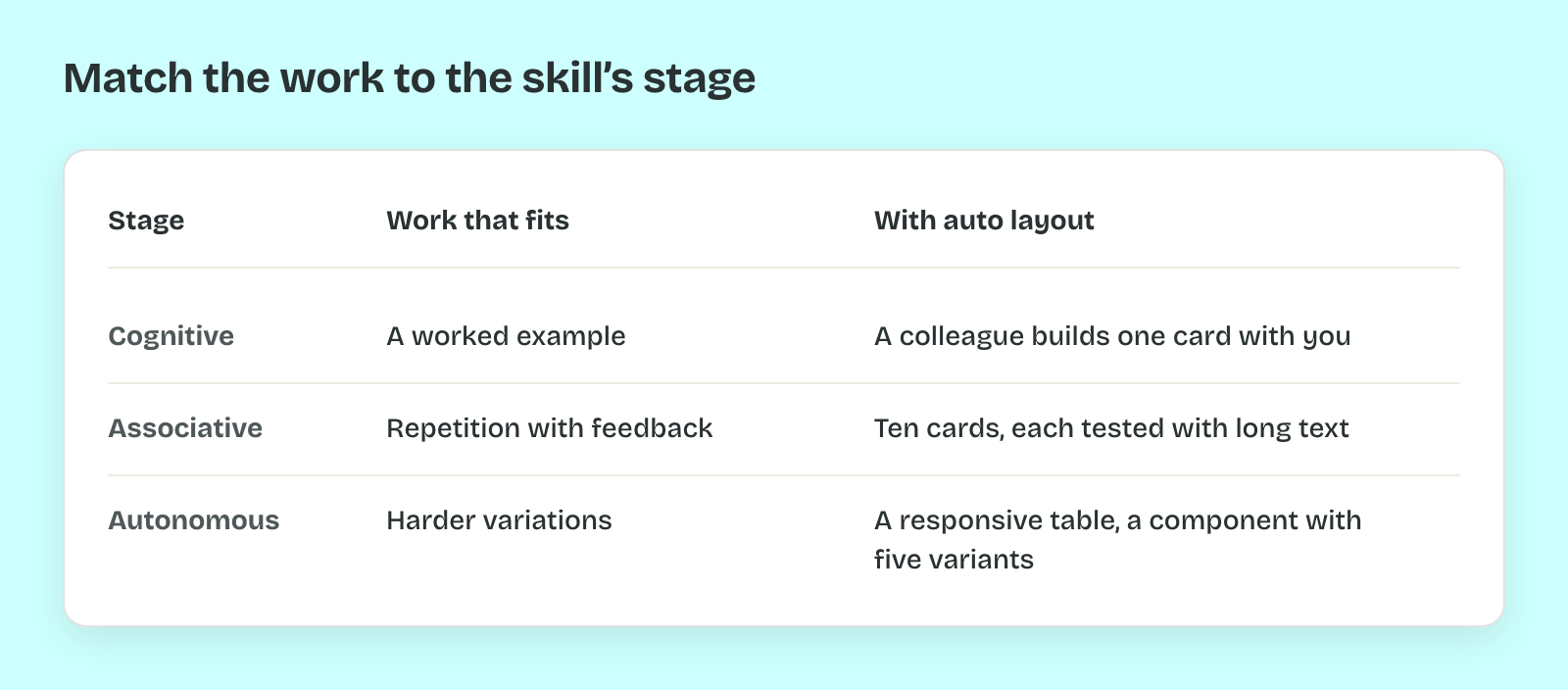
Each stage needs a different kind of work, and using the wrong kind is the common mistake. In the cognitive stage, you need clear instructions and a worked example. A short tutorial, or a colleague showing you once, is the right input here.
Then the associative stage needs repetition with feedback. You build ten cards, see which ones break when the text gets longer, and fix the cause. Fitts and Posner found that errors drop gradually in this stage, so it rewards volume.
After that, the autonomous stage needs harder variations. K. Anders Ericsson called the alternative arrested development: once a skill runs on its own, more of the same work stops improving it. So try a responsive table or a component with five variants. Here is the kind of work that fits each stage:
Why Watching Keeps You in the First Stage
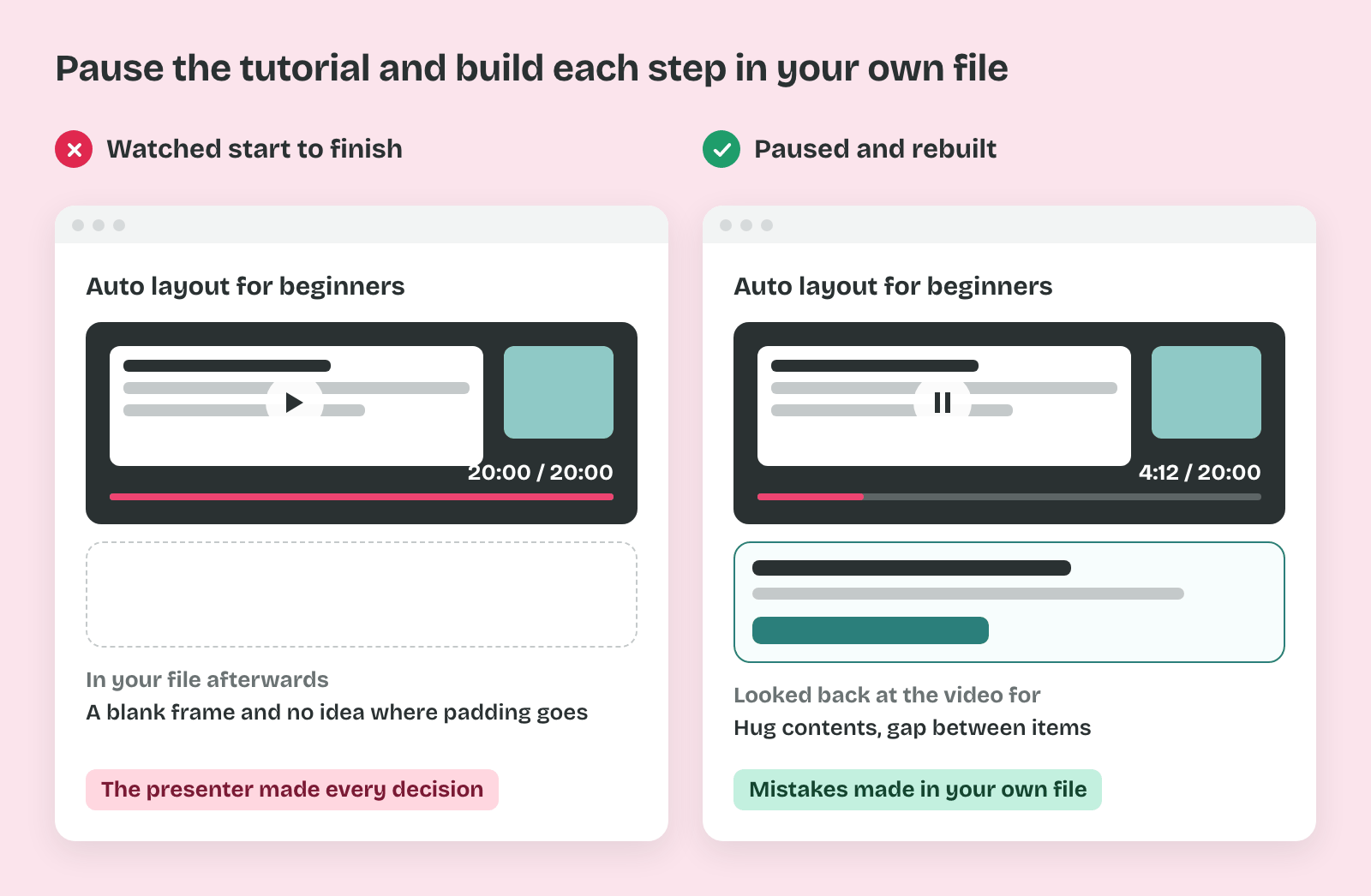
Watching a tutorial gives you the first stage's input and none of the second stage's work. The video shows the steps, and the presenter makes every decision, so your hands never meet a mistake.
That's why a tutorial can feel like progress while the skill stays where it was. You only reach the associative stage when you build the thing yourself and something breaks.
So stop the video at the first new step and do it in your own file. Afterwards, rebuild the tutorial's card from a blank page without the video, and note every step where you had to look back. Here is the same tutorial used two ways:
Telling Which Stage You're In
You can place a skill in its stage by watching how you use it on a real task:
- You need the steps in front of you: the skill is in the cognitive stage, so find a worked example.
- You can do it slowly, with a few mistakes: the skill is associative, so do more repetitions and get feedback.
- You do it while thinking about something else: the skill is autonomous, so raise the difficulty.
That matters because different skills sit in different stages at once. You might be autonomous in Figma, associative in usability testing and still in the first stage with design tokens.
Pro tip: Keep a list of the steps you had to look up while working. When a step stays off the list for two weeks, that part of the skill has left the first stage.