Adaptability
Plans change under designers all the time, and the first reaction often costs more than the change itself. Imagine you are two weeks into a checkout redesign when the product manager writes that subscriptions are now the priority.
Learn on the move: press play and turn your commute, walk or drive into time that grows your design career.

So one designer throws the checkout file away and starts over, while another keeps polishing it as if nothing happened. Both lose a week of work. Adaptability is the habit of reading what changed, deciding with the information you have and choosing when to hold and when to commit.
How a Change Reaches Your Work
A change passes through three decisions before it shows up in your file:
- Reading the change: naming its kind, what stays fixed and what context it puts you in.
- Deciding without full clarity: acting on about 70% of the information, a threshold Jeff Bezos set out in his 2016 letter to Amazon shareholders.
- Holding or committing: pushing back where a change crosses a line, and committing fully where it doesn't.
That order matters because each decision rests on the one before it. A designer who skips the reading decides on a guess. A designer who never decides waits for clarity that may not arrive.
So the module stays with your own response to a change. How product decisions get made lives in Who Makes a Product, and how to argue a point lives in Negotiation & Difficult Conversations.
Read the Change
A change usually reaches a designer as one sentence, and that sentence rarely says how much of the work it touches. Imagine you are two weeks into the checkout redesign when Lena, your product manager, posts an update. Here is her message in the team channel:
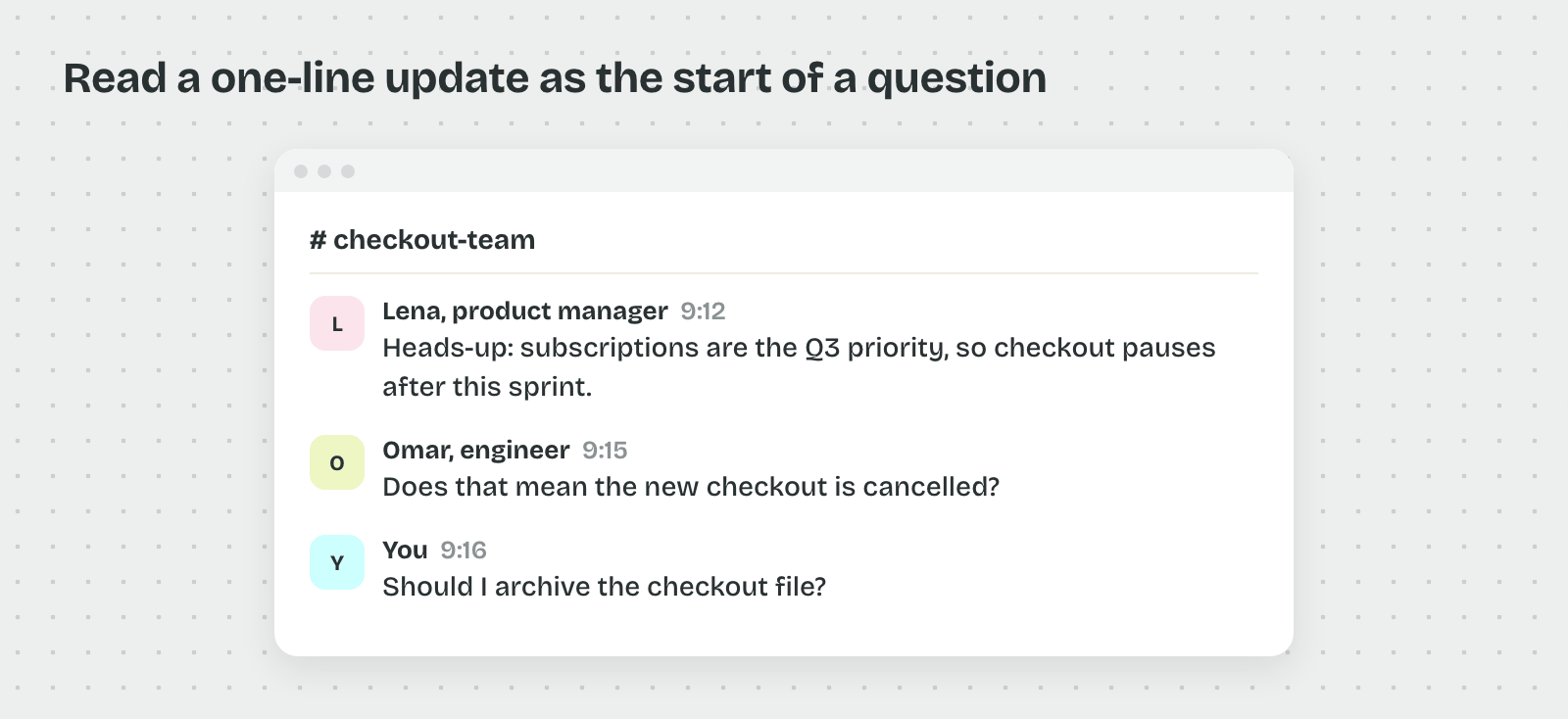
So the message could mean the checkout work is lost, or that it waits for a quarter. Reading the change means naming its kind, what stays fixed and what context it puts you in, all before you touch the file.
Kinds of Change
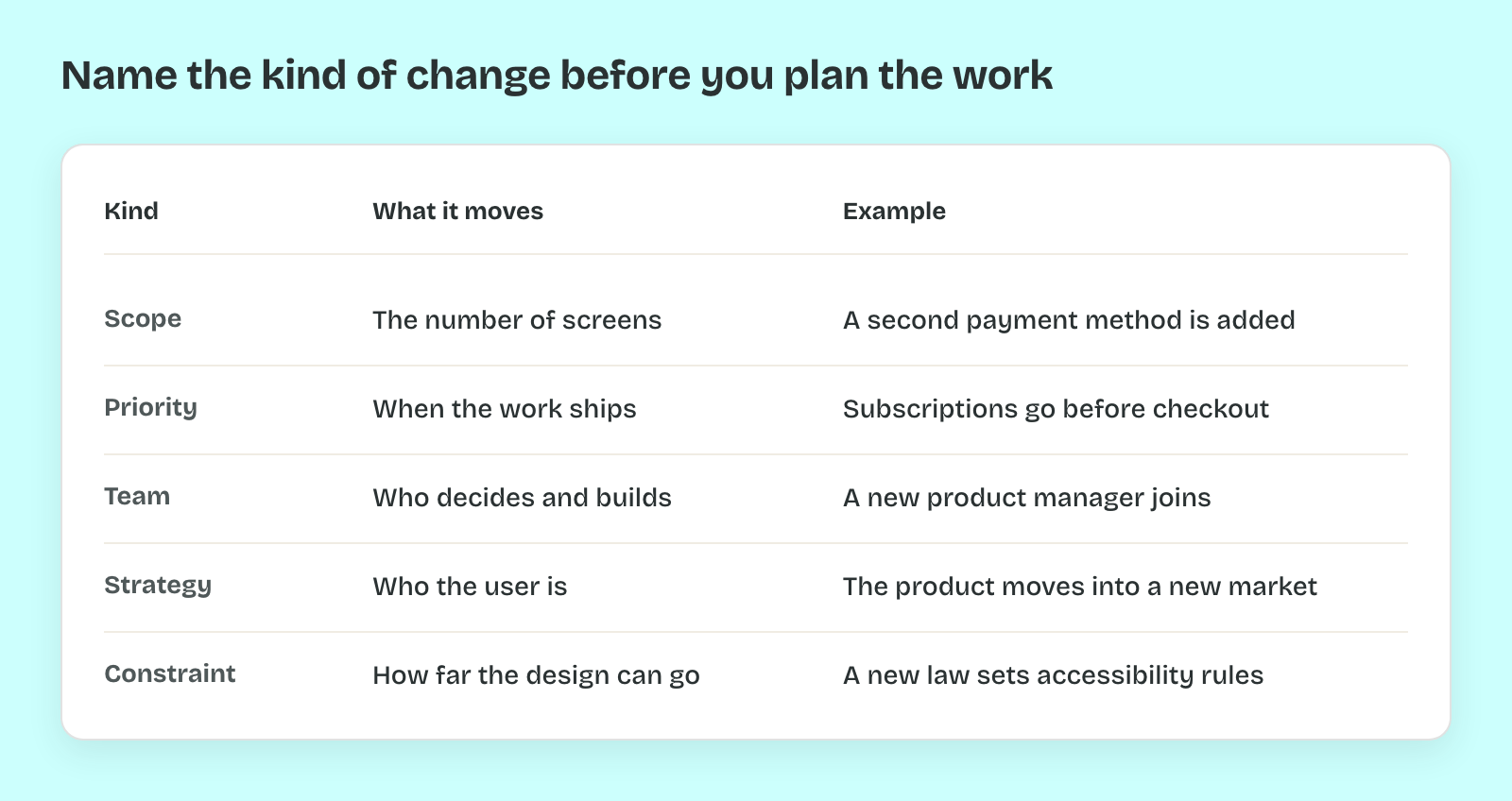
Most changes in product work belong to one of five kinds, and each kind moves a different part of your work:
- Scope (what is in the work): a feature is added or cut, such as a second payment method. It changes the number of screens.
- Priority (the order of work): another project goes first, as subscriptions did. It changes when your work ships, and rarely what it is.
- Team (who does the work): a new product manager, an engineer moving away or a reorg. It changes who decides and who builds.
- Strategy (where the product is going): a new market or a new business model. It can change who the user is.
- Constraint (the limits): a fixed date, a smaller budget or a new law, such as the European Accessibility Act applying from June 28, 2025. It changes how far the design can go.
So naming the kind tells you how much work is at risk. A priority change usually keeps the checkout research valid, while a strategy change toward a new audience can make it obsolete. The common mistake is treating every change as a strategy change and starting over. Here is what each kind of change moves in your work:
What Stays Fixed and What Moves
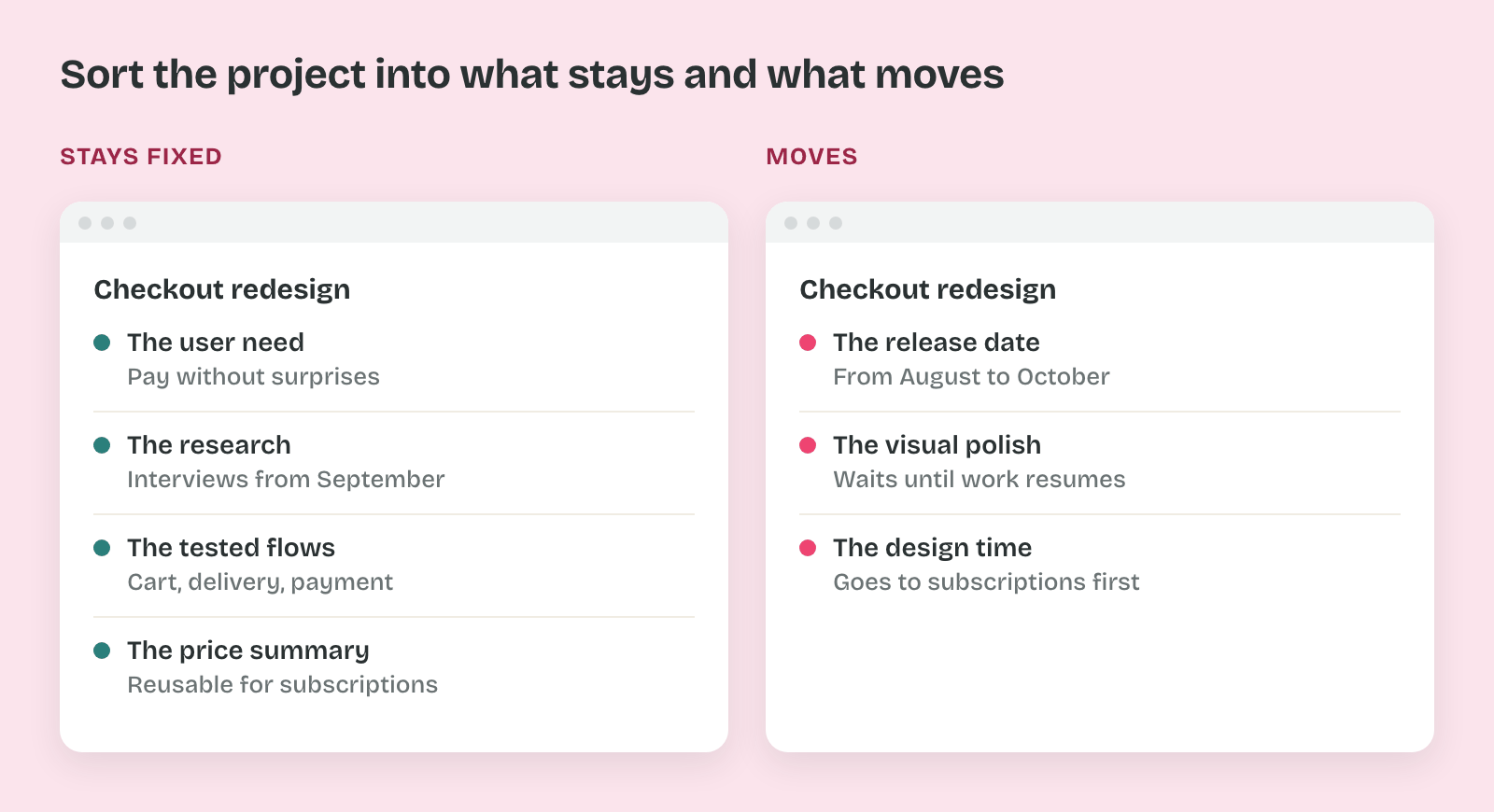
After naming the kind, sort the parts of your project into what the change touches and what it leaves alone. Most design projects have the same parts: the user need, the research, the flows, the components and the visual polish.
In the checkout case, the priority change leaves the research and the tested flows intact. The work moves to the backlog with a date. The components you built, such as the price summary, may serve the subscription screens too. Here is the checkout project sorted after Lena's message:
Which Context the Change Puts You In
Some changes are easy to read, while others leave cause and effect unclear. Dave Snowden and Mary Boone described the difference in “A Leader's Framework for Decision Making” in Harvard Business Review in 2007. Their framework is called Cynefin, a Welsh word for habitat, and it names four contexts:
- Clear (sense, categorize, respond): cause and effect are obvious. A renamed plan in the price list has one right answer, so apply the rule.
- Complicated (sense, analyze, respond): several answers can be right, and expertise finds them. A new payment provider needs its flows analyzed before you design.
- Complex (probe, sense, respond): cause and effect show only in hindsight. Nobody knows yet how customers will react to subscriptions, so run small, safe experiments first.
- Chaotic (act, sense, respond): something is broken and nobody knows why. A checkout outage on launch day needs a quick fix before any analysis.
That list has a fifth state, called disorder in the 2007 article, for when you can't tell which context applies. The way out is to split the change into parts and place each part on its own. The article called the first context simple, and Snowden renamed it obvious in 2014 and clear in 2020. Here are the four contexts with a design example in each:
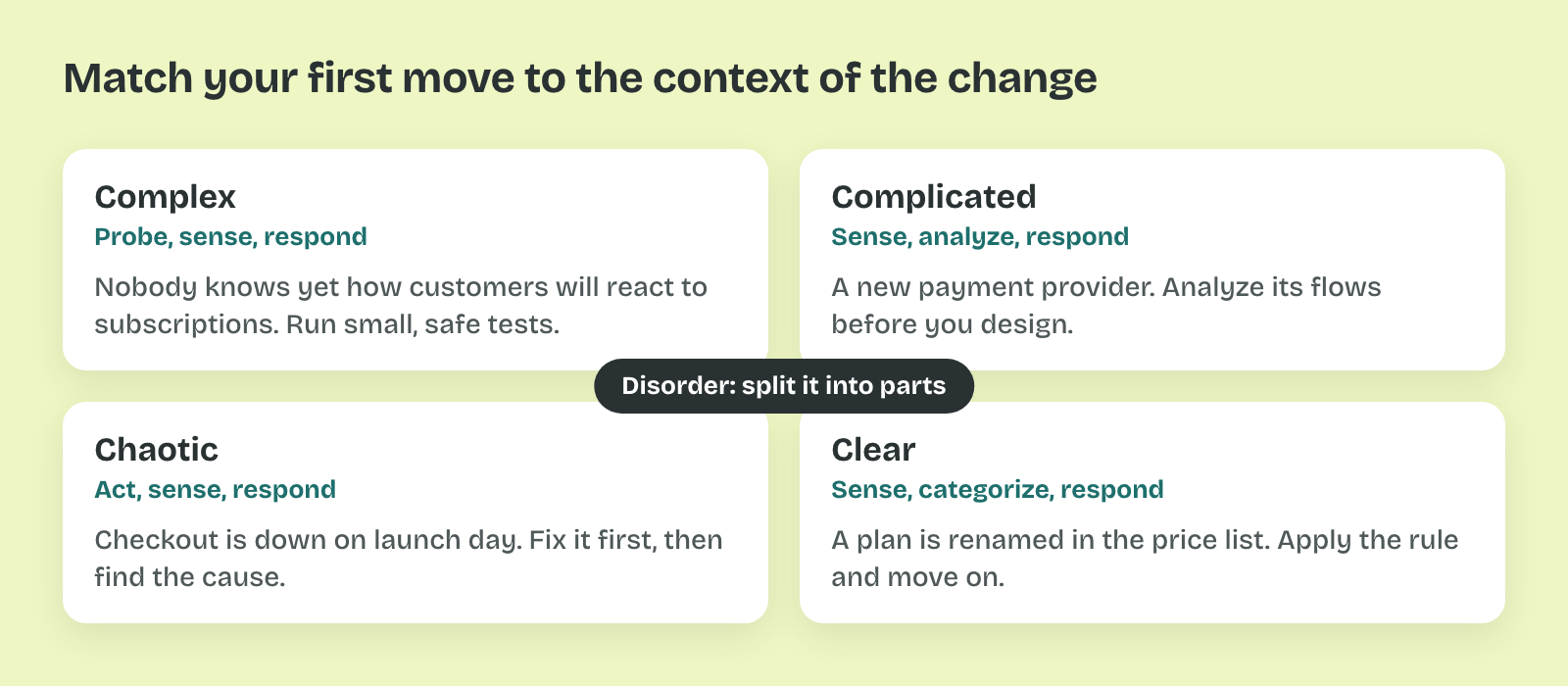
In practice the context sets your first move. The subscription change sits in the complex context, so a rough prototype in front of a few customers teaches more than a month of analysis.
Questions to Ask Before Reacting
Before you open the file, send the person who made the change a few short questions:
- What changed, in one sentence?
- What caused it: new data, a new goal or a new limit?
- What stays as it was?
- When does the new work need to be ready?
- Who decides the open questions?
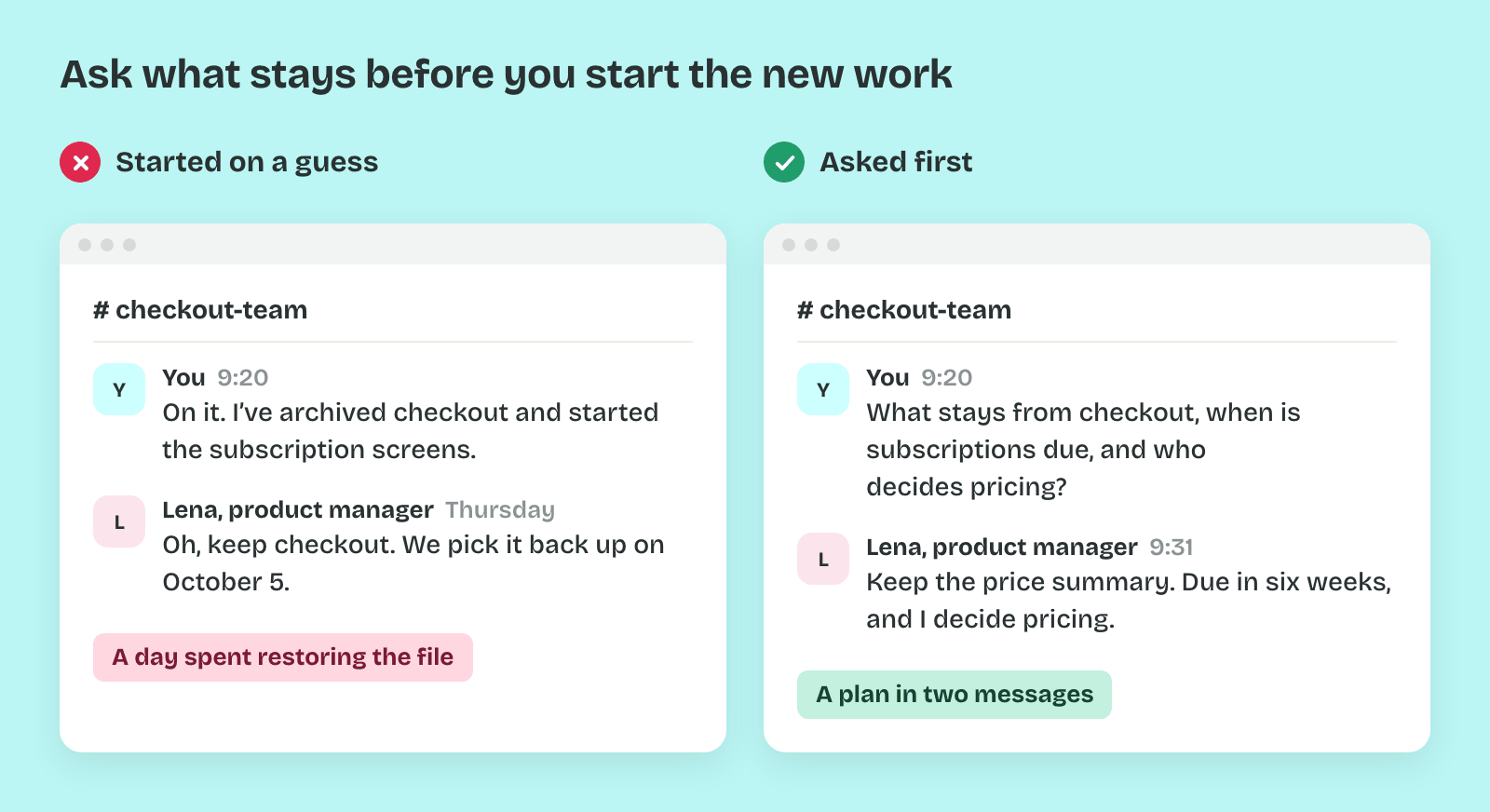
That message takes about two minutes to write, and each answer replaces a guess. Here is the reply that turns Lena's update into a plan:
Pro tip: Write the answers in the ticket or the brief, next to the date of the change. The next time the plan moves, you can see which parts changed twice and which have held all along.