Planning a Design Test
A design test answers one question about one design, and the wrong test answers a different question with confidence. Imagine a team that asks 20 people which of two invoice editors they like more, picks the winner, and then watches customers miss the send button in it.
Learn on the move: press play and turn your commute, walk or drive into time that grows your design career.

That's why a design test is chosen from the question first. Liking a screen and being able to use it are different things, and each needs its own test.
Testing a Design You Already Have
The research themes before this one study people and their work. The tests in this theme study a design: a sketch, a prototype or a live screen that the team has made and wants to judge.
So every test here starts with something to show. People look at it, try it or use it, and the test records what they do or say about that one design.
In This Theme
The Testing Designs theme follows a design from the first sketch to the live product:
- Planning a Design Test: the question, the test and the stage, before anything is shown,
- Usability Testing: watching people try to finish a task,
- First Impressions and Visual Design: what people notice, click and feel in the first seconds,
- A/B Testing and Experimentation: comparing two live versions with real traffic.
Then each method module ends with how to report its results to the team.
Anatomy of a Design Test
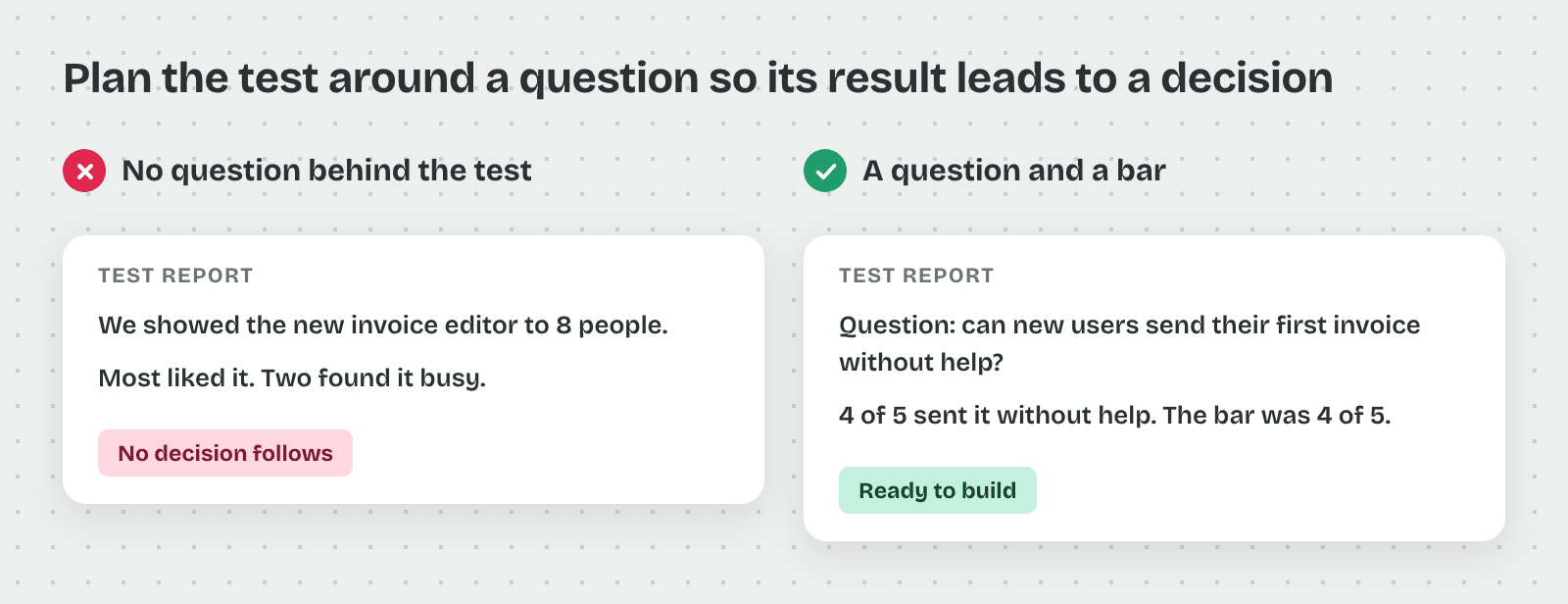
A test without a stated question tends to produce opinions nobody can act on. Imagine a team that shows "the new invoice editor" to eight people and comes back with "most liked it, two found it busy."
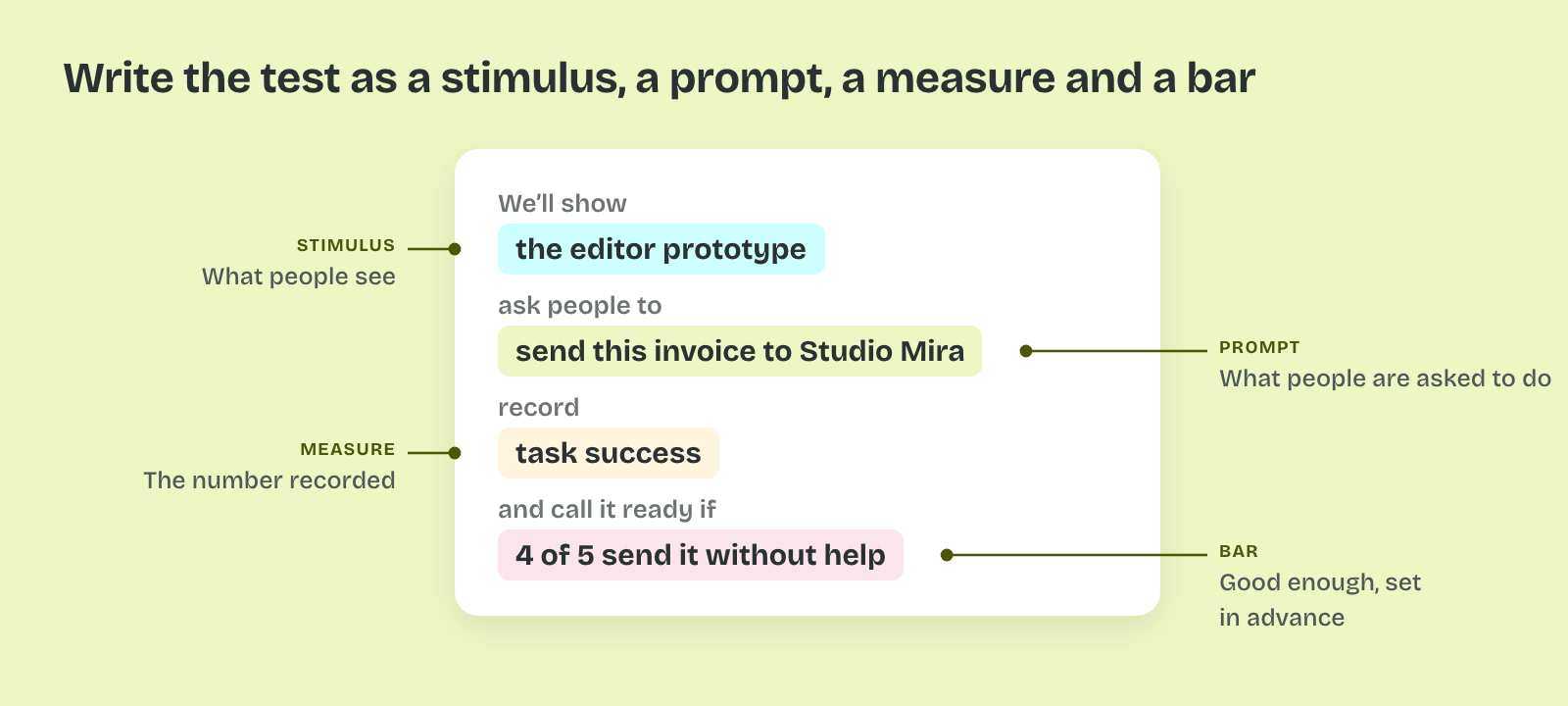
So every design test is planned from four named parts, whatever the method.
The Design Question
The design question names the decision the test informs. "Can new users send their first invoice from the redesigned editor without help?" is a design question. "What do people think of the editor?" is not, because no answer to it changes what the team builds.
That's why the question is written before the method is chosen. A question about finishing a task needs a different test from a question about trust or first impressions.
The Stimulus
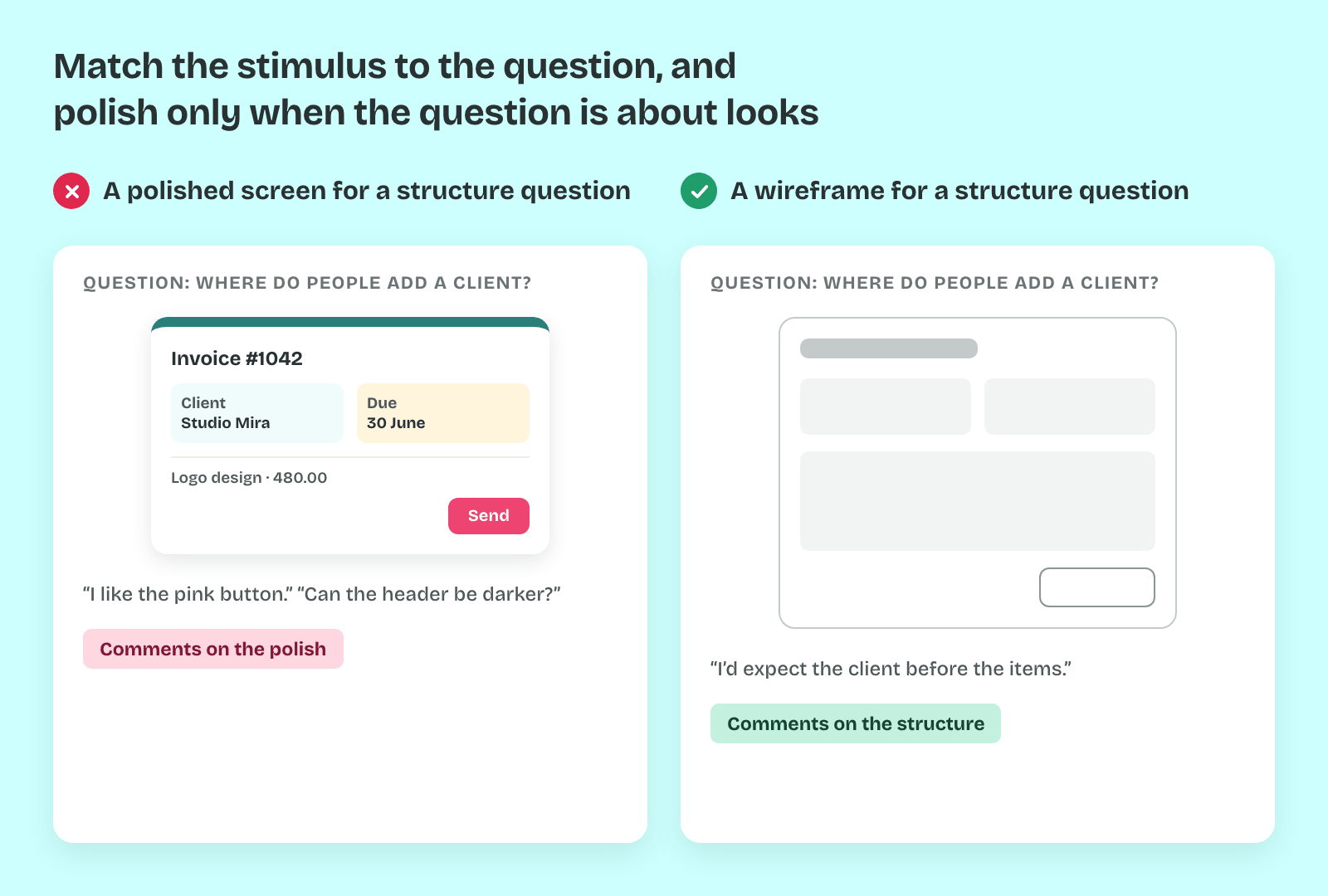
The stimulus is what people see: a sketch, a wireframe, a clickable prototype, a static screen or the live product. It sets what the test can find. A gray wireframe can show whether people find the send button, and it can't show whether the colors feel trustworthy.
So the stimulus matches the question. Polishing a screen before a test about structure costs days, and people tend to comment on the polish instead of the flow.
The Prompt
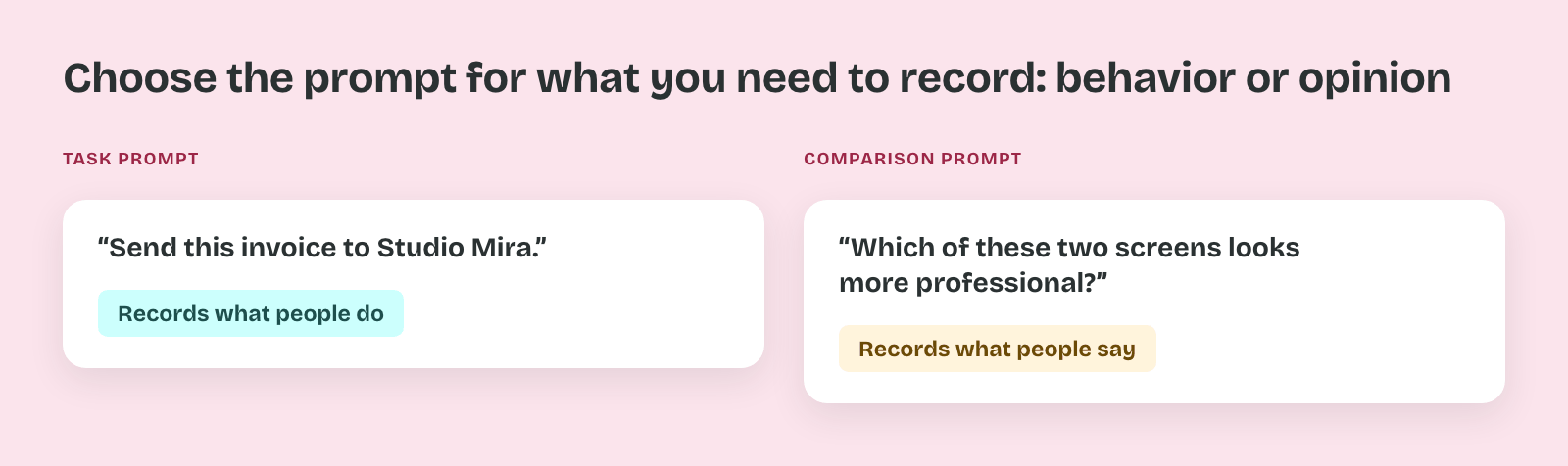
The prompt is what people are asked to do: a task to finish, a screen to look at for five seconds, a place to click first or two versions to compare. "Send this invoice to Studio Mira" is a task prompt. "Which of these two screens looks more professional?" is a comparison prompt.
Thus the prompt decides whether the test records behavior or opinion. A task prompt shows what people do, and a comparison prompt shows what they say they prefer.
The Measure and the Bar
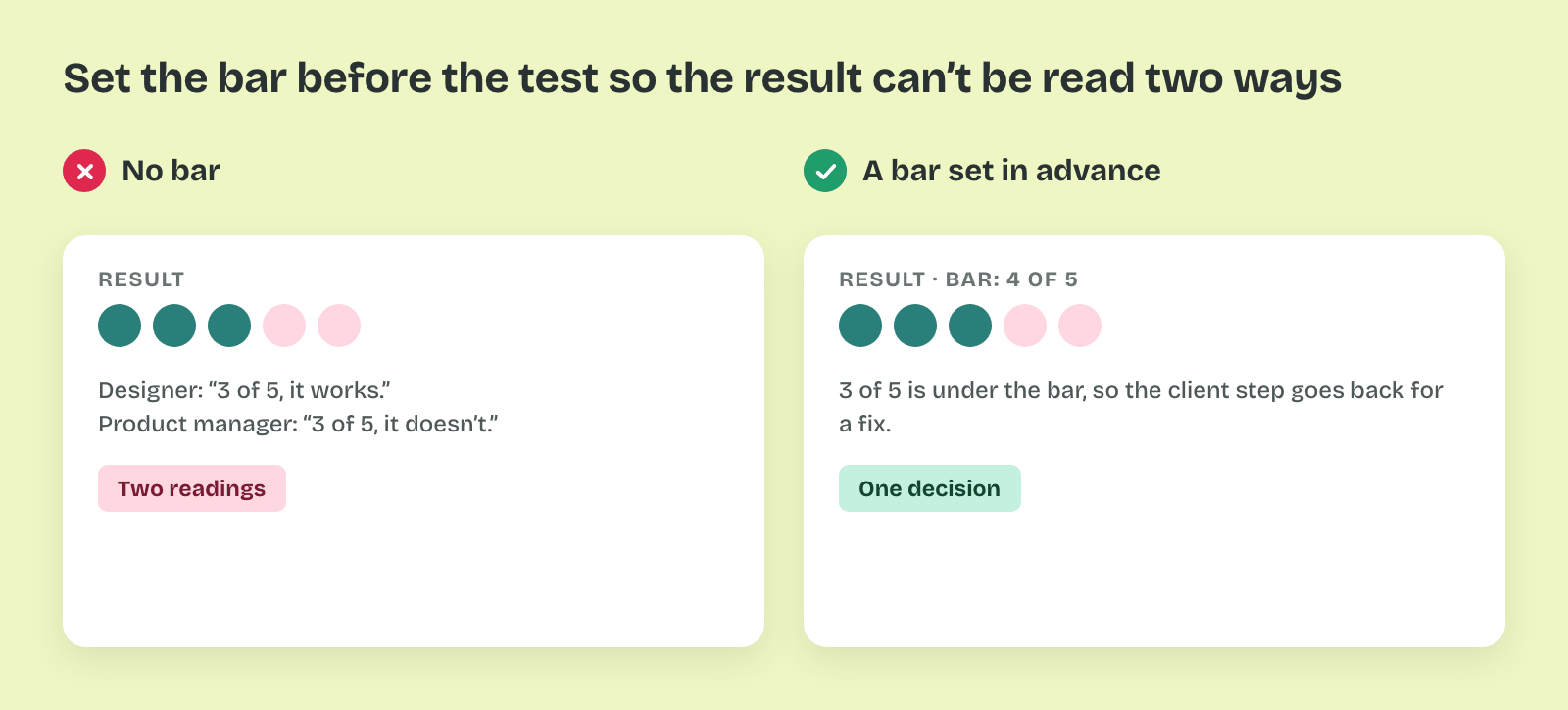
The measure is the number the test records, such as task success, time, the first click or the words people choose. The bar is the result that counts as good enough, written before the test: "At least four of five people send the invoice without help."
That matters because a bar set in advance turns the result into a decision. Without it, three of five can read as a pass to the designer and as a miss to the product manager.
Pro tip: Write the four parts as one sentence before you book anyone: "We'll show [stimulus], ask people to [prompt], record [measure], and call it ready if [bar]." If the sentence won't come together, the test isn't ready either.