Keeping Design and Code in Sync
A design system drifts as soon as its Figma library and its code stop changing together. Imagine the bookings app's primary button turning a darker teal in Figma on Monday. The web app still ships the old hex, and the iOS app ships a third one.
Learn on the move: press play and turn your commute, walk or drive into time that grows your design career.

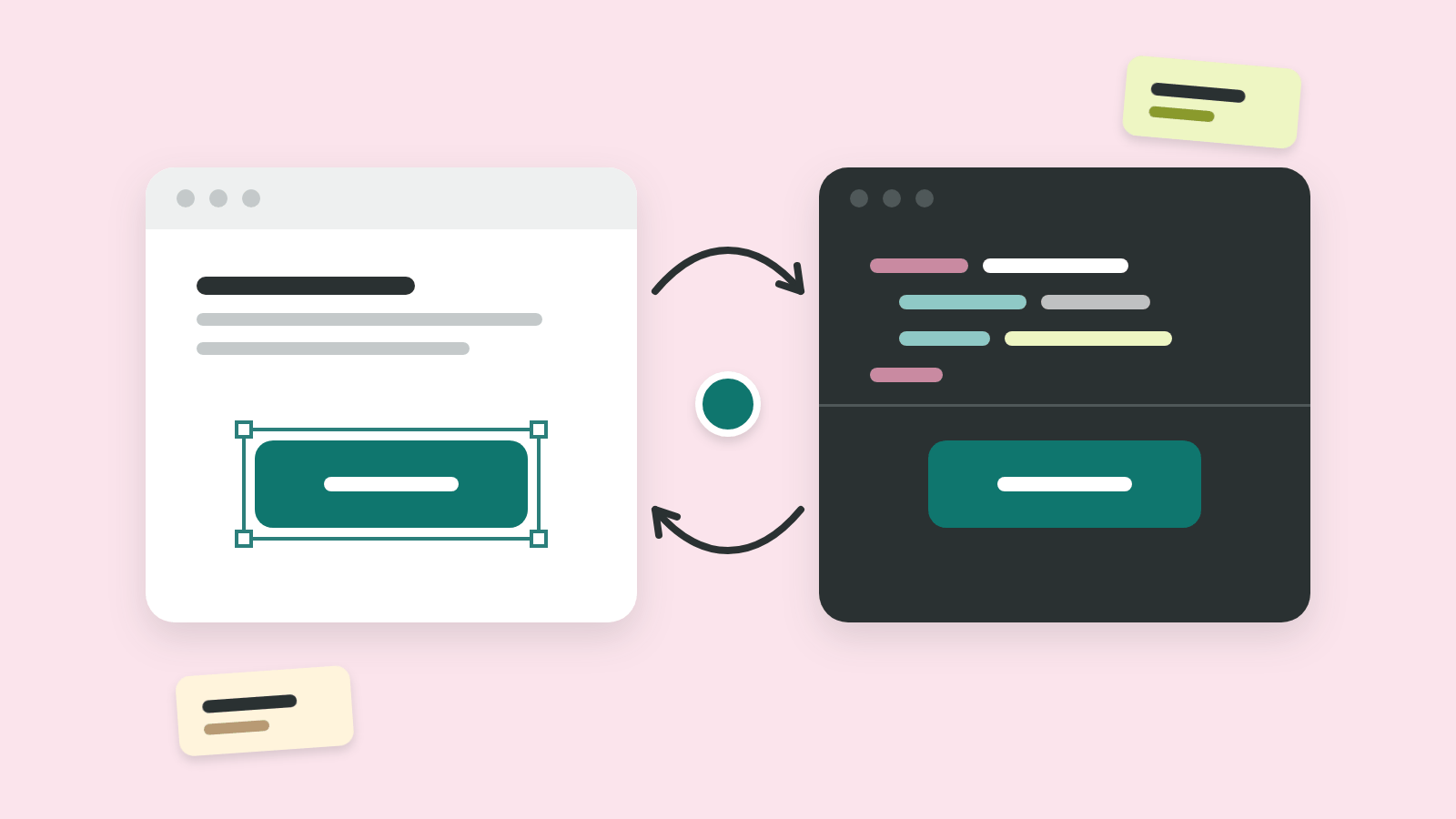
So nobody can say which button is right, and every review turns into a hunt for the real value. Keeping design and code in sync means a change starts in one agreed place, reaches every platform through a tool, and gets checked before it ships.
Why Sync Needs Tools
Most drift comes from copying by hand. A designer edits a variable, an engineer retypes the value for the web, and another retypes it for Android. GitHub's Primer team avoids that by keeping its tokens in one repository and building them with Style Dictionary into CSS variables and JavaScript.
That's why the sync work is mostly tooling plus the checks around it. A pipeline carries the tokens, a link joins each Figma component to its code, and a test flags the pixel that moved by mistake.
Anatomy of a Design-Code Workflow
A change to a design system can start in Figma, in code or in a chat thread, and many teams never agree which one counts. Imagine a designer renaming the bookings app's surface color while an engineer adds surface-raised in code that same afternoon. By Friday the two libraries describe different products.
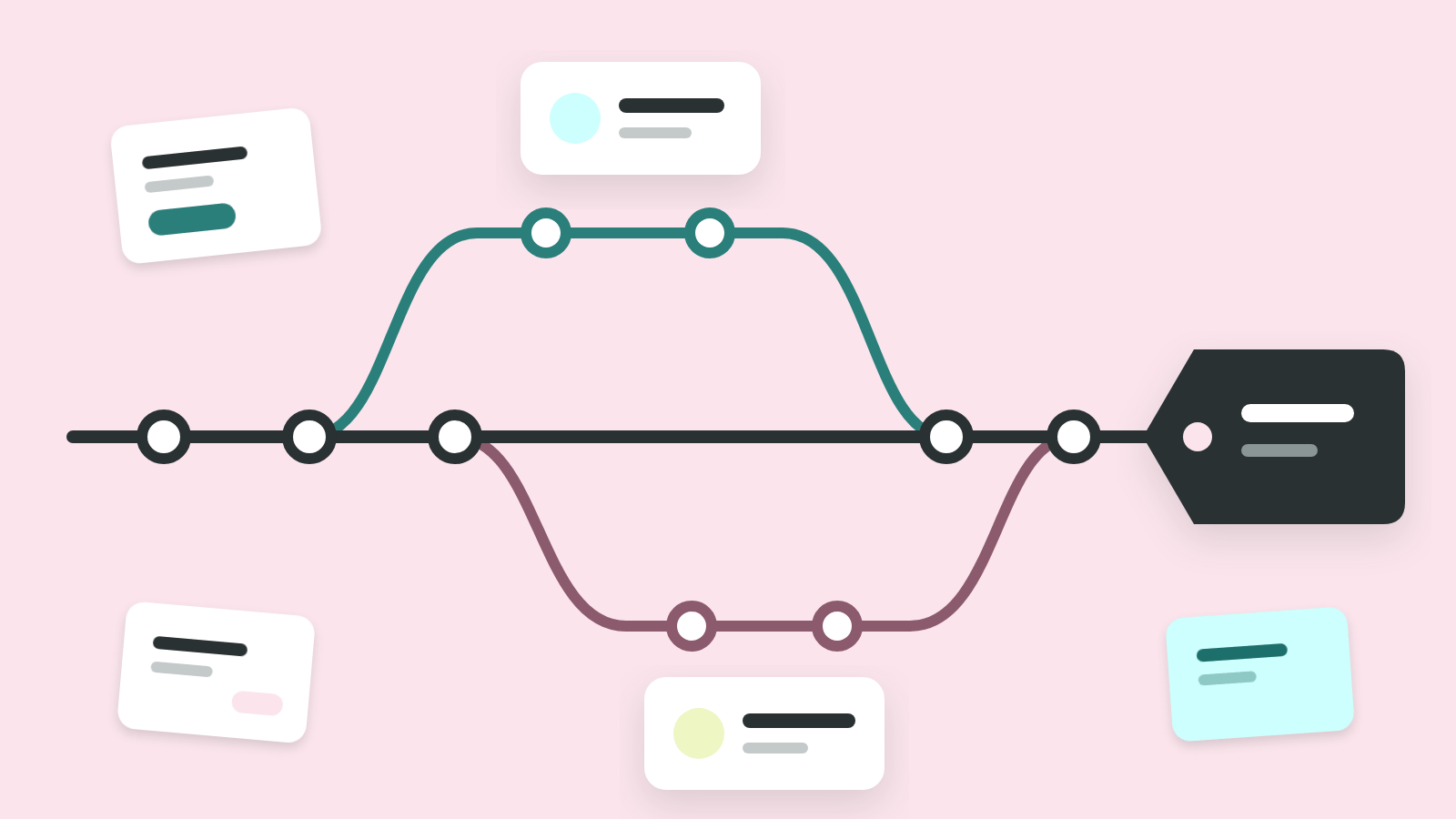
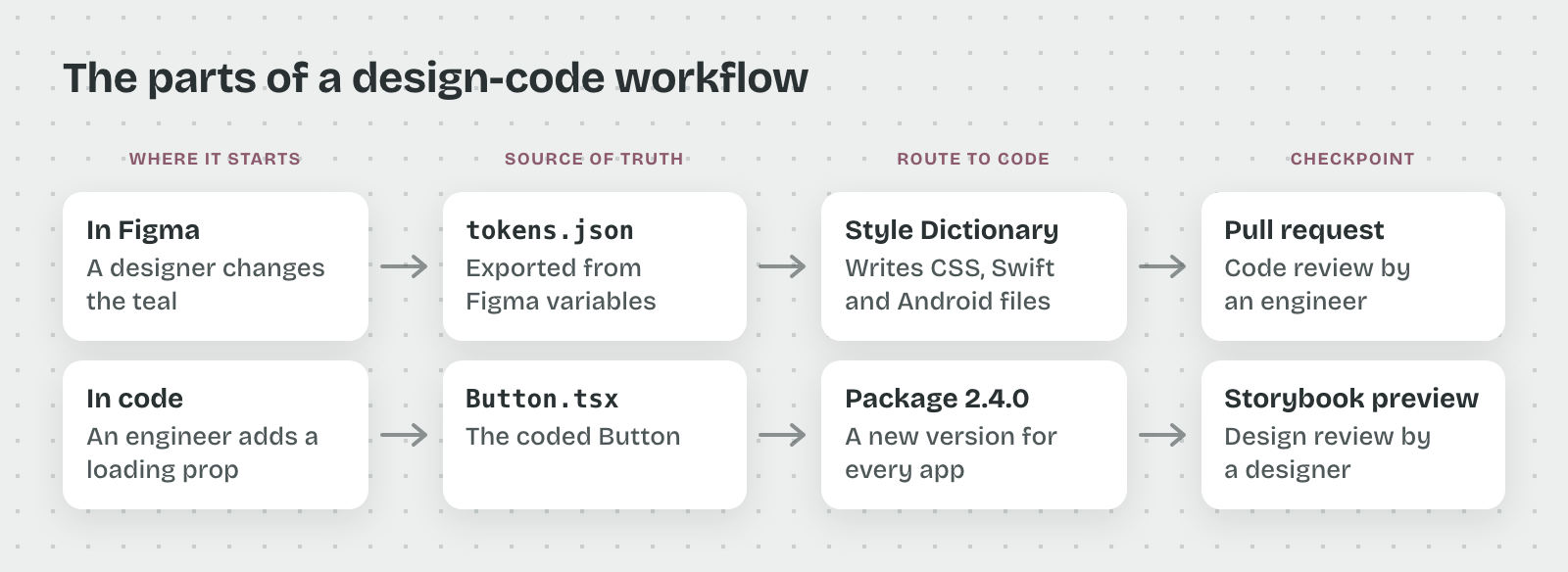
So teams that stay in sync draw the same map, whatever their tools. The map has an entry point, a source of truth, a route to code and a checkpoint. Here is that map for the bookings app's button:
Where a Change Starts
A change enters a system from one of two sides. A design-led change starts in Figma, such as a darker teal for the primary button after a contrast review. A code-led change starts in the repository, such as an engineer adding a loading prop because the booking form needs a spinner.
That's why the workflow brings both kinds to the same place before anything ships. A code-led change that never reaches Figma leaves designers drawing a button with no loading state. The next booking screen then arrives at handoff without one, and the engineer invents it.
The Source of Truth
The source of truth is the one place where a value is decided, and every other copy is generated from it. For tokens it's usually a JSON file in a repository. Figma can export a variable collection as JSON in the W3C Design Tokens Community Group format, straight from the Variables view.
Here is the bookings app's color collection in Figma and the file it exports:
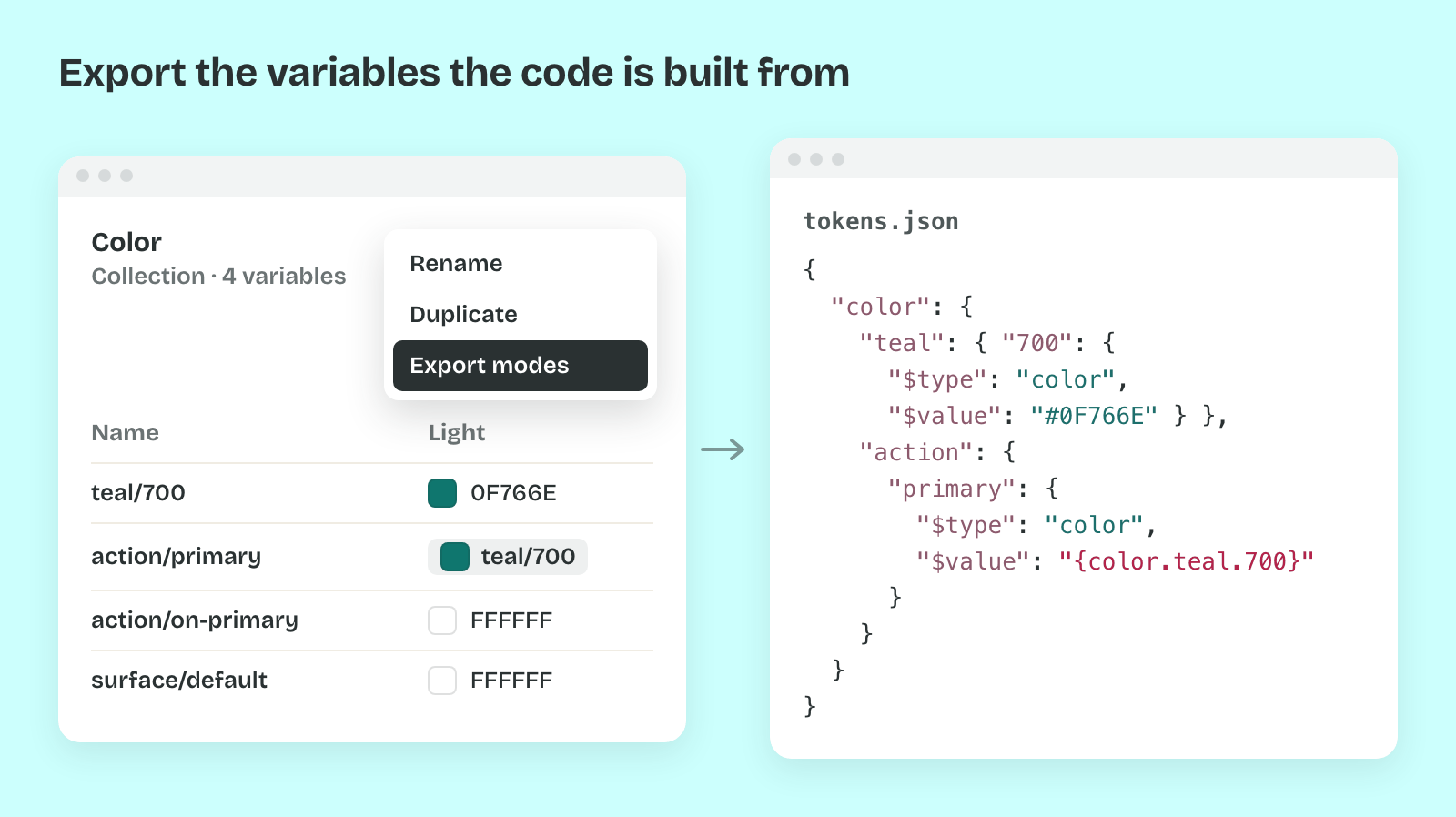
That export matters because two hand-kept copies always drift. GitHub's Primer keeps its tokens as JSON in the primer/primitives repository, and both its Figma library and its code follow that file. Components work in a similar way on many teams: the coded Button is the one that ships, and the Figma Button is drawn to match it.
The Route to Code
The route is every step a change takes from the source to the shipped app. A token passes through a build tool such as Style Dictionary, which writes one file per platform. A component passes through the code library, where an engineer changes the component and publishes a new version. Here is the route for a token and for a component:
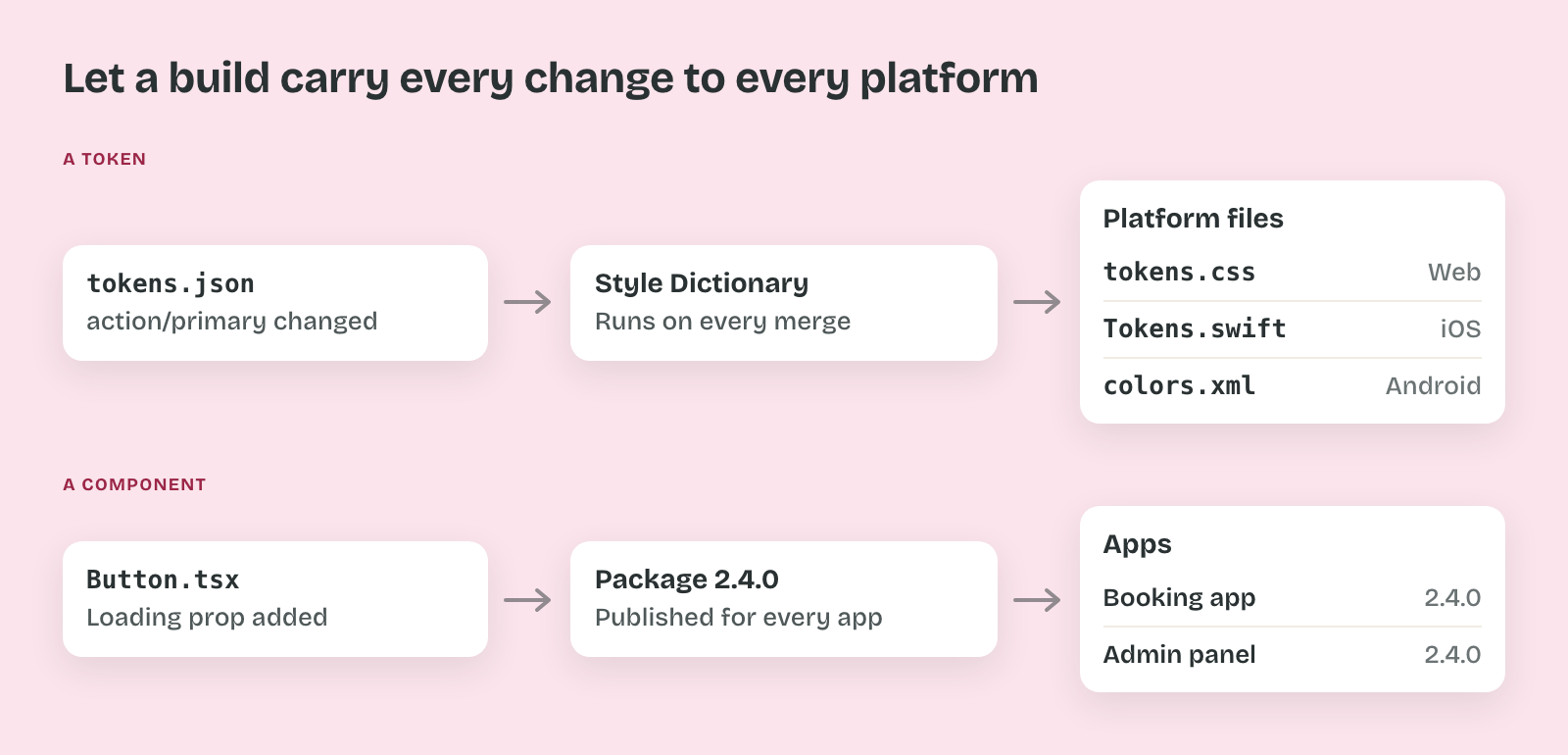
So the route should have no step where somebody retypes a value, because a retyped hex is how one teal becomes three. Shopify's Polaris publishes its tokens as the npm package @shopify/polaris-tokens, with names such as --p-color-bg-surface. Apps install the values instead of copying them.
The Checkpoint
The checkpoint is where somebody looks at a change before users see it. On most teams that's a pull request, the request to merge new code, with two kinds of review on it. An engineer reviews the code, and a designer reviews what the change looks like.
That second review needs something to look at, so teams publish a component catalog such as Storybook for every pull request. In Chromatic, a step called UI Review lets designers and product managers approve the visual changes before the merge. Here is a pull request with and without that design review:
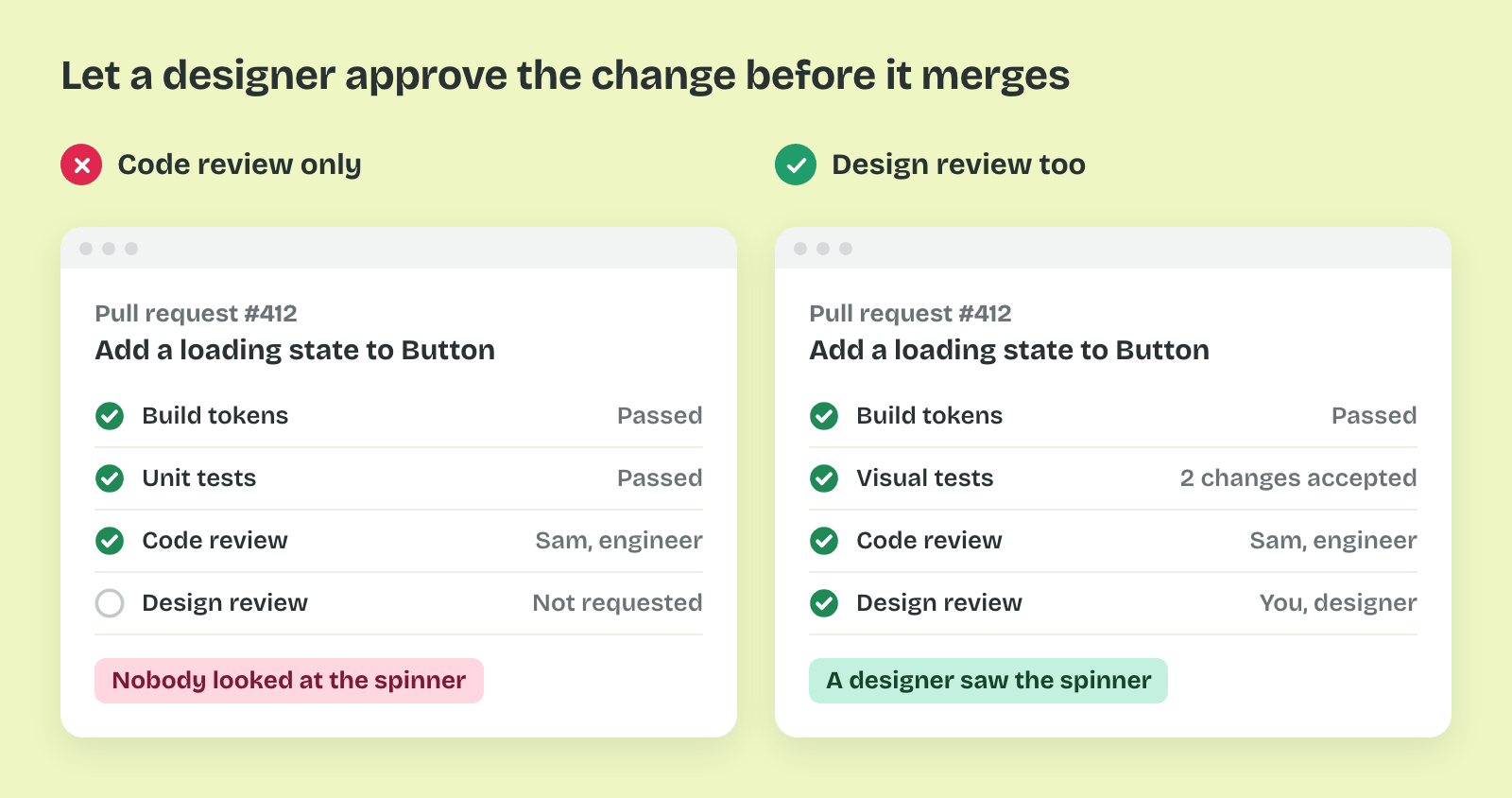
Because of that, a designer's approval becomes part of the merge, the same as a passing build. Who owns each library and how releases are numbered belong to Contributions & Releases.
Pro tip: Draw your team's map on one page before choosing any tool. If a box has no owner's name beside it, that's the step where your next drift will start.