AI Agents & Design Systems
An AI agent builds a screen from whatever it can find, and in many files that means raw hex codes and hand-drawn buttons. Imagine asking an agent for the bookings app's list of open slots. The screen looks right, yet its blue matches no token and its button is rebuilt from rectangles.
Learn on the move: press play and turn your commute, walk or drive into time that grows your design career.

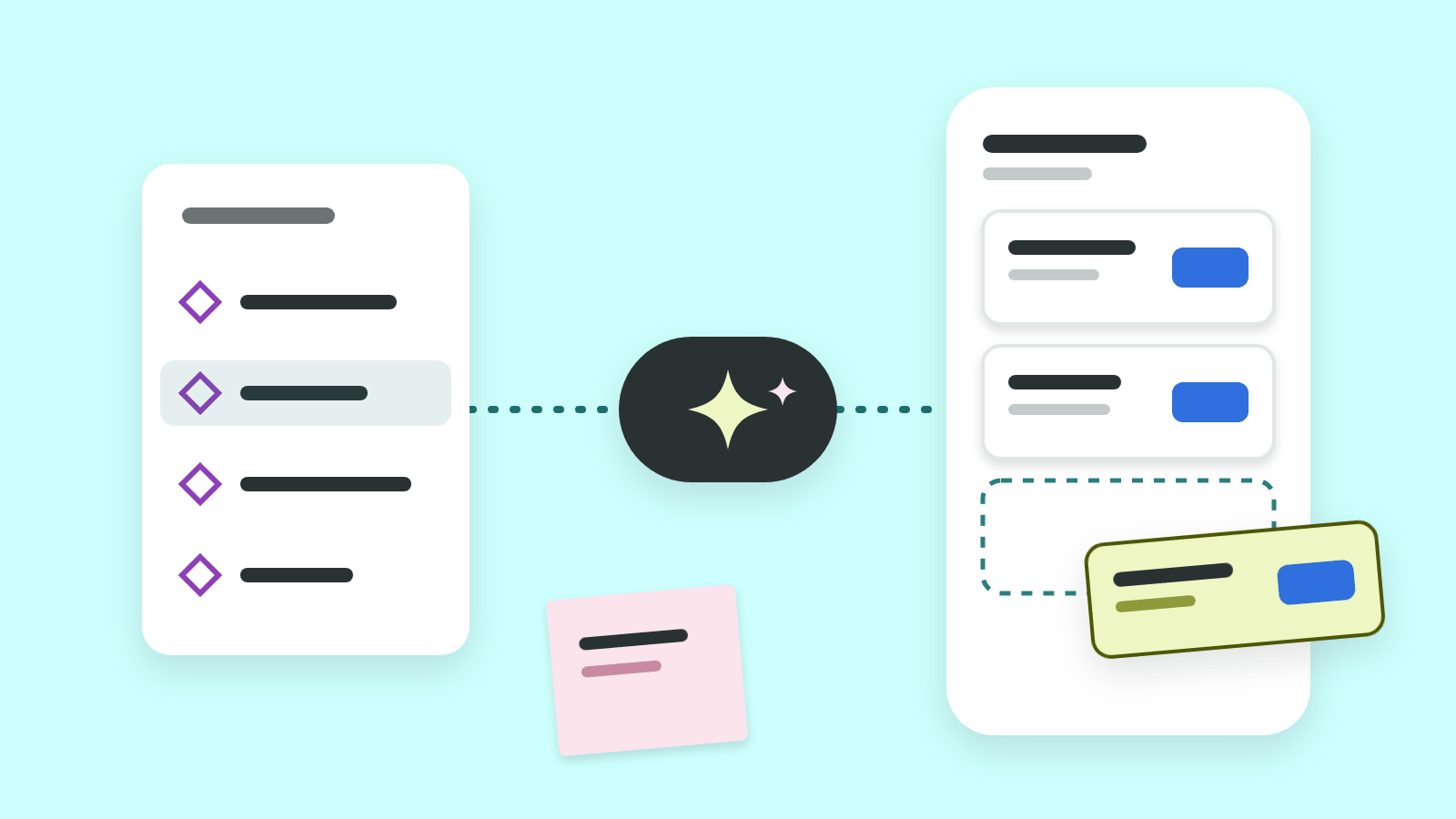
So the work moves into the system itself. An agent stays on-system when the library tells it which components exist, which variables to use and which code each component maps to. Somebody still reviews what comes back.
Why Agents Need the System
Teams that publish design systems have started serving them to agents directly. Atlassian, IBM Carbon and Shopify Polaris each offer an MCP server that hands an agent their components, tokens and docs. Figma's own MCP server does the same for any team's library.
That's why the quality of a library now shows in two places. A component with default layer names and loose values slows a designer down, and it leaves an agent guessing at every decision.
Anatomy of an AI-Ready System
An agent can only reuse what it can find and name, so a library built for people alone often leaves it guessing. Imagine an agent reading the bookings app file. It meets a frame called Frame1268, a fill of #2F6FDE and a group of shapes that looks like a button.
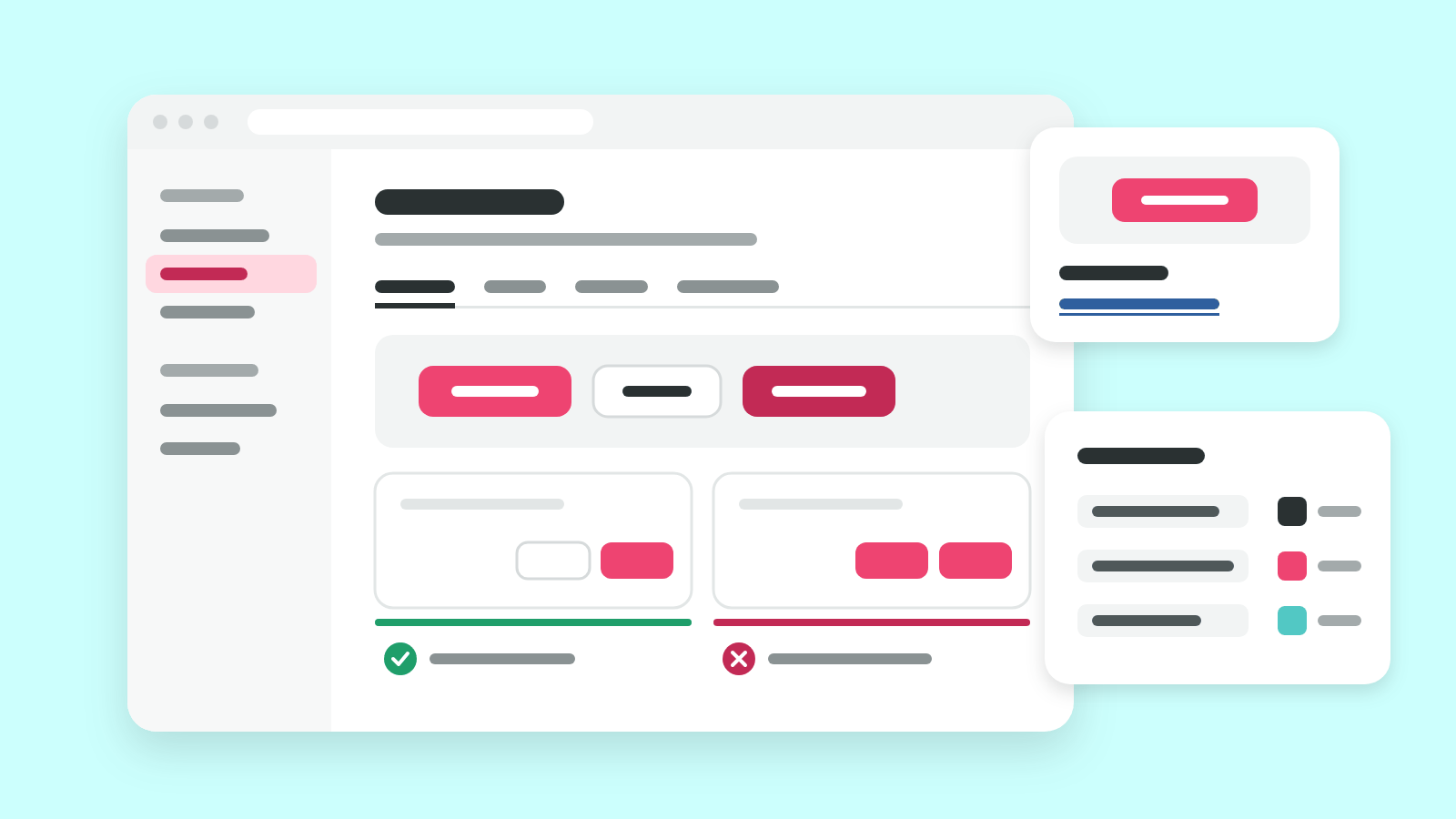
Here is the same slot card in an unready file and a ready one:
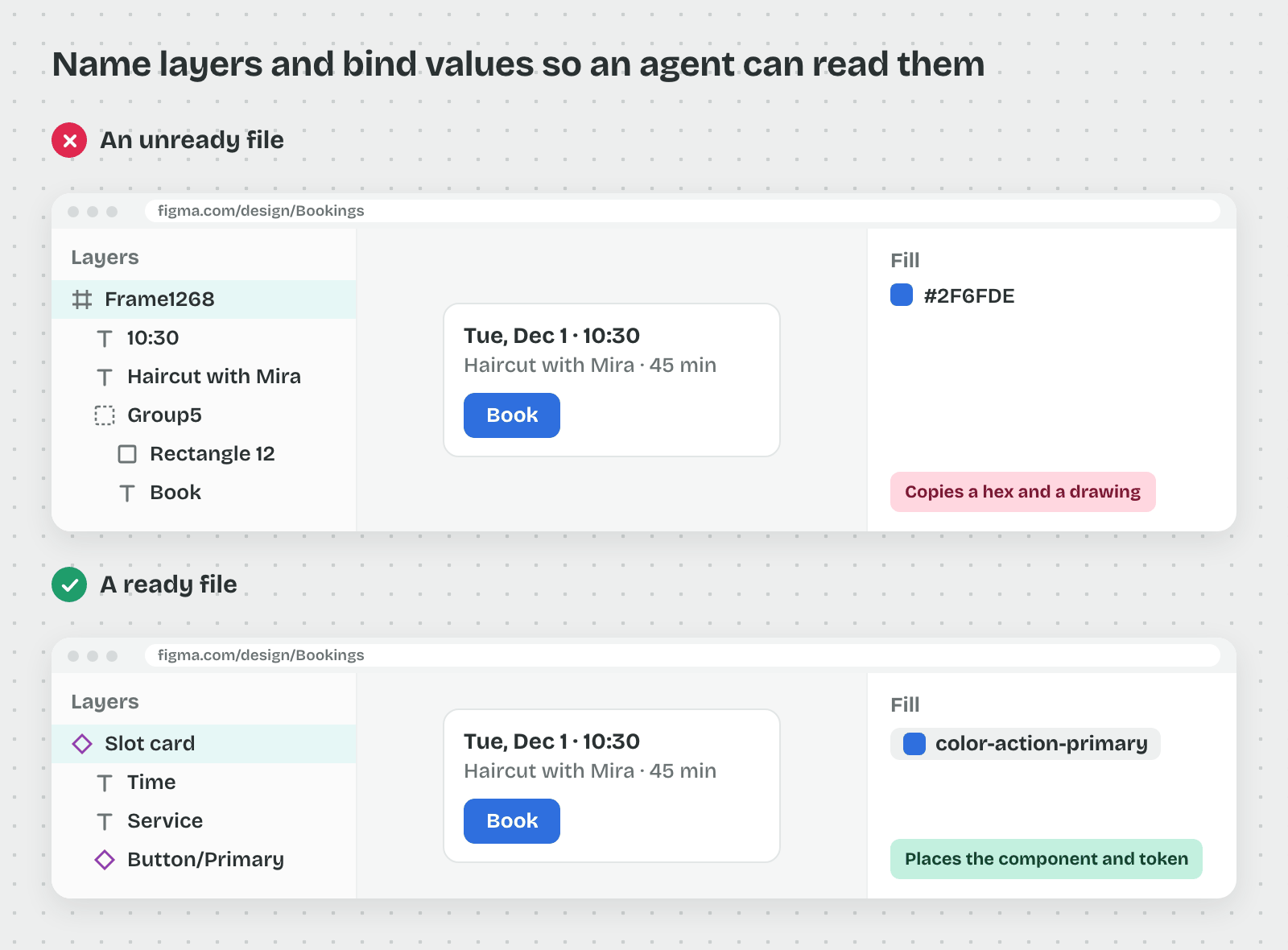
So an AI-ready system makes each decision readable. It has five parts, and each one answers a question the agent would otherwise guess at.
The Parts an Agent Reads
The five parts sit in the file, in the code and beside both:
- Components (what exists): published components with clear names, variants and properties. A Slot card is then one thing the agent places instead of a drawing it copies.
- Variables (which value): color, spacing, radius and type stored as Figma variables, with code syntax set. The agent then writes color-action-primary where it would have written a hex. Tokens & Variables covers how to build them.
- Code Connect mappings (which code): the link from each Figma component to the component engineers import. Keeping Design and Code in Sync covers setting them up.
- Rules for agents (how to use it): a written file of the conventions an agent has to follow.
- A server (where to ask): an MCP server that answers the agent's questions about the other four parts.
Here are the five parts for the bookings app's slot card:
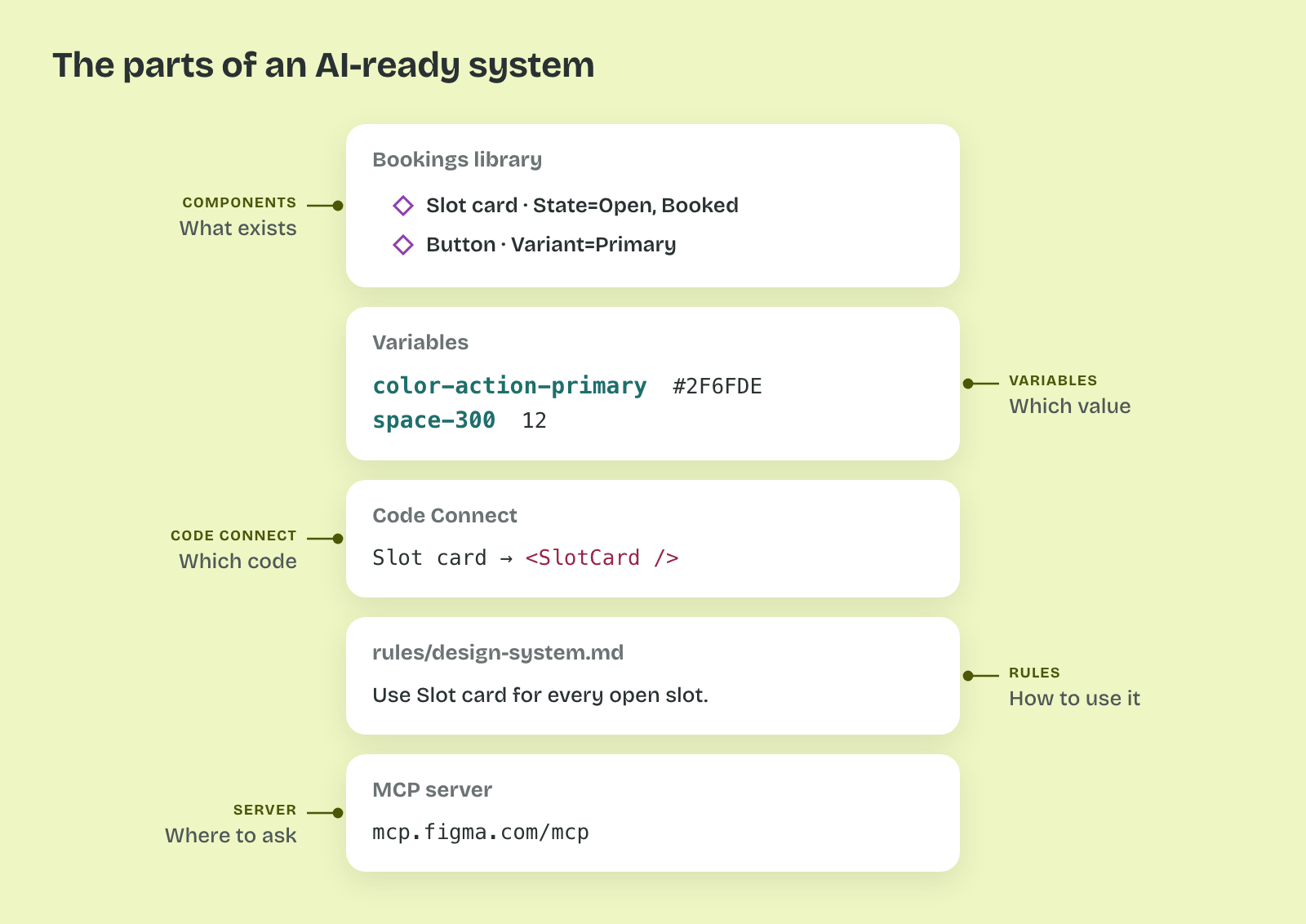
That's why the parts depend on each other. A rule that says "use the Button component" helps only when Button is a published component with a code mapping behind it.
How Public Systems Serve Agents
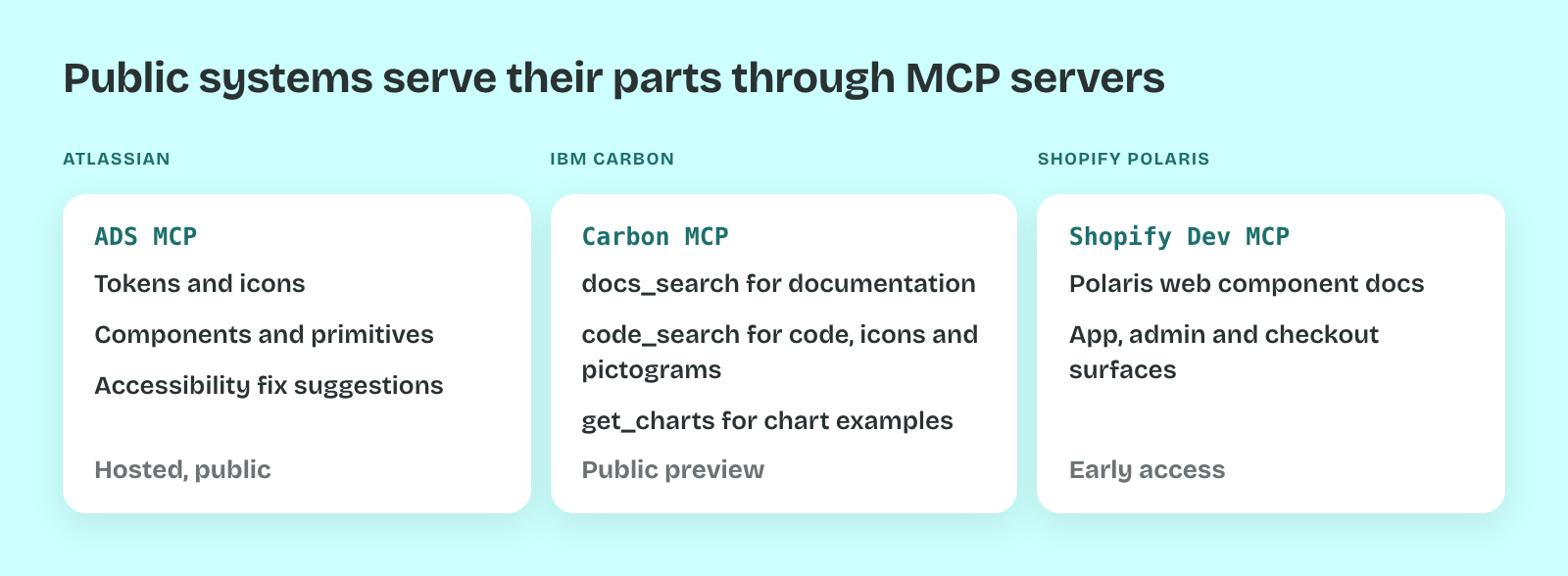
Several public systems already serve these parts through their own servers. Atlassian hosts an MCP server for its design system that covers tokens, icons, components and primitives. It also includes a tool that suggests fixes for accessibility problems, with code examples.
In the same way, IBM serves Carbon through Carbon MCP, which is in public preview. Its tools include docs_search for Carbon's documentation and code_search for its code examples, icons and pictograms. Shopify's Dev MCP server can serve Polaris web component docs too, a feature Shopify still marks as early access.
Here is what each of the three public servers offers:
For a team's own system, the Figma MCP server plays that role. It reads components, variables and mappings straight from your library, so the parts you build in Figma are the parts the agent sees.
Rules Written for Agents
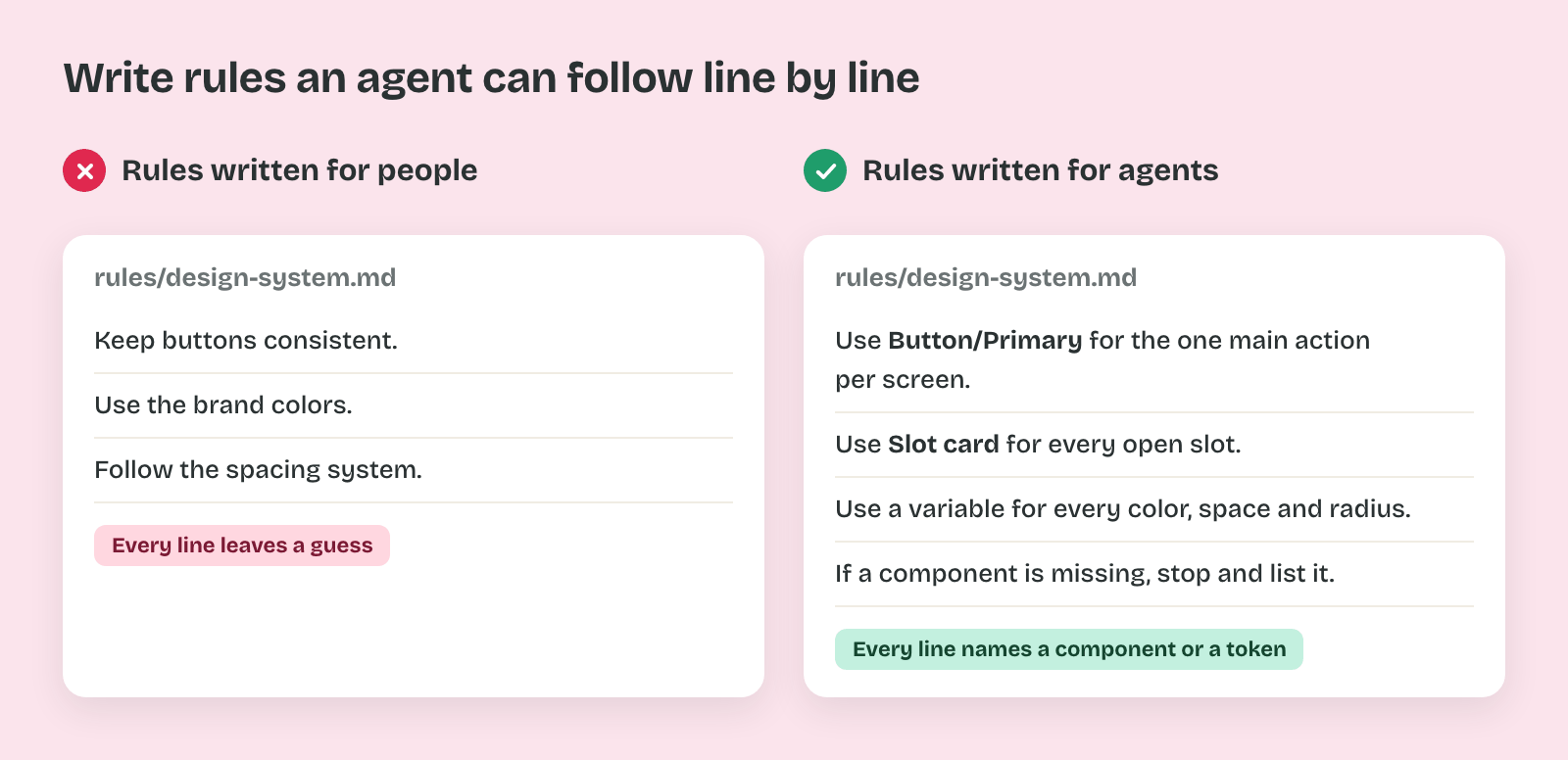
A rules file states the conventions a component page often leaves unsaid. It names which component to use for which job, which values are off-limits and what an agent should never rebuild. Figma's MCP server has a prompt called create_design_system_rules that drafts one, saved into the project's rules folder.
Here is a vague rules file next to one an agent can follow:
Beyond your own file, Google's DESIGN.md format packs the same idea into one portable file. Google open-sourced it from its Stitch tool in April 2026. A DESIGN.md file holds a YAML block of tokens, then prose on why the design looks the way it does.
A File or a Server
A single file has a limit, though, and Atlassian measured it. Its team tested its own DESIGN.md against its MCP server on a login screen. The file alone used about 7.2 million tokens against 3.75 million. It also led agents to recreate Atlassian components instead of importing them. Those are Atlassian's own tests, and its authors call them inconclusive.
That's because a file loads everything at once, while a server answers one question at a time. The file also had to stay small, so component usage guidance was cut from it.
Here is how the file and the server compared in Atlassian's test:
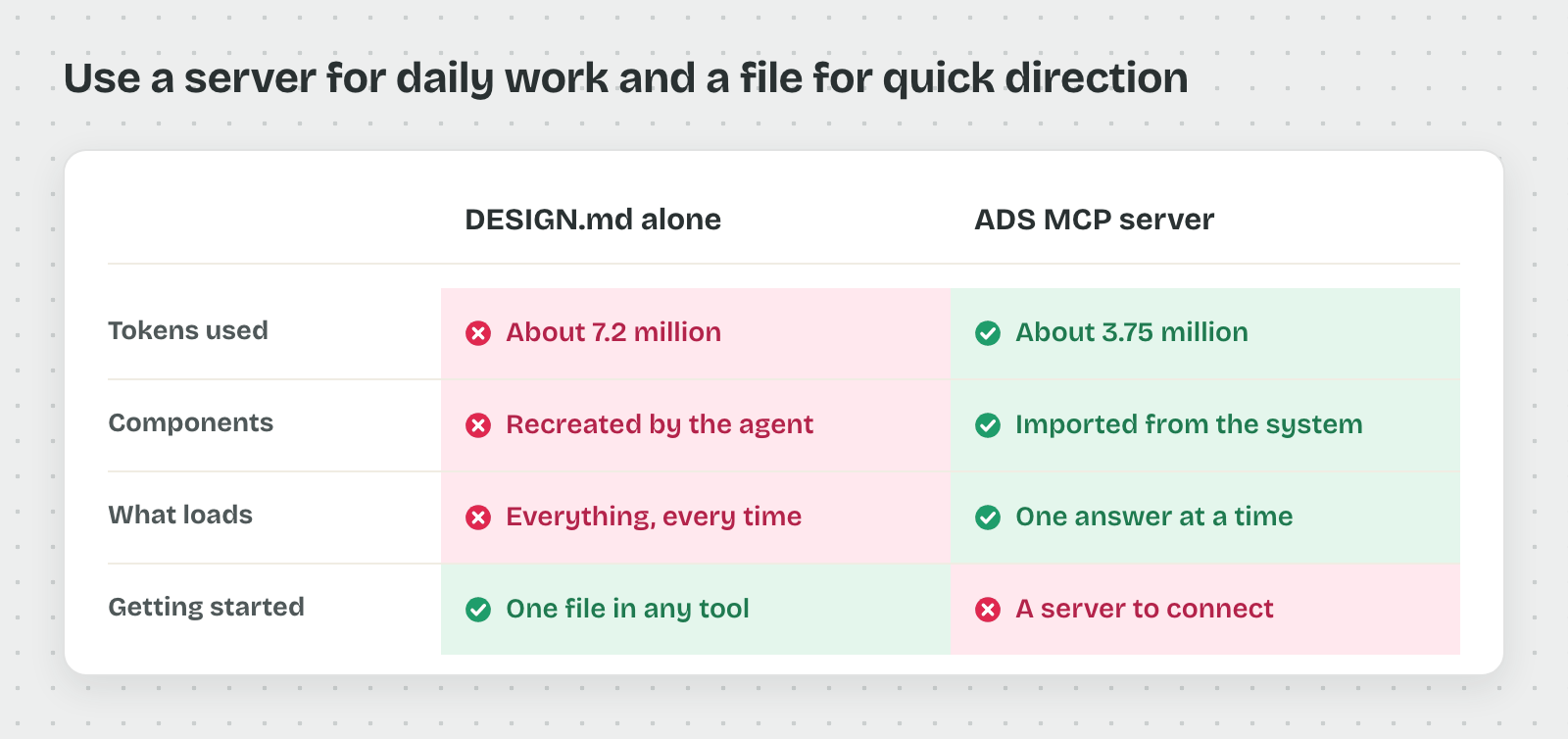
So Atlassian's authors see DESIGN.md as useful for quick direction and prototyping in a new tool. For daily work inside a product, the server gave their agents better results.
Pro tip: Rename the default layers in every component you expect an agent to use before you connect one. Figma's MCP guidance lists names like Frame1268 and Group5 as the kind to replace, with CardContainer and CTA_Button as the kind an agent can read.