Design Workflows
Design and engineering often first meet at the handoff, when a design change costs the most. Imagine a rentals app whose new filter screen shows a live count, “238 homes match”, while people tick boxes. In the first week of the build, the engineer finds that the search API returns homes in pages of 20 with no total. The screen goes back to design.
Learn on the move: press play and turn your commute, walk or drive into time that grows your design career.

So that rework is a problem of timing. Design workflows are the habits that bring engineers into a feature at the moments when what they know can still change the design.
Why the Fix Is a Habit
Most teams can’t solve late discovery by hiring. In a 2020 Nielsen Norman Group survey, the most common ratio among the 377 people who gave team sizes was one researcher to five designers to 50 developers. Half of the respondents had at least one designer for every 10 developers.
That’s why one designer can’t sit beside every engineer for every decision. What a designer can do is hold a few short meetings at the right moments. A 15-minute check on a sketch, an hour at a whiteboard and a written quality bar all fit inside a normal sprint, with no change to the team’s process.
The Meeting Points Along a Feature
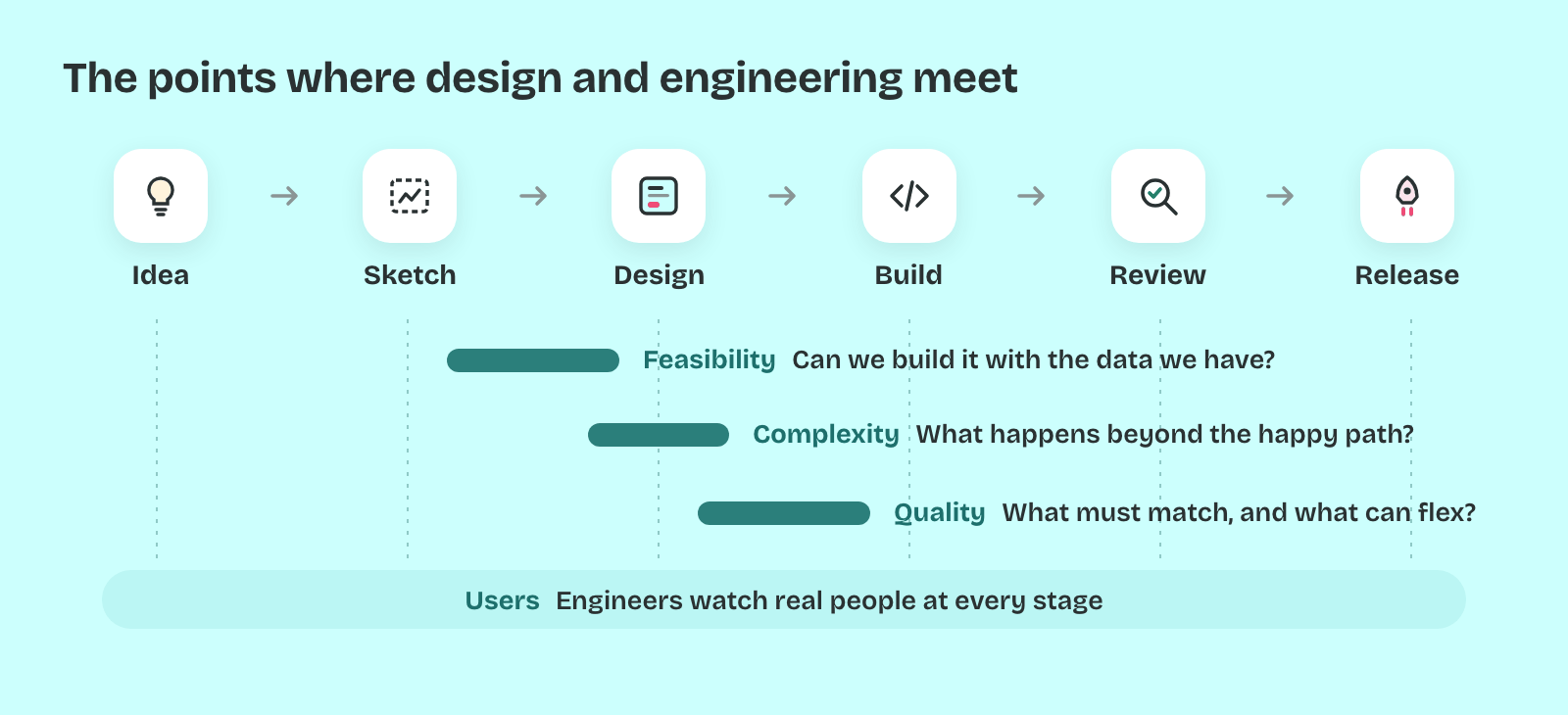
A feature travels from an idea to a sketch, a design, the build, a review and the release. Design and engineering need to meet at four points on that path, and each one answers its own question:
- Feasibility: can this be built with the data and time we have?
- Complexity: what happens beyond the happy path?
- Quality: what has to match the design, and what can flex?
- Users: has the person building it seen the people who will use it?
In practice, each meeting costs an hour or less. Skipping one tends to show up later as a redesign, a missing screen or an argument at the review.
Anatomy of a Feature’s Path
A feature changes hands several times between the first idea and the release, and something can get lost at every handover. Imagine a rentals filter screen that leaves design with a live result count, a price slider and a sort menu. It reaches users without the count, with a blank page for zero results and with a default sort nobody chose on purpose.
Here is the filter screen as it shipped after a late handoff and after early contact:
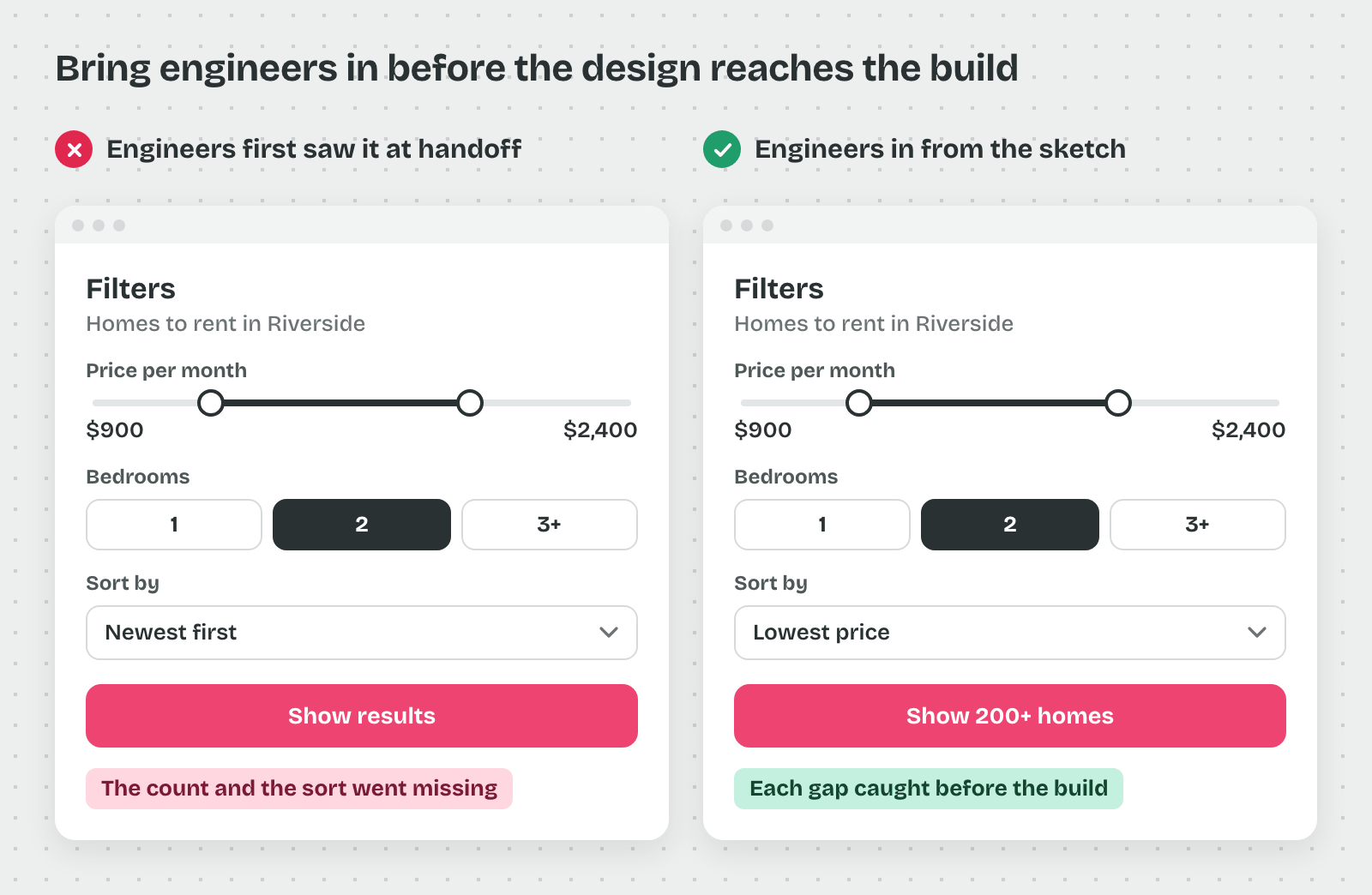
So it helps to know the path and the points on it where design and engineering have to meet. Each point catches a different kind of loss.
The Stages of a Feature
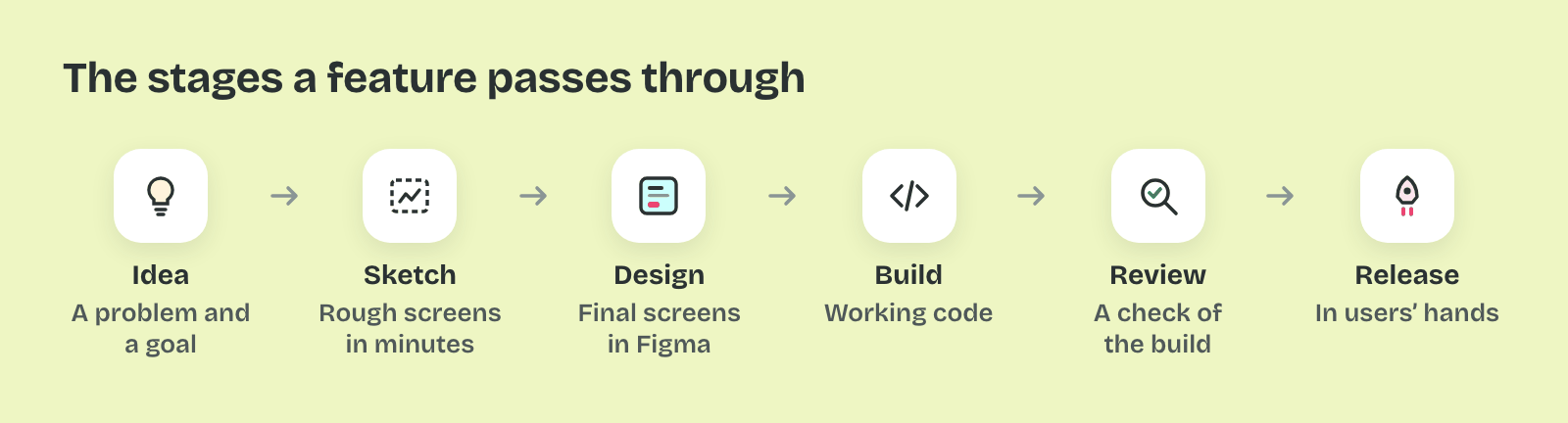
Most product teams move a feature through six stages, even when they use other names for them. Each stage has a main output:
- Idea: a problem and a goal, such as “renters can’t narrow 3,000 listings to the ones they can afford”, usually in a ticket or a brief.
- Sketch: rough screens or a whiteboard drawing that show one way to solve it, made in minutes.
- Design: the finished screens in Figma, with real copy, components and the main states.
- Build: the working code, written by engineers from the design and the ticket.
- Review: a check of the build against the design and the goal, before users see it.
- Release: the feature in users’ hands, often for a small share of them first.
That order matters because each stage builds on the one before. A choice made in the sketch, such as a live count, gets more expensive to change with every stage it passes.
Here are the six stages in order, with the output of each:
Where Design and Engineering Meet
Four meetings sit along that path, and each one moves knowledge from one side to the other. The engineer knows the data, the system and the build effort. The designer knows the users and the intent behind each screen.
- Feasibility (between sketch and design): an engineer checks whether the data and the system can support the idea.
- Complexity (during design): designer and engineer map the states, edge cases and data limits together.
- Quality (before the build): the team writes down what must match the design and what can flex.
- Users (across every stage): engineers watch real people use the product, so their small decisions lean the right way.
Here are the four meetings placed along the six stages:
What a Skipped Meeting Costs
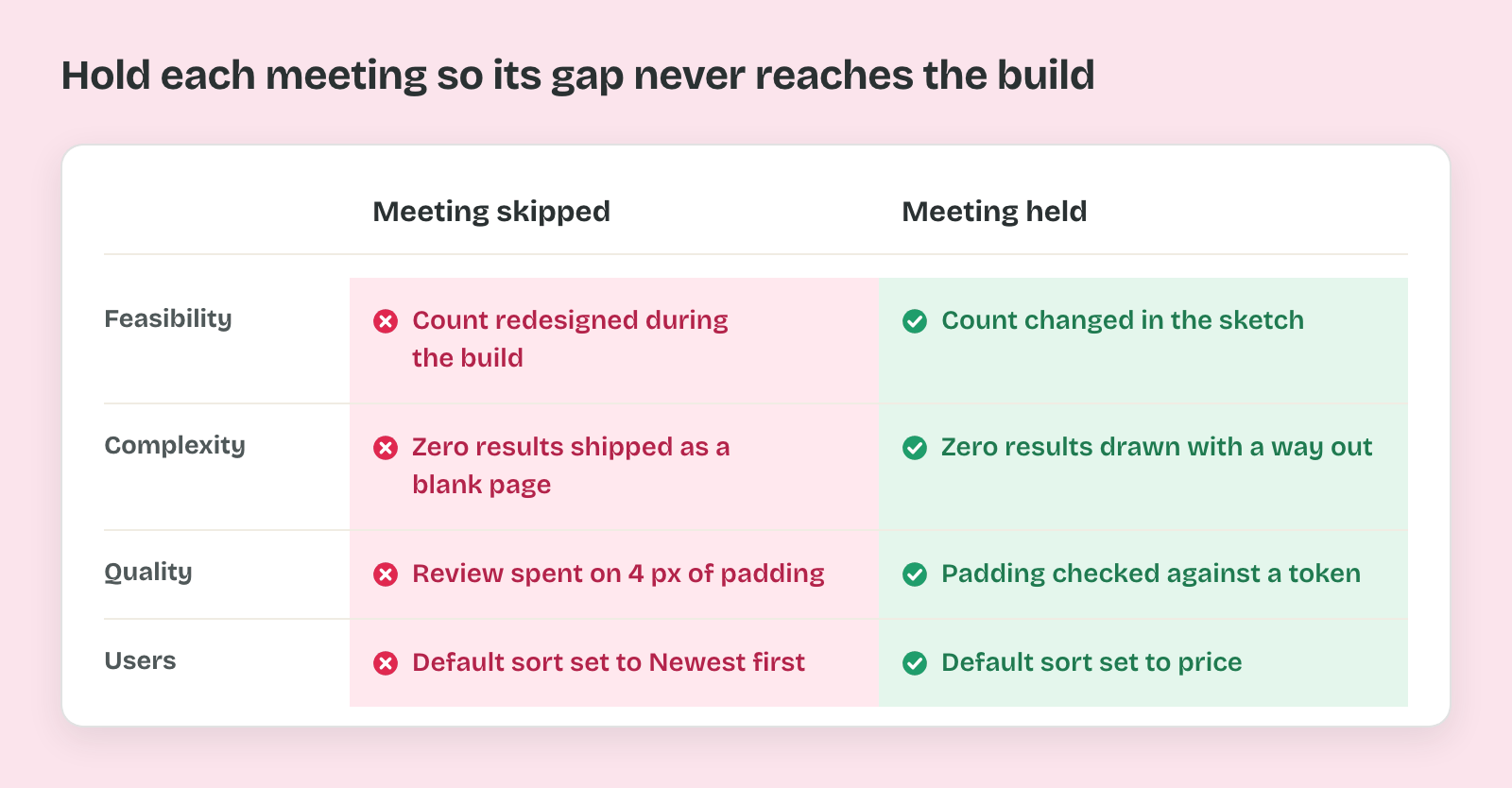
Each skipped meeting leaves its own kind of gap, and the rentals filter shows all four. Without a feasibility check, the live count reached the build before anyone learned that the search API had no total. The screen went back to design in the second week of the build.
In the same way, nobody drew zero results without a complexity map, so the engineer shipped a blank page. Without a quality bar, the review turned into a debate over 4 px of padding. Without contact with users, the engineer picked “Newest first” as the default sort, the easiest query, while renters in interviews asked about price first.
Here is what each meeting changed for the rentals filter, skipped or held:
When the Path Loops Back
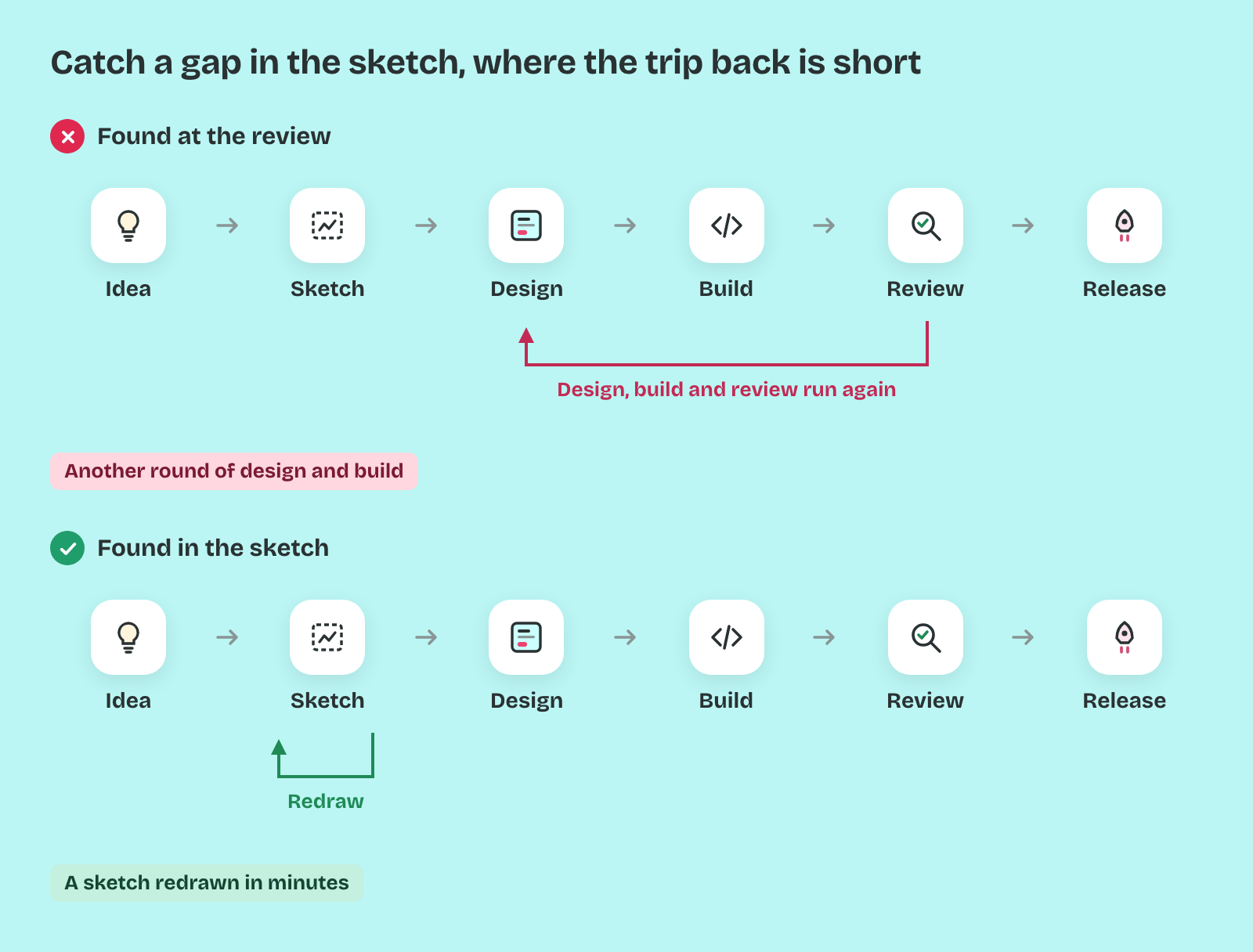
A problem found late sends the feature back along the path, and it repeats every stage in between. A gap found at the review means another round of design, build and review. A gap found in the sketch means redrawing the sketch, which takes minutes.
Here is how far the work loops back from a gap found at the review and from one found in the sketch:
That’s why three of the meetings happen before a line of code exists. The fourth, contact with users, keeps the build itself on track while it runs. Who holds which role on the team is covered in Product Thinking, under Who Makes a Product.
Pro tip: Write the six stages on a sticky note for your current feature and tick each meeting that has happened. The first unticked meeting before the build is the cheapest one to book this week.