Log in

Basics of UX/UI/Product Design Glossary

Shared language is shared direction. This glossary exists so designers, developers, and stakeholders can point the same way
UX Design

UX (User Experience) design is about how people feel when using a product. A UX designer makes apps, websites, or tools easy, useful, and even fun.

Example: when ordering food on UberEats, you quickly find restaurants, filter by price, and pay smoothly.

That is UX design at work — removing stress and saving time. A bad UX would be too many steps, hidden buttons, or unclear delivery times.

UI Design

The second paragraph of an article is sometimes called the “nut graph,” which is short for “nutshell paragraph.” That’s because this is usually where the article gets to the heart of the matter — the main point.

After the first section, the reader is ready to hear what’s truly at stake in this piece of writing. They’re invested. They’re paying attention.

If your piece is long enough to have long, multi-paragraph sections, then you’ll want to use this strategy throughout to make sure you’re holding reader attention in a consistent way.

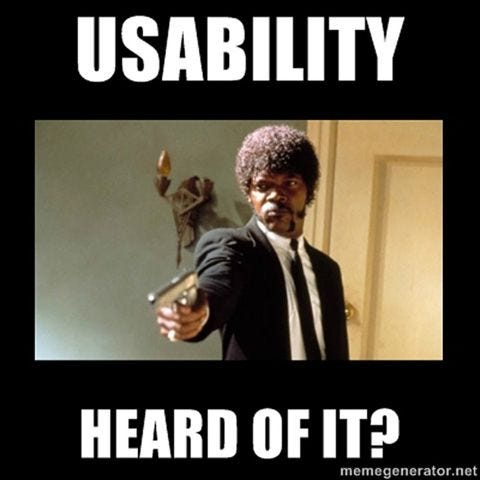
Usability

Usability is about how easy and efficient a product is to use. Good usability means users can reach their goal without confusion.

Example: Google Search has one big search bar in the center — no instructions needed. Bad usability is when you need a manual just to find settings.

Designers test usability by watching real users click, scroll, and sometimes fail, then improve the flow.

Wireframe

A wireframe is a simple sketch of a screen layout, showing where things go before adding colors or images.

Think of it like a blueprint for a house. Before building a new banking app, designers make wireframes to plan buttons for “transfer money” or “check balance.”

Wireframes save time and money by fixing logic early instead of redoing a finished design later.

Prototyping

A prototype is an early version of a product that people can click and test. It feels real but is not fully built.

In Figma, a designer connects screens so testers can “book a flight” like in a real app. If users get lost, the designer changes the flow.

Prototypes help teams test ideas with clients or users before developers write expensive code.

Interaction Design

Interaction design is about how users move and act with a product: taps, swipes, clicks, hovers. It makes experiences feel alive.

When liking a photo on Instagram, the heart grows and turns red. That tiny animation confirms your action and feels rewarding.

Without good interaction design, products feel flat or confusing, like a button that doesn’t show if it worked.


Let’s connect

Log in

Basics of UX/UI/Product Design Glossary

Shared language is shared direction. This glossary exists so designers, developers, and stakeholders can point the same way

UX Design

UX (User Experience) design is about how people feel when using a product. A UX designer makes apps, websites, or tools easy, useful, and even fun.

Example: when ordering food on UberEats, you quickly find restaurants, filter by price, and pay smoothly.

That is UX design at work — removing stress and saving time. A bad UX would be too many steps, hidden buttons, or unclear delivery times.

UI Design

The second paragraph of an article is sometimes called the “nut graph,” which is short for “nutshell paragraph.” That’s because this is usually where the article gets to the heart of the matter — the main point.

After the first section, the reader is ready to hear what’s truly at stake in this piece of writing. They’re invested. They’re paying attention.

If your piece is long enough to have long, multi-paragraph sections, then you’ll want to use this strategy throughout to make sure you’re holding reader attention in a consistent way.

Usability

Usability is about how easy and efficient a product is to use. Good usability means users can reach their goal without confusion.

Example: Google Search has one big search bar in the center — no instructions needed. Bad usability is when you need a manual just to find settings.

Designers test usability by watching real users click, scroll, and sometimes fail, then improve the flow.

Wireframe

A wireframe is a simple sketch of a screen layout, showing where things go before adding colors or images.

Think of it like a blueprint for a house. Before building a new banking app, designers make wireframes to plan buttons for “transfer money” or “check balance.”

Wireframes save time and money by fixing logic early instead of redoing a finished design later.

Prototyping

A prototype is an early version of a product that people can click and test. It feels real but is not fully built.

In Figma, a designer connects screens so testers can “book a flight” like in a real app. If users get lost, the designer changes the flow.

Prototypes help teams test ideas with clients or users before developers write expensive code.

Interaction Design

Interaction design is about how users move and act with a product: taps, swipes, clicks, hovers. It makes experiences feel alive.

When liking a photo on Instagram, the heart grows and turns red. That tiny animation confirms your action and feels rewarding.

Without good interaction design, products feel flat or confusing, like a button that doesn’t show if it worked.

Let’s connect

Log in

Basics of UX/UI/Product Design Glossary

Shared language is shared direction. This glossary exists so designers, developers, and stakeholders can point the same way

UX Design

UX (User Experience) design is about how people feel when using a product. A UX designer makes apps, websites, or tools easy, useful, and even fun.

Example: when ordering food on UberEats, you quickly find restaurants, filter by price, and pay smoothly.

That is UX design at work — removing stress and saving time. A bad UX would be too many steps, hidden buttons, or unclear delivery times.

UI Design

The second paragraph of an article is sometimes called the “nut graph,” which is short for “nutshell paragraph.” That’s because this is usually where the article gets to the heart of the matter — the main point.

After the first section, the reader is ready to hear what’s truly at stake in this piece of writing. They’re invested. They’re paying attention.

If your piece is long enough to have long, multi-paragraph sections, then you’ll want to use this strategy throughout to make sure you’re holding reader attention in a consistent way.

Usability

Usability is about how easy and efficient a product is to use. Good usability means users can reach their goal without confusion.

Example: Google Search has one big search bar in the center — no instructions needed. Bad usability is when you need a manual just to find settings.

Designers test usability by watching real users click, scroll, and sometimes fail, then improve the flow.

Wireframe

A wireframe is a simple sketch of a screen layout, showing where things go before adding colors or images.

Think of it like a blueprint for a house. Before building a new banking app, designers make wireframes to plan buttons for “transfer money” or “check balance.”

Wireframes save time and money by fixing logic early instead of redoing a finished design later.

Prototyping

A prototype is an early version of a product that people can click and test. It feels real but is not fully built.

In Figma, a designer connects screens so testers can “book a flight” like in a real app. If users get lost, the designer changes the flow.

Prototypes help teams test ideas with clients or users before developers write expensive code.

Interaction Design

Interaction design is about how users move and act with a product: taps, swipes, clicks, hovers. It makes experiences feel alive.

When liking a photo on Instagram, the heart grows and turns red. That tiny animation confirms your action and feels rewarding.

Without good interaction design, products feel flat or confusing, like a button that doesn’t show if it worked.